
Beaatz2021 - Minecraft Skins & Skin History
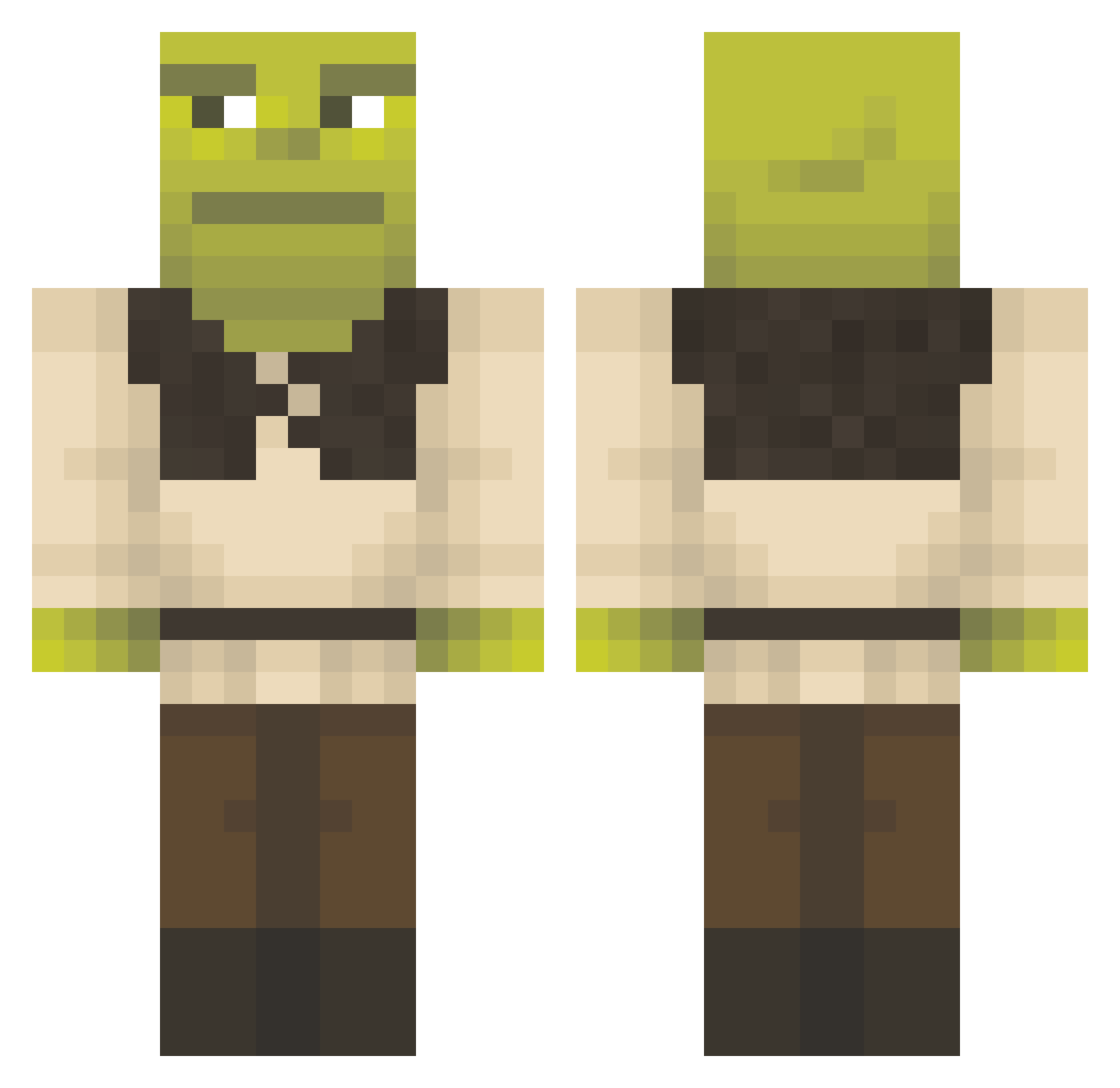
Current Minecraft skin of the player Beaatz2021, loaded from the official Mojang API. Rotate the 3D model with your mouse or finger, then download the skin as a PNG file and use it in Minecraft: Bedrock Edition or Java Edition for free. When Beaatz2021 changes their skin, this page updates automatically and the old skin stays in the history below.
Other players with this skin (1292)
Beaatz2021 was the 1121st player we have seen with this skin, first spotted on 19.10.2026. The same skin was seen on these players. Open a nickname to see their current skin and skin history.
 Alcolea WeesDerErste linkekette Ur9ce s1nox2307 lovewithlogan IvyBear3 Pinkeinke Samilerama cenkkdemir Eliizaaaa alekleminou 0g00ber0 ArmaDeniz II_Trxst_II Gonco2004 dziobk TRiiiPPP Endernatorr glizzie_gladiatr coco_puff10 Mechonok Archandel3188 MuneFTWx aurelamenas peetrick09 PtB08 norie12 Teomannlol La_Tapatia kkaeys Spiritz04 CristiNicolae12 Yuklid MrKingKon HamburgerTime_ CHICKENSIGMALOL Ajeff15 WizardBelt LUCAS22529 GremlinHunter762 ActuallyTwitt benbongo youssefmagdii GuyPatt Gill_Sikes WhiteWarrior0 Raidveter Onestewtait PaddyNylle gimmethememes69 ChefQuixote ELSaint RobVolk SHACKATTACK48 PHROSD UrbanKOX BlackLotos03 Zer0oFive Binty1
More Shrek Minecraft skins
How to install the Beaatz2021 skin
- Press the Download button above to save the skin as a PNG file.
- Minecraft: Bedrock Edition (PE): open the Dressing Room from the main menu (or tap your character → Edit Character), go to Classic Skins → Owned, press the + (new skin) button, choose the downloaded PNG and pick the Classic (Steve) model. Works on PC and mobile; consoles cannot import custom skins.
- Minecraft: Java Edition: open the Minecraft Launcher, go to the Skins tab, click New Skin, load the PNG, pick the Classic (Steve) model and press Save & Use. You can also upload it at minecraft.net → Profile → Change Skin.
The skin does not show up after import - what should I do?
Restart Minecraft and open the Dressing Room again - imported skins sometimes appear only after a restart. Also make sure you selected the imported skin and picked the Classic (Steve) model.
Which model should I choose, Classic or Slim?
This skin is designed for the Classic (Steve) model. If you pick the wrong model, the arms of the skin will look stretched or squeezed.
Is the skin of Beaatz2021 free to download?
Yes. Press Download, save the PNG file and use it in Minecraft: Bedrock Edition or Java Edition - no payment or registration needed. The skin also works on multiplayer servers and Realms.
More skins
Looking for more? Go back to all Minecraft skins and check the top skins of the week, month and all time, or find any player's skin by nickname.