
Batu38 - Minecraft Skins & Skin History
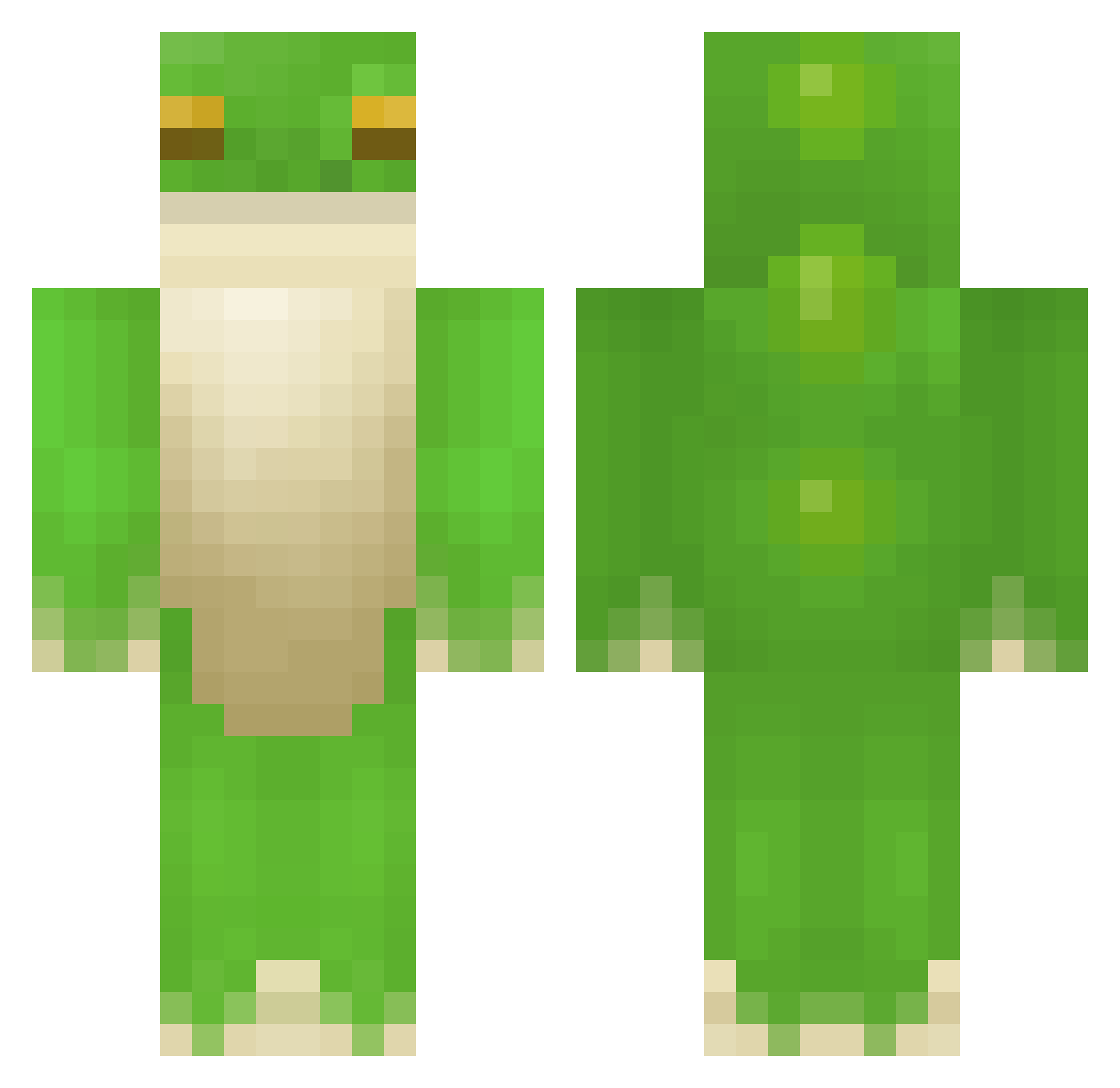
Current Minecraft skin of the player Batu38, loaded from the official Mojang API. Rotate the 3D model with your mouse or finger, then download the skin as a PNG file and use it in Minecraft: Bedrock Edition or Java Edition for free. When Batu38 changes their skin, this page updates automatically and the old skin stays in the history below.
Other players with this skin (208)
Batu38 was the 138th player we have seen with this skin, first spotted on 11.10.2026. The same skin was seen on these players. Open a nickname to see their current skin and skin history.
 Froggy225 SGTFrog2013 PoohBoy bobbo555 minmin05 UnknownSpaceman allstarkid66 Droidman1 Kongokampfwiesel thebigfatfrog100 Kumikelkka MoreTimes ILikeKitteh Nashton twaxy frog1996 KingDarius2005 Luukies burdick101957 Kimukay FrenchFrog42 Minecrafterzs wetpaste chodezilla2 junny_2 riking21 frogish33 AimLikeAFrog N4M4 baldfrog birdboy4812 Mekyyy dark_killer12 mizuki0528 susischwammkopf Dom1nator12 Green_Froggy_1 Hamsahra Harrykyk beodorn luv31 boxerjoe123 BOMB0829 paddi77 nanners456 thiwaza_ zoronror hatefulloaf Zahgog TheChosenFrog Neoiberian Roxi0o noahmunch nFuzion Pokoariat YaoiRAWR Frogbeast1911 Infobil Da_mi Greenman3339
More Frog Minecraft skins
How to install the Batu38 skin
- Press the Download button above to save the skin as a PNG file.
- Minecraft: Bedrock Edition (PE): open the Dressing Room from the main menu (or tap your character → Edit Character), go to Classic Skins → Owned, press the + (new skin) button, choose the downloaded PNG and pick the Classic (Steve) model. Works on PC and mobile; consoles cannot import custom skins.
- Minecraft: Java Edition: open the Minecraft Launcher, go to the Skins tab, click New Skin, load the PNG, pick the Classic (Steve) model and press Save & Use. You can also upload it at minecraft.net → Profile → Change Skin.
The skin does not show up after import - what should I do?
Restart Minecraft and open the Dressing Room again - imported skins sometimes appear only after a restart. Also make sure you selected the imported skin and picked the Classic (Steve) model.
Which model should I choose, Classic or Slim?
This skin is designed for the Classic (Steve) model. If you pick the wrong model, the arms of the skin will look stretched or squeezed.
Is the skin of Batu38 free to download?
Yes. Press Download, save the PNG file and use it in Minecraft: Bedrock Edition or Java Edition - no payment or registration needed. The skin also works on multiplayer servers and Realms.
More skins
Looking for more? Go back to all Minecraft skins and check the top skins of the week, month and all time, or find any player's skin by nickname.