
BananaShark22 - Minecraft Skins & Skin History
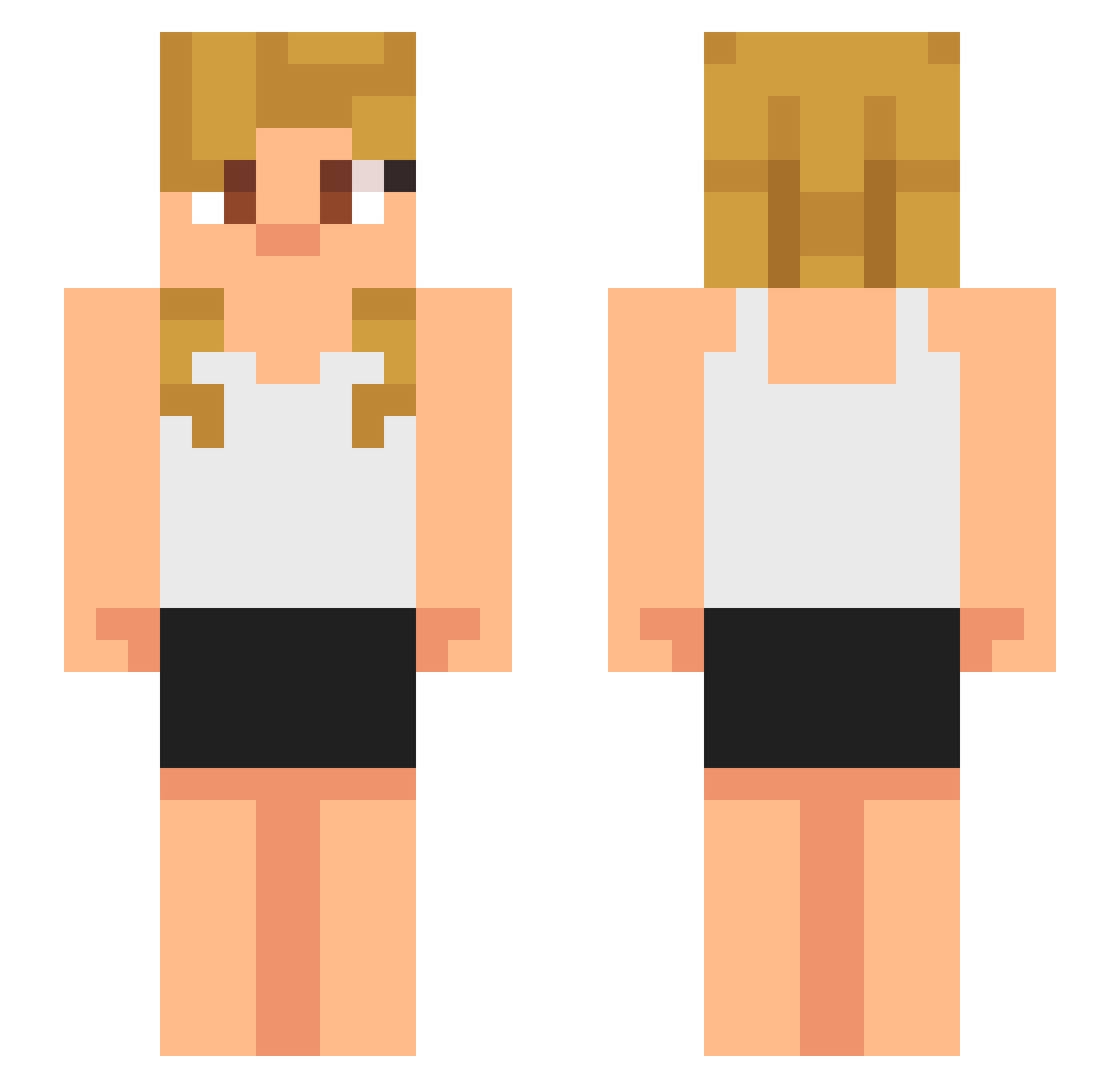
Current Minecraft skin of the player BananaShark22, loaded from the official Mojang API. Rotate the 3D model with your mouse or finger, then download the skin as a PNG file and use it in Minecraft: Bedrock Edition or Java Edition for free. When BananaShark22 changes their skin, this page updates automatically and the old skin stays in the history below.
Other players with this skin (633)
BananaShark22 was the 191st player we have seen with this skin, first spotted on 23.08.2026. The same skin was seen on these players. Open a nickname to see their current skin and skin history.
 ThiccDicDaddy26 Aikoshib _Yami_Sukehiro_ Dylanxz altaar1 Diddingtonal ImYuTingLa Athen01 Matthew1380 ChivoLoko3 maxibon13 edvineminhund
 Glasstitan1 IcyVIbez chiliboy257 Shubho09 nomis1004a Storm10510 lenin1625 DauntlessLover matt_man315 fagner123 Real051 DiDiDi66 Clingingmold202 badhusky Klxcpy dddd6699 Gioxel fh0426 Rendy11 leprechaunginger akira6912 patanka RODRINMORTAL ak7i Avxsn Bigarox tomato12468 jtbean Ichnalu xacvl Benjyfischer knowingfool01 zerosh1ma Edo_012 kyou_556 Subliminal5207 wunian77 micamote12 Kydd141 UsagiBuns Yukiozerra Illegalcoco2121 Cantusia AlienAttack Brandxn1121 Allune_ xiaoxiongzzz KILLER_ZMR
More Girl Minecraft skins
How to install the BananaShark22 skin
- Press the Download button above to save the skin as a PNG file.
- Minecraft: Bedrock Edition (PE): open the Dressing Room from the main menu (or tap your character → Edit Character), go to Classic Skins → Owned, press the + (new skin) button, choose the downloaded PNG and pick the Slim (Alex) model. Works on PC and mobile; consoles cannot import custom skins.
- Minecraft: Java Edition: open the Minecraft Launcher, go to the Skins tab, click New Skin, load the PNG, pick the Slim (Alex) model and press Save & Use. You can also upload it at minecraft.net → Profile → Change Skin.
The skin does not show up after import - what should I do?
Restart Minecraft and open the Dressing Room again - imported skins sometimes appear only after a restart. Also make sure you selected the imported skin and picked the Slim (Alex) model.
Which model should I choose, Classic or Slim?
This skin is designed for the Slim (Alex) model. If you pick the wrong model, the arms of the skin will look stretched or squeezed.
Is the skin of BananaShark22 free to download?
Yes. Press Download, save the PNG file and use it in Minecraft: Bedrock Edition or Java Edition - no payment or registration needed. The skin also works on multiplayer servers and Realms.
More skins
Looking for more? Go back to all Minecraft skins and check the top skins of the week, month and all time, or find any player's skin by nickname.