
Babib0o - Minecraft Skins & Skin History
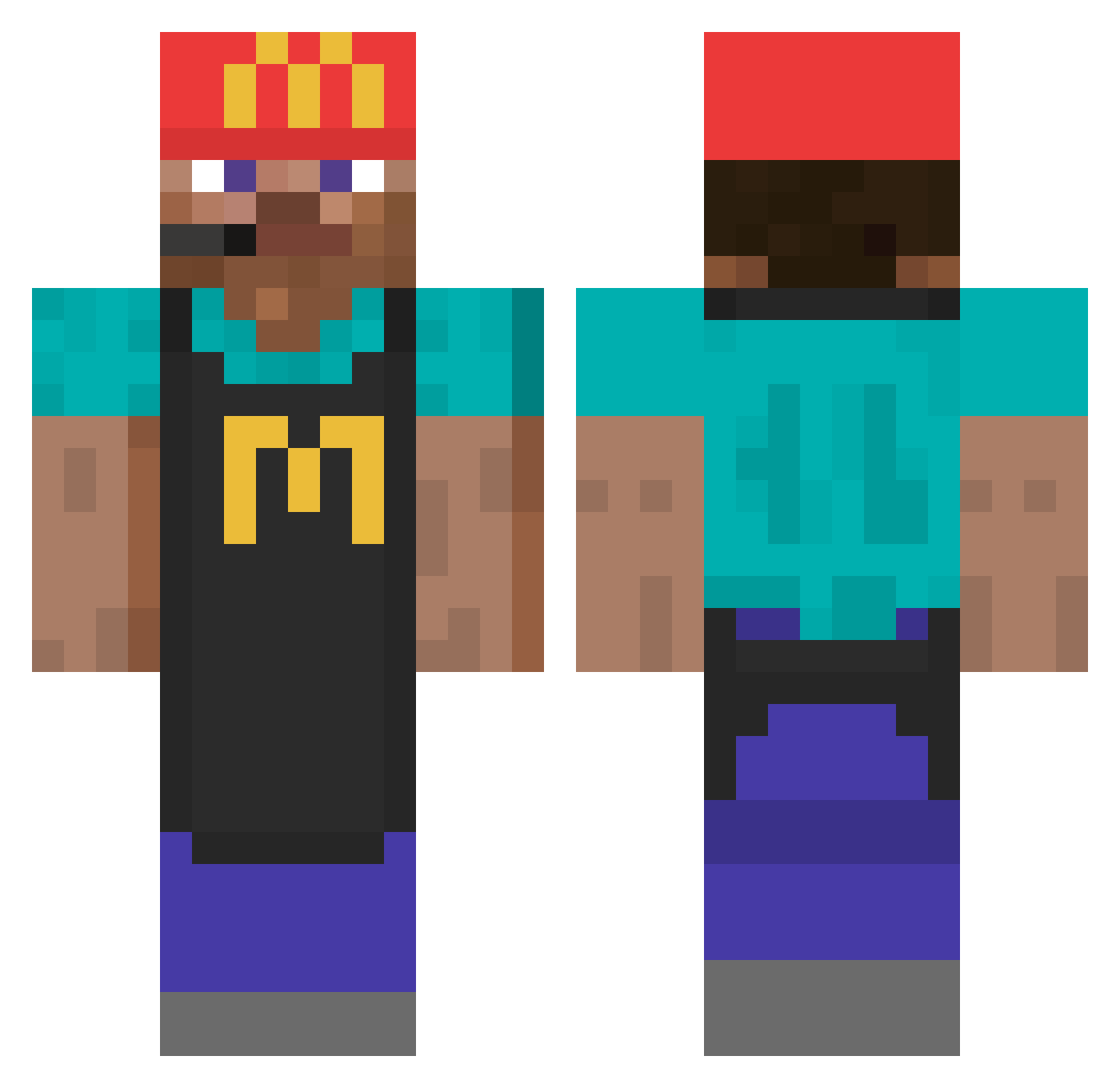
Current Minecraft skin of the player Babib0o, loaded from the official Mojang API. Rotate the 3D model with your mouse or finger, then download the skin as a PNG file and use it in Minecraft: Bedrock Edition or Java Edition for free. When Babib0o changes their skin, this page updates automatically and the old skin stays in the history below.
Other players with this skin (746)
Babib0o was the 238th player we have seen with this skin, first spotted on 28.08.2026. The same skin was seen on these players. Open a nickname to see their current skin and skin history.
 Mister_Monsieur_ The_Chu Zocker1266 jslamed ogtrzr JB14P coolerkeks01 Maroplaz A_Giant_Newb FusspflegerUdo moinmoinmoin1 Buzva_ Minpole ZAYCHIKKK DokterDakloos13 TheRacooin96 David5150 StrawyDrop64 Vicetti Moonlight7k MrGameJunkieYT MetallicMowl Hionyt pr0dney bartolomeeo Coca_China Wisig_T Stevenbro29 Trigly iPsychq mikhy123 OliverMalkin Manoumanou CheeseManIan yarek_ Jaydayday Magikarppppp Jordington ElTrisoto gaarko Batiboy gxuf HoboLuvr JKSHJHJ Papa_Joseph DecayedChips LeqitOwnerLe Jiren12 Wojtekcola Poupou4379 HeavenlyDad dazhz PabloPavoff izabelle919 Vapourisrllllly den0ch Frexs_ Kubelitz DOMO1010 BEER431
More Cashier Minecraft skins
How to install the Babib0o skin
- Press the Download button above to save the skin as a PNG file.
- Minecraft: Bedrock Edition (PE): open the Dressing Room from the main menu (or tap your character → Edit Character), go to Classic Skins → Owned, press the + (new skin) button, choose the downloaded PNG and pick the Classic (Steve) model. Works on PC and mobile; consoles cannot import custom skins.
- Minecraft: Java Edition: open the Minecraft Launcher, go to the Skins tab, click New Skin, load the PNG, pick the Classic (Steve) model and press Save & Use. You can also upload it at minecraft.net → Profile → Change Skin.
The skin does not show up after import - what should I do?
Restart Minecraft and open the Dressing Room again - imported skins sometimes appear only after a restart. Also make sure you selected the imported skin and picked the Classic (Steve) model.
Which model should I choose, Classic or Slim?
This skin is designed for the Classic (Steve) model. If you pick the wrong model, the arms of the skin will look stretched or squeezed.
Is the skin of Babib0o free to download?
Yes. Press Download, save the PNG file and use it in Minecraft: Bedrock Edition or Java Edition - no payment or registration needed. The skin also works on multiplayer servers and Realms.
More skins
Looking for more? Go back to all Minecraft skins and check the top skins of the week, month and all time, or find any player's skin by nickname.