
BYwD374 - Minecraft Skins & Skin History
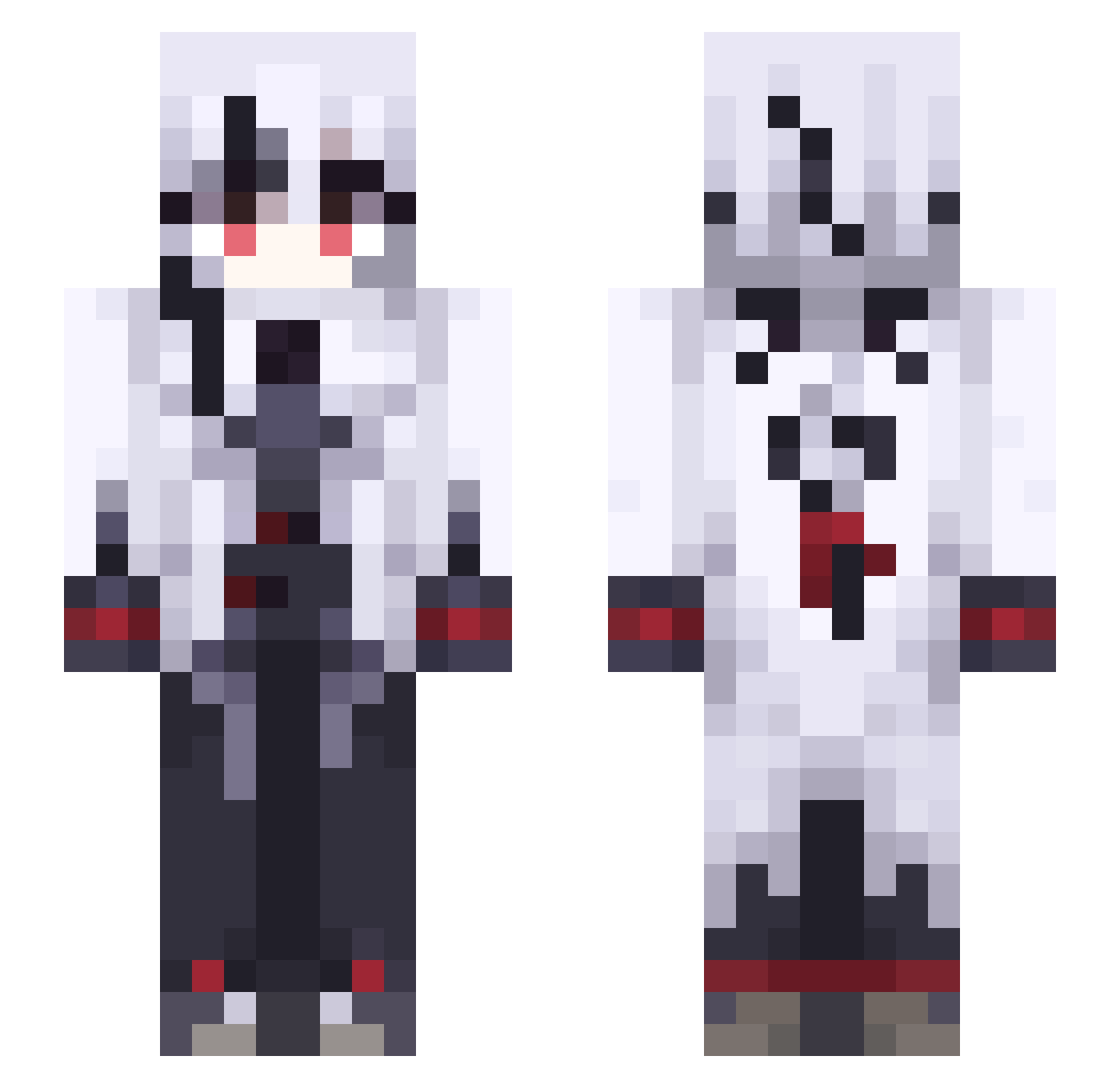
Current Minecraft skin of the player BYwD374, loaded from the official Mojang API. Rotate the 3D model with your mouse or finger, then download the skin as a PNG file and use it in Minecraft: Bedrock Edition or Java Edition for free. When BYwD374 changes their skin, this page updates automatically and the old skin stays in the history below.
Other players with this skin (491)
BYwD374 was the 354th player we have seen with this skin, first spotted on 06.10.2026. The same skin was seen on these players. Open a nickname to see their current skin and skin history.
 Sobaaaaa_ ChaosDevourer ItzTatan sho1030 Drxne_ SurperShark Spektrem2b Verseminu RenDenxx Wilop23 sasami1129 harumakki RaffiLord Raven2303 aguspapipopa00 XiaoSen1844 XZ_lone WhatRUdoing1 dejasenti99 RandomK_8 Poctlek MoonTurtle87 BambooYun Marrombombom anx_ Andry204_ F0xG4mer Alterna247 S_Sming Solomom525 Niszczyk KSM_OkamI Darth_2137 kstarlight draftiercube ayaya0724 KVWw925 Pocket_Cat_YT Ryu__melk Peruere_ KrispyDonutz jjashya leizigor RikuNobam GoobsFish M4nq KuZr727 ZERO6741 zXMOONLIGHTXz BobehSweet arle822 ScoutDash addaa_ Yes1du Gomudo Rk7gamerYT caihongyongshi Saricka NotaACabbage yuezhe
More Goth Minecraft skins
How to install the BYwD374 skin
- Press the Download button above to save the skin as a PNG file.
- Minecraft: Bedrock Edition (PE): open the Dressing Room from the main menu (or tap your character → Edit Character), go to Classic Skins → Owned, press the + (new skin) button, choose the downloaded PNG and pick the Slim (Alex) model. Works on PC and mobile; consoles cannot import custom skins.
- Minecraft: Java Edition: open the Minecraft Launcher, go to the Skins tab, click New Skin, load the PNG, pick the Slim (Alex) model and press Save & Use. You can also upload it at minecraft.net → Profile → Change Skin.
The skin does not show up after import - what should I do?
Restart Minecraft and open the Dressing Room again - imported skins sometimes appear only after a restart. Also make sure you selected the imported skin and picked the Slim (Alex) model.
Which model should I choose, Classic or Slim?
This skin is designed for the Slim (Alex) model. If you pick the wrong model, the arms of the skin will look stretched or squeezed.
Is the skin of BYwD374 free to download?
Yes. Press Download, save the PNG file and use it in Minecraft: Bedrock Edition or Java Edition - no payment or registration needed. The skin also works on multiplayer servers and Realms.
More skins
Looking for more? Go back to all Minecraft skins and check the top skins of the week, month and all time, or find any player's skin by nickname.