
BO76EN - Minecraft Skins & Skin History
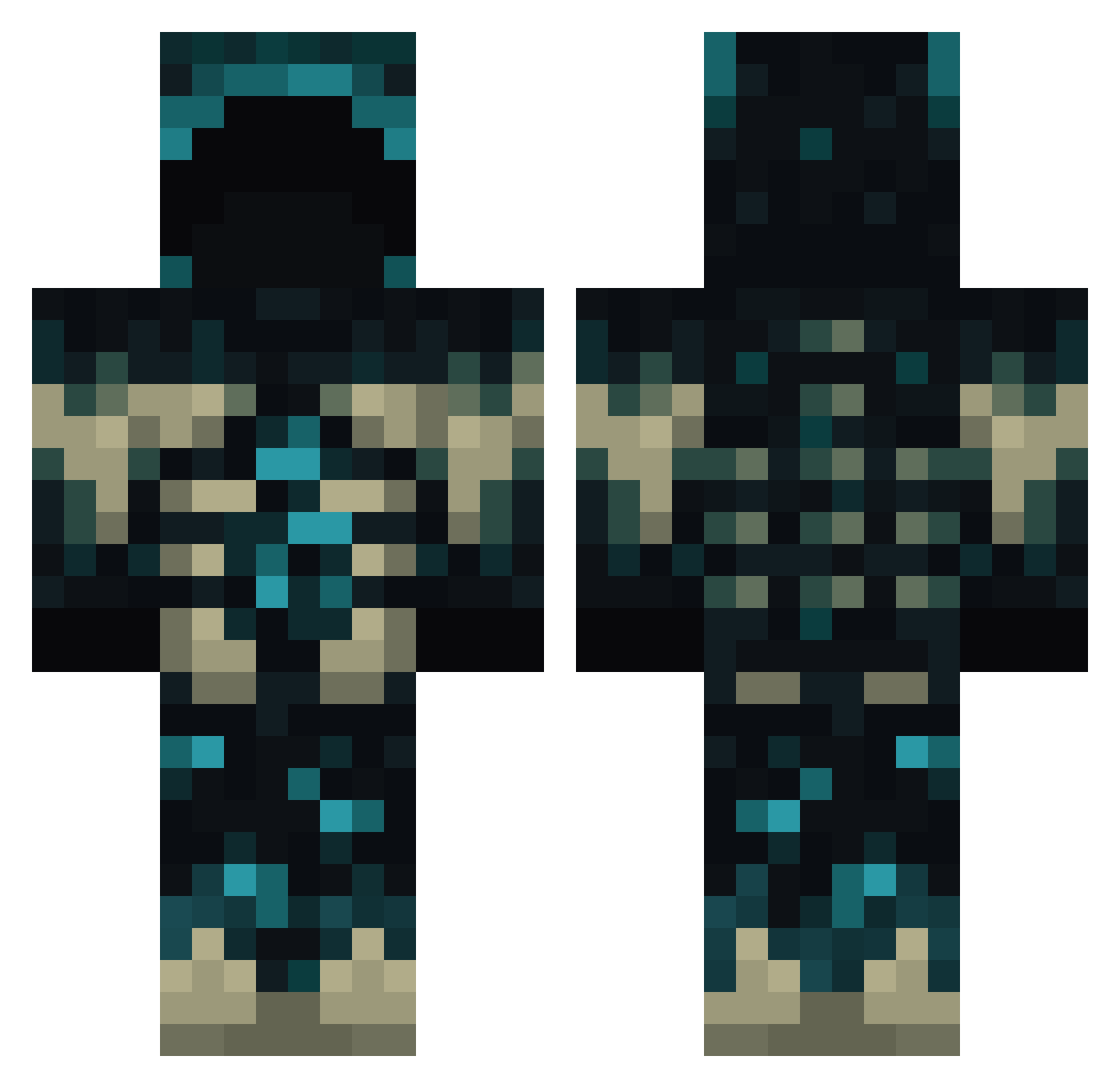
Current Minecraft skin of the player BO76EN, loaded from the official Mojang API. Rotate the 3D model with your mouse or finger, then download the skin as a PNG file and use it in Minecraft: Bedrock Edition or Java Edition for free. When BO76EN changes their skin, this page updates automatically and the old skin stays in the history below.
Other players with this skin (771)
BO76EN was the 678th player we have seen with this skin, first spotted on 21.10.2026. The same skin was seen on these players. Open a nickname to see their current skin and skin history.
 Sculcc TryAl02 Xingiong lapulga09 kayneo90 fraanegr YUNGBISCUIT14 Desaut Prodigy__2 JorgeRafa ArgusBal Greendrag1 Dracretsam Mr_Red36 xFlxck squidgyFN enzz123 JazzaCal Archilicious godness1115 _Yrx_ _Black8 Maltimor09 KittyKat2018 ShadowsSyn ProstyWorsty guamer098 mdp123456789 darknight513 Dovepelt TheDireRaven Holyblast Dreding MTMlitex Huidinne candyperrreo MF_RioT iiFTLH skulladin Nomald Thefinal009 ElRayo7288 GALTRASAR NMYSF filiup2 _cc_Pa Vesox1337 TIsensee KeoniKanaki Lexia_1 T_Swazz Lightayo FallWeevilFTW MrH2O Manuel_Amaro KingTiger11 tracio sultaani Jaskaran_999 Nekro96
More Sculk Minecraft skins
How to install the BO76EN skin
- Press the Download button above to save the skin as a PNG file.
- Minecraft: Bedrock Edition (PE): open the Dressing Room from the main menu (or tap your character → Edit Character), go to Classic Skins → Owned, press the + (new skin) button, choose the downloaded PNG and pick the Classic (Steve) model. Works on PC and mobile; consoles cannot import custom skins.
- Minecraft: Java Edition: open the Minecraft Launcher, go to the Skins tab, click New Skin, load the PNG, pick the Classic (Steve) model and press Save & Use. You can also upload it at minecraft.net → Profile → Change Skin.
The skin does not show up after import - what should I do?
Restart Minecraft and open the Dressing Room again - imported skins sometimes appear only after a restart. Also make sure you selected the imported skin and picked the Classic (Steve) model.
Which model should I choose, Classic or Slim?
This skin is designed for the Classic (Steve) model. If you pick the wrong model, the arms of the skin will look stretched or squeezed.
Is the skin of BO76EN free to download?
Yes. Press Download, save the PNG file and use it in Minecraft: Bedrock Edition or Java Edition - no payment or registration needed. The skin also works on multiplayer servers and Realms.
More skins
Looking for more? Go back to all Minecraft skins and check the top skins of the week, month and all time, or find any player's skin by nickname.