
BBQ - Minecraft Skins & Skin History
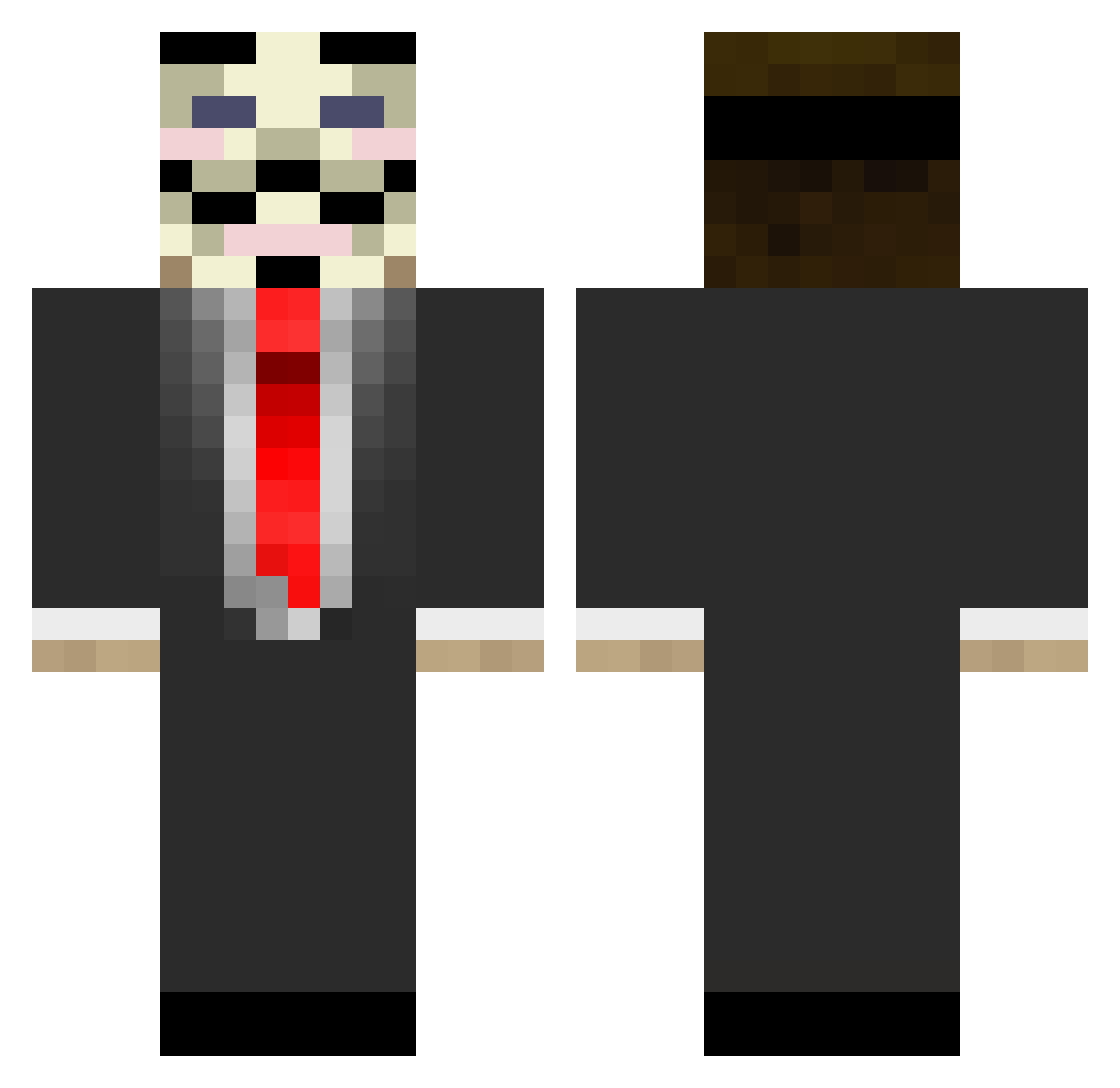
Current Minecraft skin of the player BBQ, loaded from the official Mojang API. Rotate the 3D model with your mouse or finger, then download the skin as a PNG file and use it in Minecraft: Bedrock Edition or Java Edition for free. When BBQ changes their skin, this page updates automatically and the old skin stays in the history below.
Other players with this skin (677)
BBQ was the 117th player we have seen with this skin, first spotted on 10.08.2026. The same skin was seen on these players. Open a nickname to see their current skin and skin history.
 xiCaaldox justmark12 SolrakSG killo235 Poowoman killhunter_cz wheat_thins5 jkierstead guiguig_57 aazyx GrouchyTK Blickem ___V__ bamboozalicious OpticTroll12 aikawa0812 anything_u_want djkiwiuk JoshTheCreator37 OfficerGilly Ombres08 jeromeke_yt LegoJango ecs_Max Challenger12 nath2 Kanaf44 Nyfft blutwurst1234567 agd3 eHide Alexstar14 Euan_McM insidegod oOhRammy Gerii env1r0n ENVY_JET JumpOutOfAWindow Sharkf00d DarkkFlo Firestin Mickyv3 JaviviGamer1 Adamc67 cjcdth Gukoco carlosdacruz Defreko hahavis beastsaint13 October999 5th_Edition vide1337 HLukas1106 tom1337 Unkn0wnG4m3r purplelonewolf Tolvani AzulTennin
More V For Vendetta Minecraft skins
See all 258 V For Vendetta skins
How to install the BBQ skin
- Press the Download button above to save the skin as a PNG file.
- Minecraft: Bedrock Edition (PE): open the Dressing Room from the main menu (or tap your character → Edit Character), go to Classic Skins → Owned, press the + (new skin) button, choose the downloaded PNG and pick the Classic (Steve) model. Works on PC and mobile; consoles cannot import custom skins.
- Minecraft: Java Edition: open the Minecraft Launcher, go to the Skins tab, click New Skin, load the PNG, pick the Classic (Steve) model and press Save & Use. You can also upload it at minecraft.net → Profile → Change Skin.
The skin does not show up after import - what should I do?
Restart Minecraft and open the Dressing Room again - imported skins sometimes appear only after a restart. Also make sure you selected the imported skin and picked the Classic (Steve) model.
Which model should I choose, Classic or Slim?
This skin is designed for the Classic (Steve) model. If you pick the wrong model, the arms of the skin will look stretched or squeezed.
Is the skin of BBQ free to download?
Yes. Press Download, save the PNG file and use it in Minecraft: Bedrock Edition or Java Edition - no payment or registration needed. The skin also works on multiplayer servers and Realms.
More skins
Looking for more? Go back to all Minecraft skins and check the top skins of the week, month and all time, or find any player's skin by nickname.