
B1LKO - Minecraft Skins & Skin History
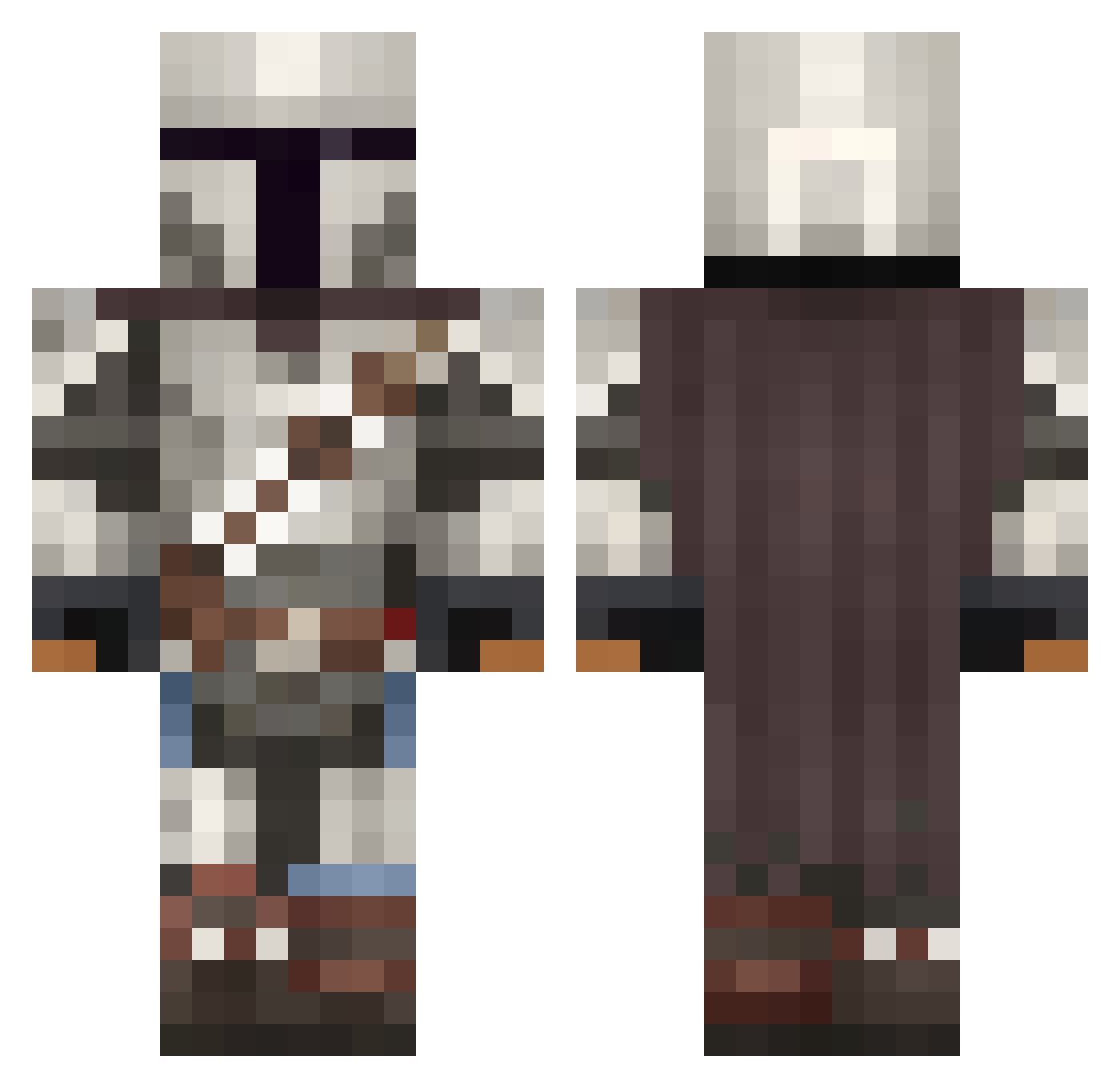
Current Minecraft skin of the player B1LKO, loaded from the official Mojang API. Rotate the 3D model with your mouse or finger, then download the skin as a PNG file and use it in Minecraft: Bedrock Edition or Java Edition for free. When B1LKO changes their skin, this page updates automatically and the old skin stays in the history below.
Other players with this skin (1094)
B1LKO was the 379th player we have seen with this skin, first spotted on 03.09.2026. The same skin was seen on these players. Open a nickname to see their current skin and skin history.
 Maesterr Hero_28 Slime_Blocks MagicMadi Domo6455 Tr0jan_00 Stitchy70 spendyforfriendy xX_Loco_Xx Mandalori13 Madd_dh Gone_Collateral Keisaj2002 NightThunder686 superkenneth21 Soul_Keeper GunRush138 McCurryPuff HDSilverHawk STK_Savage iroquinn Maverick4786 Calvin517 CreaseGreh Spedy88 SwoxleY Merillin Yovaryo Rassak1991 SizlingBacon jvstin2k andrewteee notWhite0 thePuckhog57 MannyPoppins HACHIMAN_NO MagnetBoi69 PRO_AE123 PatrickStewart Saogo Vhyson SuccerPunch oldmanmarner sumstupidsailor Brohmaa GarrafaSanchez10 SonGurko0 Gus7av02 Naico070 VonRurik TangataB Metal_Starscr3am F0lgu1
 Scarce DrArcas Doctor_Moosh Vt3c2 FuerstRheinhardt tamtamtruman KyromEB
More The Mandalorian Minecraft skins
See all 620 The Mandalorian skins
How to install the B1LKO skin
- Press the Download button above to save the skin as a PNG file.
- Minecraft: Bedrock Edition (PE): open the Dressing Room from the main menu (or tap your character → Edit Character), go to Classic Skins → Owned, press the + (new skin) button, choose the downloaded PNG and pick the Classic (Steve) model. Works on PC and mobile; consoles cannot import custom skins.
- Minecraft: Java Edition: open the Minecraft Launcher, go to the Skins tab, click New Skin, load the PNG, pick the Classic (Steve) model and press Save & Use. You can also upload it at minecraft.net → Profile → Change Skin.
The skin does not show up after import - what should I do?
Restart Minecraft and open the Dressing Room again - imported skins sometimes appear only after a restart. Also make sure you selected the imported skin and picked the Classic (Steve) model.
Which model should I choose, Classic or Slim?
This skin is designed for the Classic (Steve) model. If you pick the wrong model, the arms of the skin will look stretched or squeezed.
Is the skin of B1LKO free to download?
Yes. Press Download, save the PNG file and use it in Minecraft: Bedrock Edition or Java Edition - no payment or registration needed. The skin also works on multiplayer servers and Realms.
More skins
Looking for more? Go back to all Minecraft skins and check the top skins of the week, month and all time, or find any player's skin by nickname.