
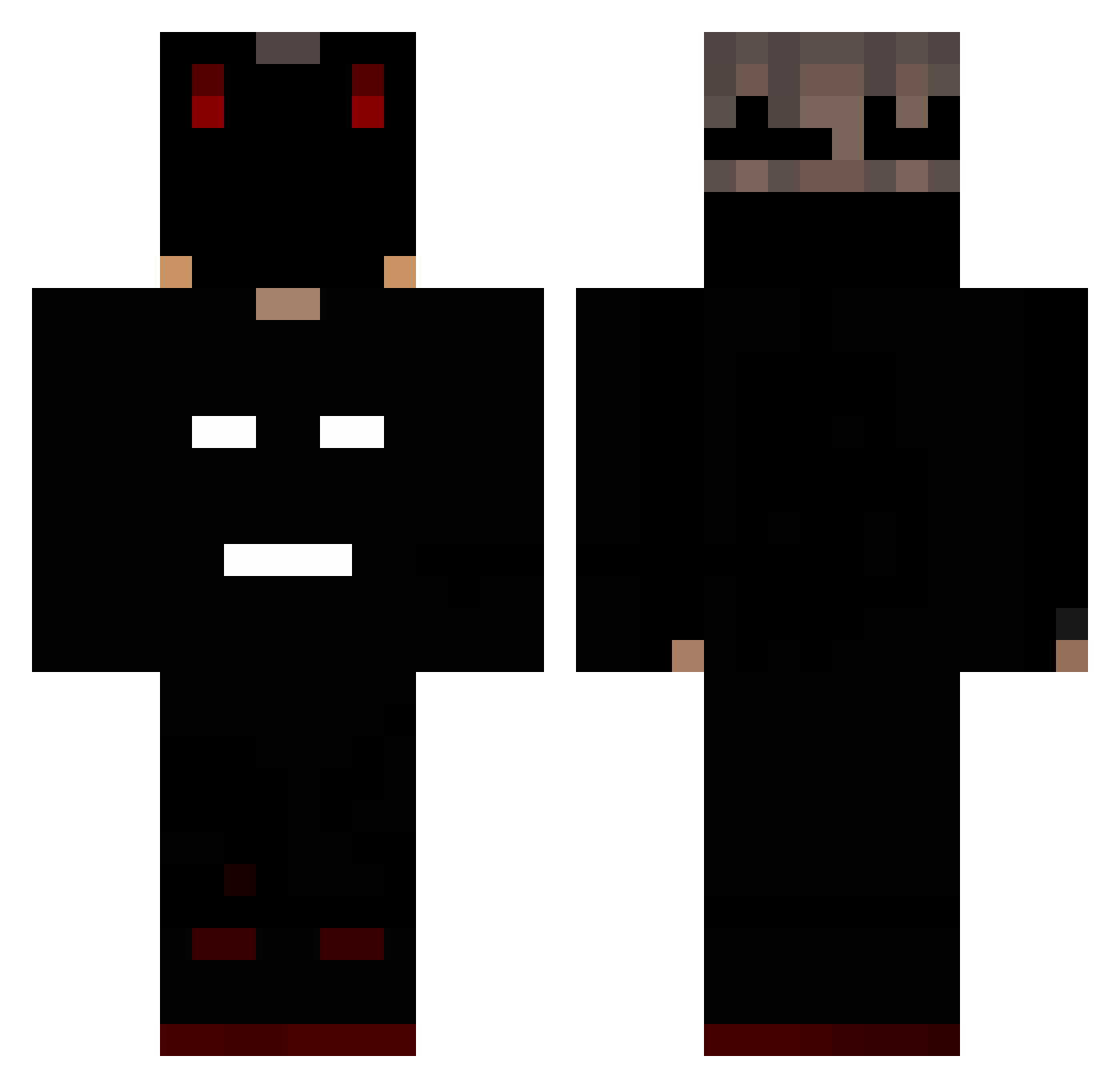
Current Minecraft skin of the player Azieez, loaded from the official Mojang API. Rotate the 3D model with your mouse or finger, then download the skin as a PNG file and use it in Minecraft: Bedrock Edition or Java Edition for free. When Azieez changes their skin, this page updates automatically and the old skin stays in the history below.
Other players with this skin (158)
Azieez was the 78th player we have seen with this skin, first spotted on 12.09.2026. The same skin was seen on these players. Open a nickname to see their current skin and skin history.
 Soziira brutus68 levraissuperman Cacting RappyBoss Aks1s m18_1 Flamb3 Kx3R4 Gloxxinia ZiomJ Divergent_ Yberioon xStrike2k Mzql milerekez Jhiean dominixqpl marly443 xylo1234 ch4oxys Hacknq ChaosPhoenix_MC Vidal2020 Craxcster Egg0922 DreadNaught_ lilKeeper xXMrlol5493 Hoffnung35 casspaa MrSpandett Br573 Spdo Obikenmine weegmac Illuninite Nemos_Pl CG_Jay Baked_Brandon Cloudzy DefineVexx Rssk01 jack2829 AmSanMC KrzaqYT BakaaNero Trololololdj frisli12345 MKXDF Yon3zU Lukaszs003 Sh4dowKP
 Yiftach_shim Armaan175 DirtyMexican36 Jerxxn pedrosa_03 Warner524 D4rkzinn_
More Mask Minecraft skins
How to install the Azieez skin
- Press the Download button above to save the skin as a PNG file.
- Minecraft: Bedrock Edition (PE): open the Dressing Room from the main menu (or tap your character → Edit Character), go to Classic Skins → Owned, press the + (new skin) button, choose the downloaded PNG and pick the Classic (Steve) model. Works on PC and mobile; consoles cannot import custom skins.
- Minecraft: Java Edition: open the Minecraft Launcher, go to the Skins tab, click New Skin, load the PNG, pick the Classic (Steve) model and press Save & Use. You can also upload it at minecraft.net → Profile → Change Skin.
The skin does not show up after import - what should I do?
Restart Minecraft and open the Dressing Room again - imported skins sometimes appear only after a restart. Also make sure you selected the imported skin and picked the Classic (Steve) model.
Which model should I choose, Classic or Slim?
This skin is designed for the Classic (Steve) model. If you pick the wrong model, the arms of the skin will look stretched or squeezed.
Is the skin of Azieez free to download?
Yes. Press Download, save the PNG file and use it in Minecraft: Bedrock Edition or Java Edition - no payment or registration needed. The skin also works on multiplayer servers and Realms.
More skins
Looking for more? Go back to all Minecraft skins and check the top skins of the week, month and all time, or find any player's skin by nickname.