
Avizit - Minecraft Skins & Skin History
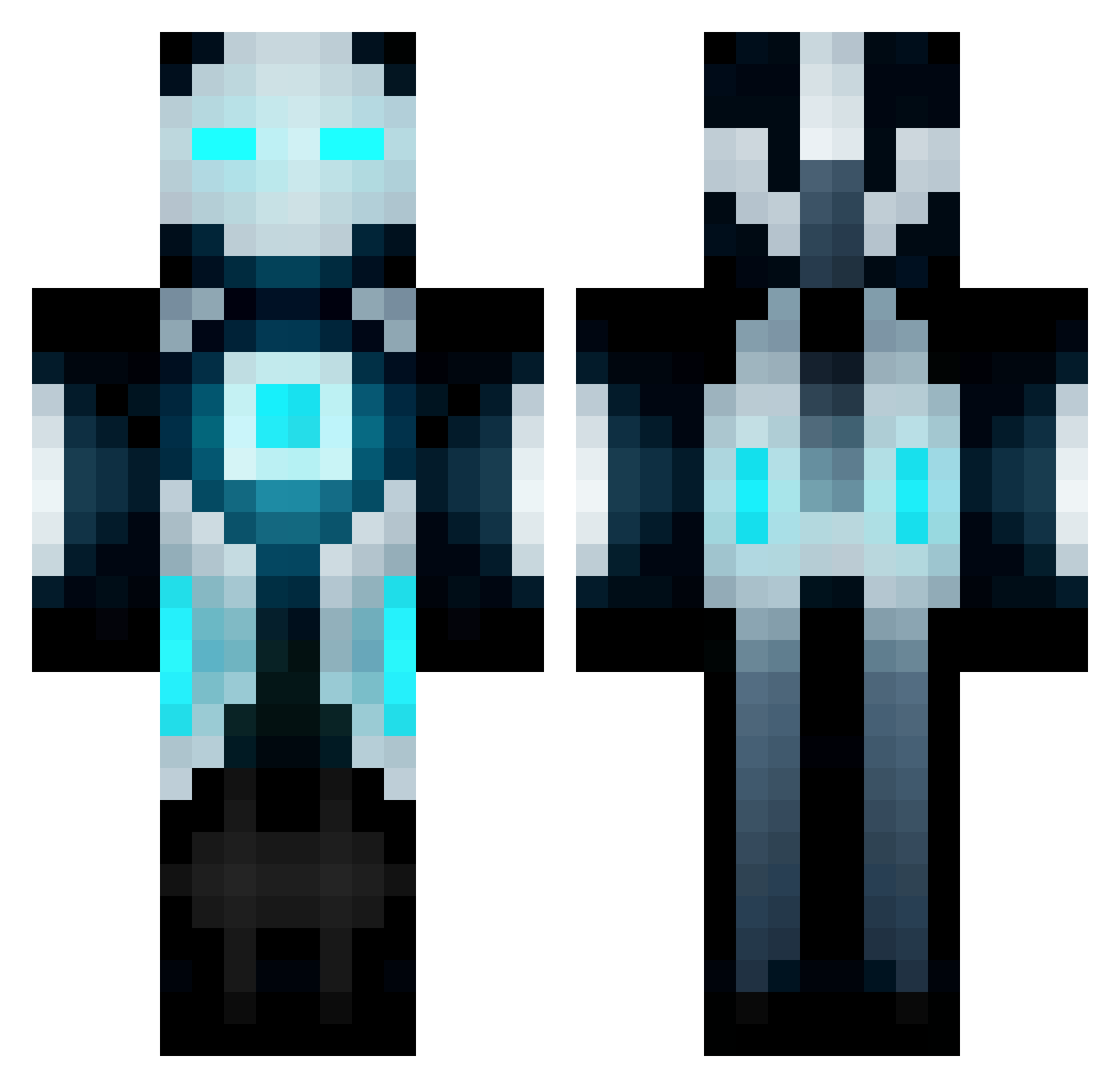
Current Minecraft skin of the player Avizit, loaded from the official Mojang API. Rotate the 3D model with your mouse or finger, then download the skin as a PNG file and use it in Minecraft: Bedrock Edition or Java Edition for free. When Avizit changes their skin, this page updates automatically and the old skin stays in the history below.
Other players with this skin (672)
Avizit was the 142nd player we have seen with this skin, first spotted on 18.08.2026. The same skin was seen on these players. Open a nickname to see their current skin and skin history.
 opofoon juanjuanfire ckdtod12 oantebi RopeBurn97 TheDiamondAr Bmochop9 System_Loading whdgh96 GeneralSpacey jinwoo9972 Godzilla1058 Koloxor samohTraceur EmeraldsGosh RainSolar Bggw68 shadowblade268 Gryfoden Holunder_Beere tendy66 Darthfett technikfreaky Watchyrback Mikileo ai666618 Chiquiarce NikeNinja1410 Moonman_CZ snowflake170 adracno JTbaum Nightmarey ShadyAsFuck KuroSky Kashikins mizuki0373 SlowKakaa StrictlyVibes Destroy_View Guam_ Ovly2000 Scando99 runem21 Crazykungfu16 bloodhunter18 Losromerojo26 mastertrey23 workaholic4 Master12232 Batesii Evil_Tiger00 Choose4me MaxPerformance uhRare raym0nd_69 Mike12Qc IMA_LIGHT_FIRE vinsta11 Teejayna96
More Futuristic Minecraft skins
How to install the Avizit skin
- Press the Download button above to save the skin as a PNG file.
- Minecraft: Bedrock Edition (PE): open the Dressing Room from the main menu (or tap your character → Edit Character), go to Classic Skins → Owned, press the + (new skin) button, choose the downloaded PNG and pick the Classic (Steve) model. Works on PC and mobile; consoles cannot import custom skins.
- Minecraft: Java Edition: open the Minecraft Launcher, go to the Skins tab, click New Skin, load the PNG, pick the Classic (Steve) model and press Save & Use. You can also upload it at minecraft.net → Profile → Change Skin.
The skin does not show up after import - what should I do?
Restart Minecraft and open the Dressing Room again - imported skins sometimes appear only after a restart. Also make sure you selected the imported skin and picked the Classic (Steve) model.
Which model should I choose, Classic or Slim?
This skin is designed for the Classic (Steve) model. If you pick the wrong model, the arms of the skin will look stretched or squeezed.
Is the skin of Avizit free to download?
Yes. Press Download, save the PNG file and use it in Minecraft: Bedrock Edition or Java Edition - no payment or registration needed. The skin also works on multiplayer servers and Realms.
More skins
Looking for more? Go back to all Minecraft skins and check the top skins of the week, month and all time, or find any player's skin by nickname.