
AuroraPirs - Minecraft Skins & Skin History
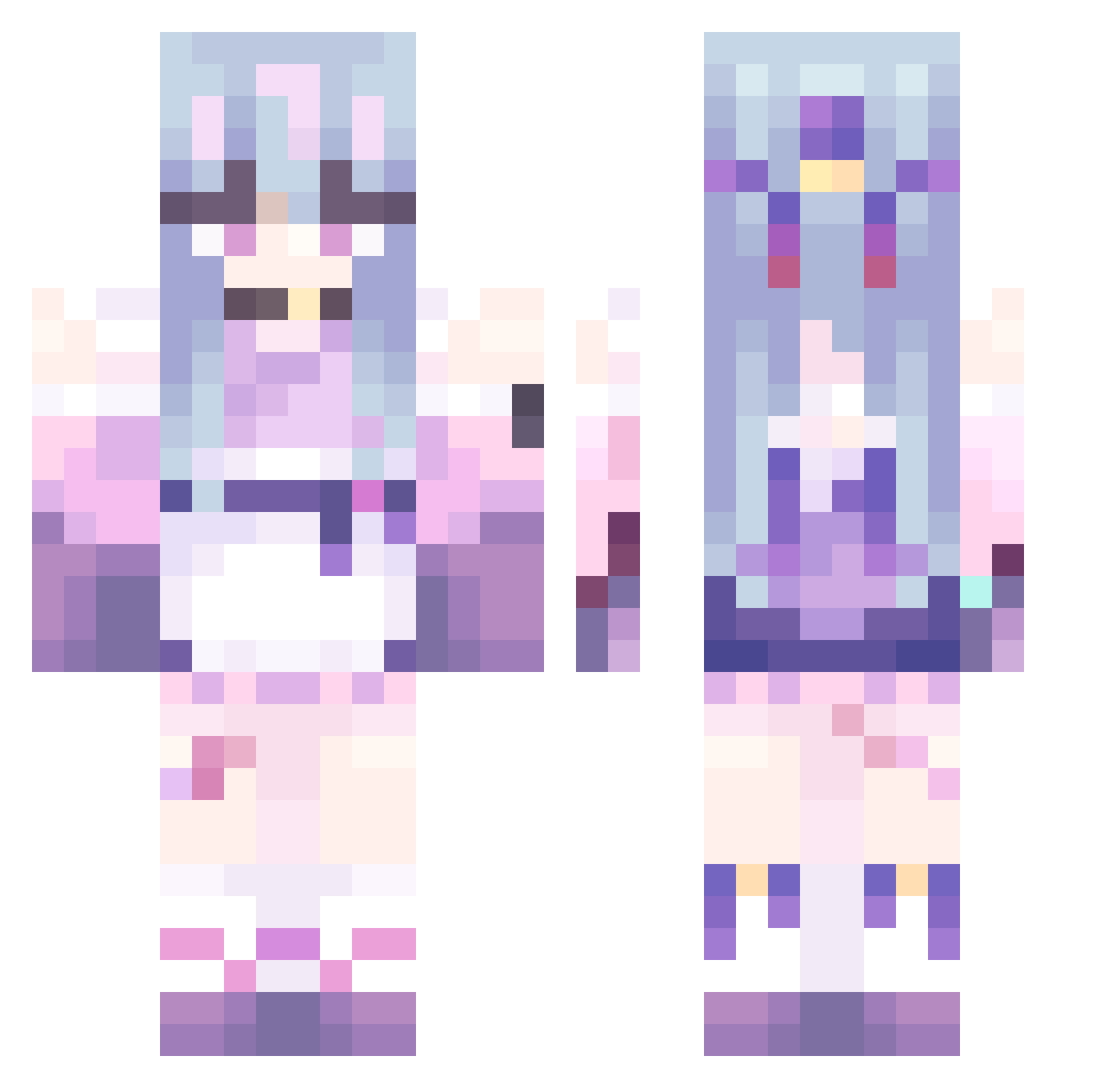
Current Minecraft skin of the player AuroraPirs, loaded from the official Mojang API. Rotate the 3D model with your mouse or finger, then download the skin as a PNG file and use it in Minecraft: Bedrock Edition or Java Edition for free. When AuroraPirs changes their skin, this page updates automatically and the old skin stays in the history below.
Other players with this skin (479)
AuroraPirs was the 110th player we have seen with this skin, first spotted on 22.08.2026. The same skin was seen on these players. Open a nickname to see their current skin and skin history.
 Sudsuay yuyufufu jinxuan8104 cabbagepalmtree create20 Moiy_ JocelynFurTrans KANPEKI__ IKEMISAMO NINETYONE11 TKJYAN AAA159357 ZJRen AZUKI86 Iaths NotoriousNati unlucky72 BekerEtzin mirimuneko furikuro N33lah Xiwww2 tyomushuke Trevik95 Areniaaaaa QG5525 yoru2402 apple_HPG nightingale647 Yuhan9124 kakashka04 sodam0712 violetwoah longwo LingYu_BH Lhyura RichardLiz PTMONSTER ROISE90 TheRealNrby Jabraffe JackHarlow mianyangbuchicao Alubina owo_32 Fokis1 Ema612 ab80ab QSzsl TMIKUY Merle1224 ElBaarcia Phantom33213 BlueTvT SoyMonitaChina qklqkl LaPandorica NannyKemper shiguangw Akerman943
More Anime Girl Minecraft skins
See all 13505 Anime Girl skins
How to install the AuroraPirs skin
- Press the Download button above to save the skin as a PNG file.
- Minecraft: Bedrock Edition (PE): open the Dressing Room from the main menu (or tap your character → Edit Character), go to Classic Skins → Owned, press the + (new skin) button, choose the downloaded PNG and pick the Classic (Steve) model. Works on PC and mobile; consoles cannot import custom skins.
- Minecraft: Java Edition: open the Minecraft Launcher, go to the Skins tab, click New Skin, load the PNG, pick the Classic (Steve) model and press Save & Use. You can also upload it at minecraft.net → Profile → Change Skin.
The skin does not show up after import - what should I do?
Restart Minecraft and open the Dressing Room again - imported skins sometimes appear only after a restart. Also make sure you selected the imported skin and picked the Classic (Steve) model.
Which model should I choose, Classic or Slim?
This skin is designed for the Classic (Steve) model. If you pick the wrong model, the arms of the skin will look stretched or squeezed.
Is the skin of AuroraPirs free to download?
Yes. Press Download, save the PNG file and use it in Minecraft: Bedrock Edition or Java Edition - no payment or registration needed. The skin also works on multiplayer servers and Realms.
More skins
Looking for more? Go back to all Minecraft skins and check the top skins of the week, month and all time, or find any player's skin by nickname.