
AuntOfTwo - Minecraft Skins & Skin History
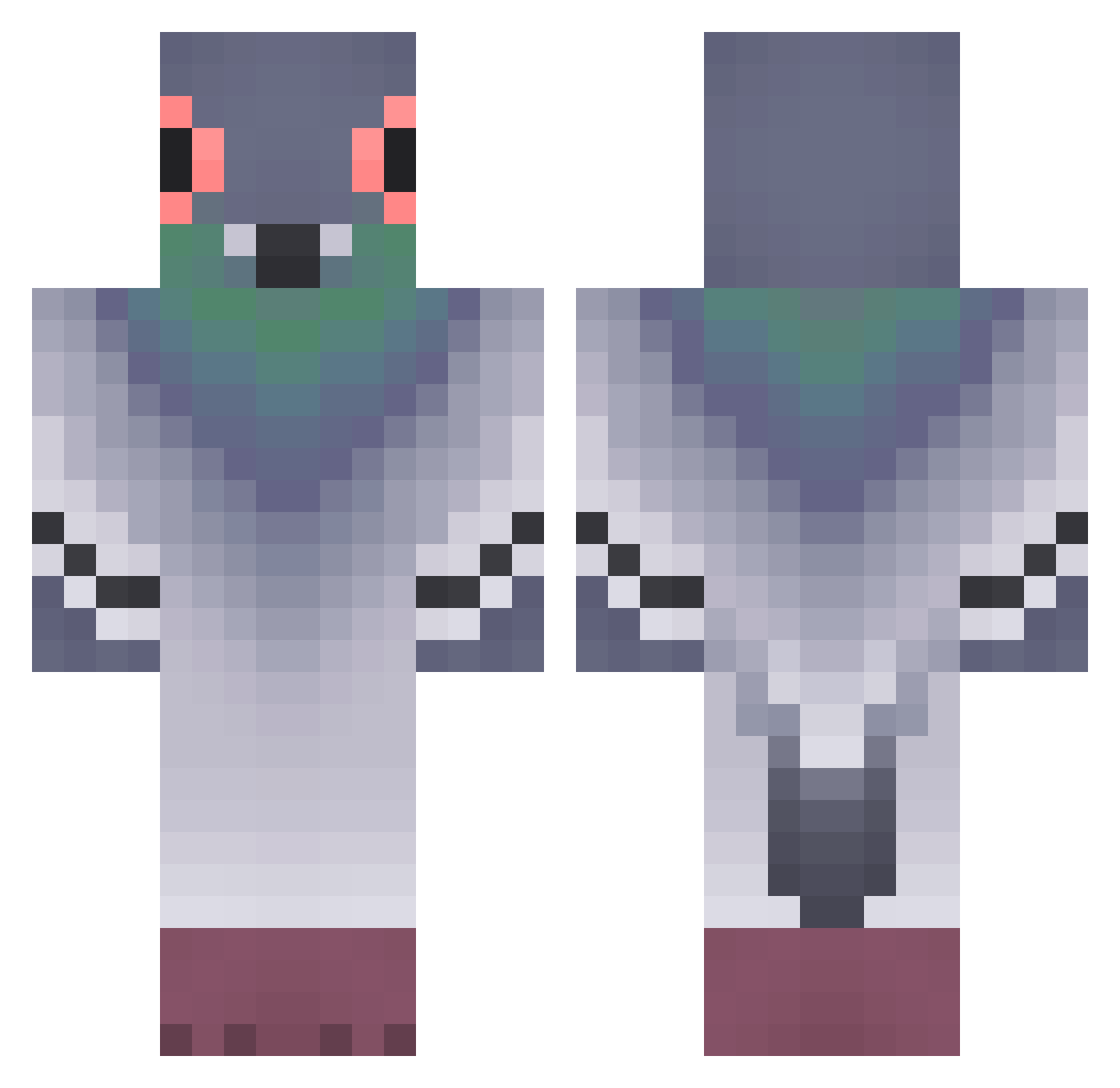
Current Minecraft skin of the player AuntOfTwo, loaded from the official Mojang API. Rotate the 3D model with your mouse or finger, then download the skin as a PNG file and use it in Minecraft: Bedrock Edition or Java Edition for free. When AuntOfTwo changes their skin, this page updates automatically and the old skin stays in the history below.
Other players with this skin (320)
AuntOfTwo was the 288th player we have seen with this skin, first spotted on 13.10.2026. The same skin was seen on these players. Open a nickname to see their current skin and skin history.
 hungsang Fuyumi43 ryoku_cha_ wonguri_ Kirill68 Airfryerlover911 Josvan_ acorn23 da_pigeon_man G0ldTunaFish Kacii123 parkinho Amelia_Bedelia_ wizams Bird2026ILS menebe raf4al puredlsks pocketpigeon97 FlashSter thighgasm izumik_kyc JJanosy8888 n3onpluto Frog8 Axel15fa jdcortazard PierreMinerai AbdulhabibCan kasuma777 Ryjek19 zion2526 complex0101 naaaaaam Peursinge Orrieler 01021249301 Noah_Pigeon_ ChainingFlame84 shadowWorier24 Wieen basilbird Phantom0604 Catlin_1211 travybae daddyPigeon POTROLASO MagicWagon54 Oreopun VFerrazZ Notlanarhoades15 YZ0611 landonistheman KerriganLong EfnO0 pairko N0ue5 koziutek1 EXTREMEPIGEON21 scriptpigeon
More Pigeon Minecraft skins
How to install the AuntOfTwo skin
- Press the Download button above to save the skin as a PNG file.
- Minecraft: Bedrock Edition (PE): open the Dressing Room from the main menu (or tap your character → Edit Character), go to Classic Skins → Owned, press the + (new skin) button, choose the downloaded PNG and pick the Classic (Steve) model. Works on PC and mobile; consoles cannot import custom skins.
- Minecraft: Java Edition: open the Minecraft Launcher, go to the Skins tab, click New Skin, load the PNG, pick the Classic (Steve) model and press Save & Use. You can also upload it at minecraft.net → Profile → Change Skin.
The skin does not show up after import - what should I do?
Restart Minecraft and open the Dressing Room again - imported skins sometimes appear only after a restart. Also make sure you selected the imported skin and picked the Classic (Steve) model.
Which model should I choose, Classic or Slim?
This skin is designed for the Classic (Steve) model. If you pick the wrong model, the arms of the skin will look stretched or squeezed.
Is the skin of AuntOfTwo free to download?
Yes. Press Download, save the PNG file and use it in Minecraft: Bedrock Edition or Java Edition - no payment or registration needed. The skin also works on multiplayer servers and Realms.
More skins
Looking for more? Go back to all Minecraft skins and check the top skins of the week, month and all time, or find any player's skin by nickname.