
Atharv2opYT - Minecraft Skins & Skin History
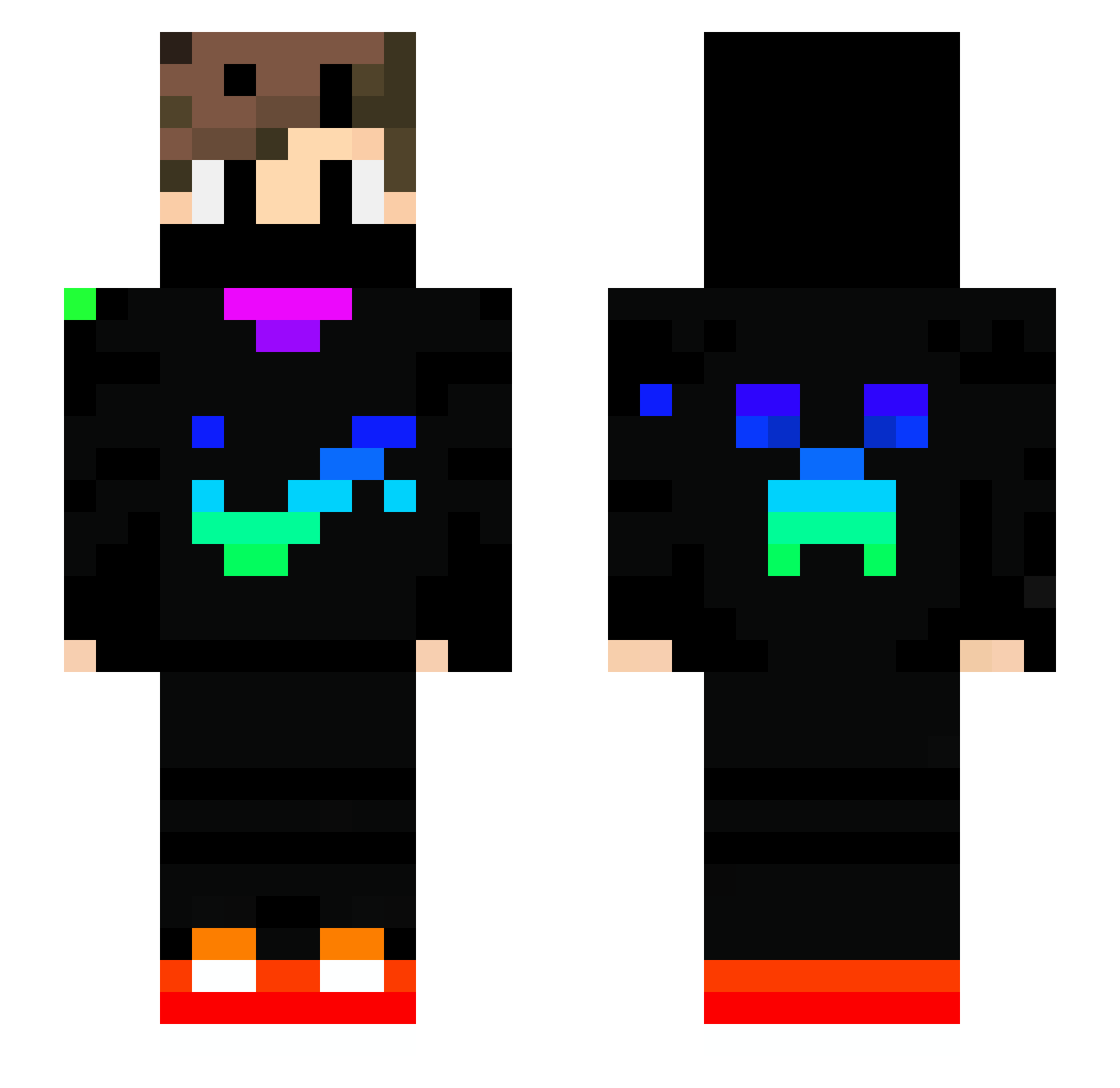
Current Minecraft skin of the player Atharv2opYT, loaded from the official Mojang API. Rotate the 3D model with your mouse or finger, then download the skin as a PNG file and use it in Minecraft: Bedrock Edition or Java Edition for free. When Atharv2opYT changes their skin, this page updates automatically and the old skin stays in the history below.
Other players with this skin (739)
Atharv2opYT was the 548th player we have seen with this skin, first spotted on 14.10.2026. The same skin was seen on these players. Open a nickname to see their current skin and skin history.
 Corrupted_Troy lucfra1212 MERT1434 zAlvees vSamueloco deniz_oyunda0101 FM_Flavio12 NATHYTB ArnoWalter Kudla_z_pudla Black4000 Mrtz21 lucasip12 yucel670 MrShnack StevenBao sminkelbeer01 MilchBubi2207 umingi Elshnouby leoyau shadowgulf RCK1207 Anubhav_001 FreshCell0 KaanAcikel pranav1327 FAHSAIST SAMO1223 SzerszanGam mospiv DXL20102 ZeRoVII0707 M4T1799 MDelta_o2 Nanox123_67 TTM_Leo jasamlerdi aoto0624 Sebyt010 Farahhafez SlimerGhost JohnBazemore Ardababa09 Gariados ianw2r Pinkpinkpinks ErenKaradeniz61 Pravej_Dream Matteofire7 Luigimaniakid DarkPg Jasono233 Faze_shy miri3021 Dark_killer_king RayChen1223 Vitaemors MateiGamer855 caique_artista
More Creeper Minecraft skins
How to install the Atharv2opYT skin
- Press the Download button above to save the skin as a PNG file.
- Minecraft: Bedrock Edition (PE): open the Dressing Room from the main menu (or tap your character → Edit Character), go to Classic Skins → Owned, press the + (new skin) button, choose the downloaded PNG and pick the Slim (Alex) model. Works on PC and mobile; consoles cannot import custom skins.
- Minecraft: Java Edition: open the Minecraft Launcher, go to the Skins tab, click New Skin, load the PNG, pick the Slim (Alex) model and press Save & Use. You can also upload it at minecraft.net → Profile → Change Skin.
The skin does not show up after import - what should I do?
Restart Minecraft and open the Dressing Room again - imported skins sometimes appear only after a restart. Also make sure you selected the imported skin and picked the Slim (Alex) model.
Which model should I choose, Classic or Slim?
This skin is designed for the Slim (Alex) model. If you pick the wrong model, the arms of the skin will look stretched or squeezed.
Is the skin of Atharv2opYT free to download?
Yes. Press Download, save the PNG file and use it in Minecraft: Bedrock Edition or Java Edition - no payment or registration needed. The skin also works on multiplayer servers and Realms.
More skins
Looking for more? Go back to all Minecraft skins and check the top skins of the week, month and all time, or find any player's skin by nickname.