
Asphxlt2128 - Minecraft Skins & Skin History
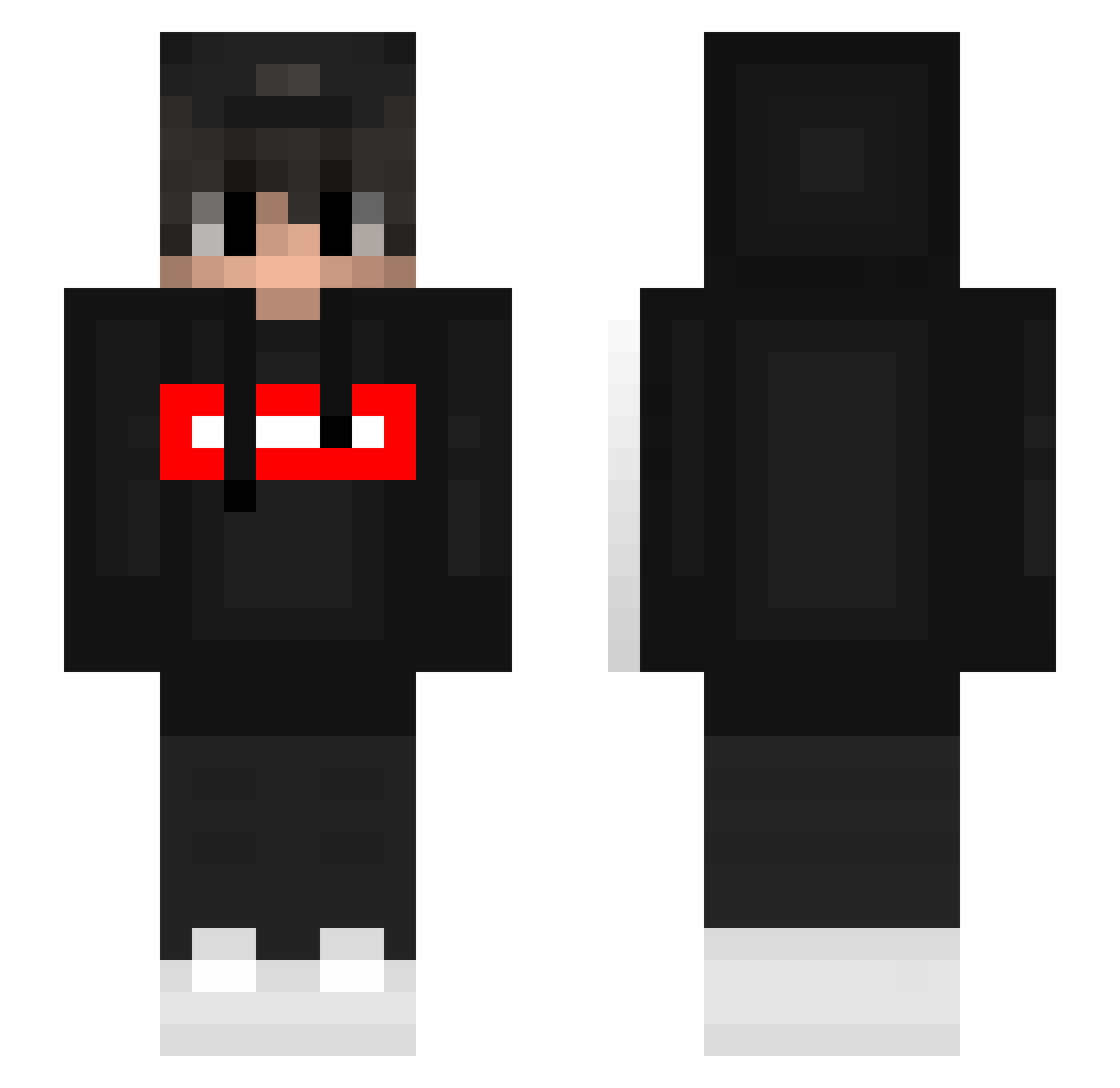
Current Minecraft skin of the player Asphxlt2128, loaded from the official Mojang API. Rotate the 3D model with your mouse or finger, then download the skin as a PNG file and use it in Minecraft: Bedrock Edition or Java Edition for free. When Asphxlt2128 changes their skin, this page updates automatically and the old skin stays in the history below.
Other players with this skin (393)
Asphxlt2128 was the 55th player we have seen with this skin, first spotted on 12.08.2026. The same skin was seen on these players. Open a nickname to see their current skin and skin history.
 Timoha_12 Sonixx29 Anonymus88 aura101 hakura99 apocapo8 andersonnx Gannicuz krystalizen Bardeby wvykyy Yigitcan3169 txssed rEuTa32 MrJonta Hydro_09 smo1326
 il_gandalf RyanXsN Donzen7 HideeTV Codename221600 _Firecry HuBas69 notmariomondo xxleisurexx nambyungjun LontraoTheBest KR_Deru demonyqpaza fameski1337 _valentin12_ EHOT_fake KnelleX MotylBRX KevinTb7 Danivp_ Grown14 RJY0422 Gigo352 PolarZkZ NGF_Kapi hlavamore Hwest1912 iKenitz LegitLikeHaze Jaykee1803 YasserGiming SEBASTIAN_OMG RealBeta Muntader7 dedddo Alexander8733 Flxnty_ Faustiz BruneraBR PandzioszekPL SpY_kil JuiceWR nxt7
More Streetwear Minecraft skins
How to install the Asphxlt2128 skin
- Press the Download button above to save the skin as a PNG file.
- Minecraft: Bedrock Edition (PE): open the Dressing Room from the main menu (or tap your character → Edit Character), go to Classic Skins → Owned, press the + (new skin) button, choose the downloaded PNG and pick the Slim (Alex) model. Works on PC and mobile; consoles cannot import custom skins.
- Minecraft: Java Edition: open the Minecraft Launcher, go to the Skins tab, click New Skin, load the PNG, pick the Slim (Alex) model and press Save & Use. You can also upload it at minecraft.net → Profile → Change Skin.
The skin does not show up after import - what should I do?
Restart Minecraft and open the Dressing Room again - imported skins sometimes appear only after a restart. Also make sure you selected the imported skin and picked the Slim (Alex) model.
Which model should I choose, Classic or Slim?
This skin is designed for the Slim (Alex) model. If you pick the wrong model, the arms of the skin will look stretched or squeezed.
Is the skin of Asphxlt2128 free to download?
Yes. Press Download, save the PNG file and use it in Minecraft: Bedrock Edition or Java Edition - no payment or registration needed. The skin also works on multiplayer servers and Realms.
More skins
Looking for more? Go back to all Minecraft skins and check the top skins of the week, month and all time, or find any player's skin by nickname.