
Asapjack43 - Minecraft Skins & Skin History
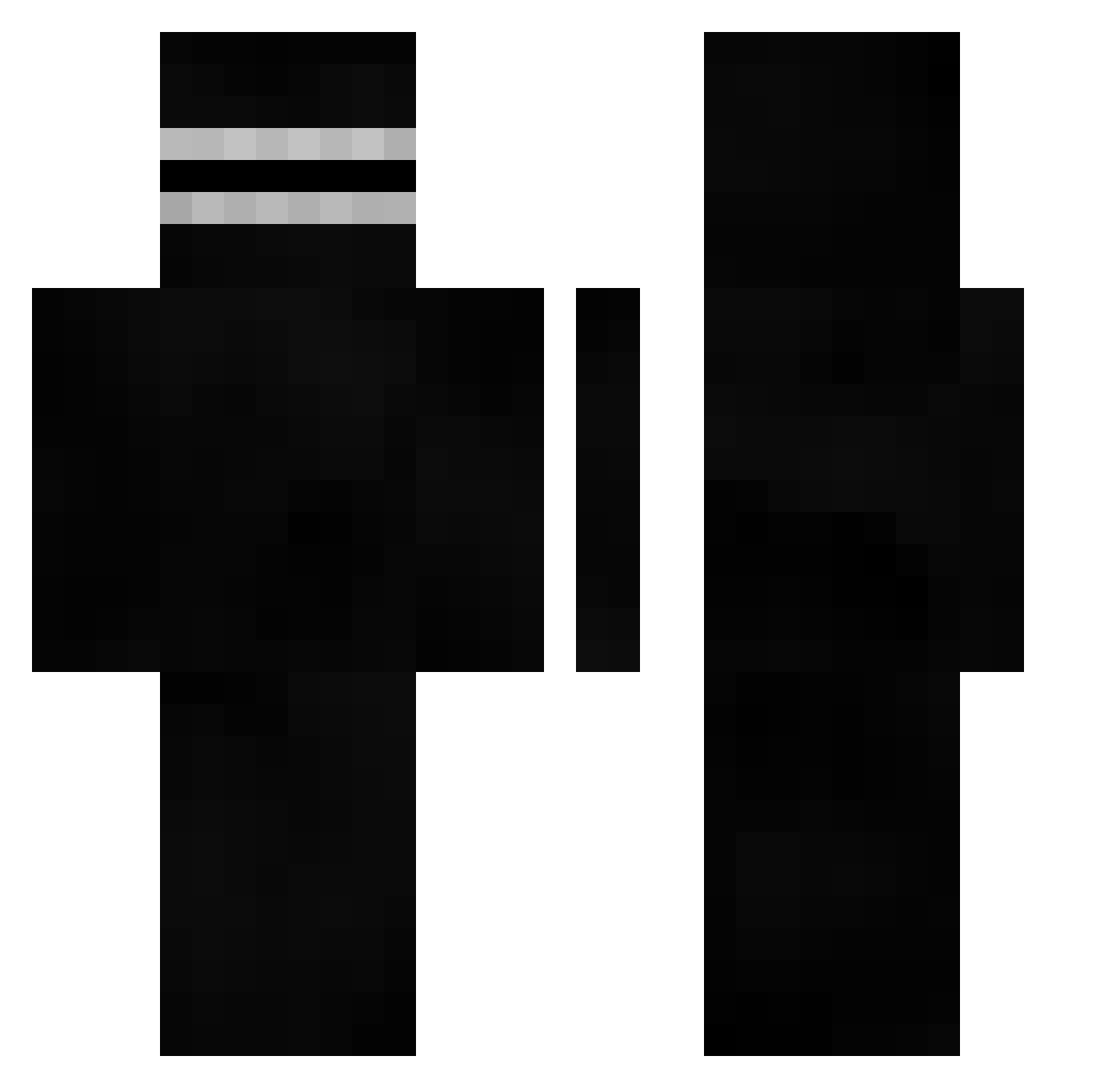
Current Minecraft skin of the player Asapjack43, loaded from the official Mojang API. Rotate the 3D model with your mouse or finger, then download the skin as a PNG file and use it in Minecraft: Bedrock Edition or Java Edition for free. When Asapjack43 changes their skin, this page updates automatically and the old skin stays in the history below.
Other players with this skin (402)
Asapjack43 was the 299th player we have seen with this skin, first spotted on 03.10.2026. The same skin was seen on these players. Open a nickname to see their current skin and skin history.
 pastxll_ L0L1 Scrimmcr odderguyDK EzDroo Magnus_GN14 wildcard8804 Yeezophile Teejay1111 JakerBaker420 Ksh7523 MIDG3_673 NozzlaGamg Noel1308 Peepper LargoTable rokaka223 Chargers_Union peace8282 Zoblerro HoNnye eagles31 historyman43 d_ng12 milo1094 maserek Dargen123 SentinelSimm pinceman ghbsadhjfhikg Corehano Shxzzyboi johnymoss Artism Adiko_ __aso__ qjddhfd MaxMasters11 WeLuvEnder MilitaryGrub urcheeksbud jakey1337 TJXD3 King_Cooper2010 Lestu 5niperFX berttizx tlgks112233 DeftFrog1567460 Pxqict _Turysta_ MARCOSAVA006 TheMrRzyd__ WhatCL pumuckl229 JereAFRD Flip0805 T3ntoug4 AbusingTheL Smalls2622
How to install the Asapjack43 skin
- Press the Download button above to save the skin as a PNG file.
- Minecraft: Bedrock Edition (PE): open the Dressing Room from the main menu (or tap your character → Edit Character), go to Classic Skins → Owned, press the + (new skin) button, choose the downloaded PNG and pick the Classic (Steve) model. Works on PC and mobile; consoles cannot import custom skins.
- Minecraft: Java Edition: open the Minecraft Launcher, go to the Skins tab, click New Skin, load the PNG, pick the Classic (Steve) model and press Save & Use. You can also upload it at minecraft.net → Profile → Change Skin.
The skin does not show up after import - what should I do?
Restart Minecraft and open the Dressing Room again - imported skins sometimes appear only after a restart. Also make sure you selected the imported skin and picked the Classic (Steve) model.
Which model should I choose, Classic or Slim?
This skin is designed for the Classic (Steve) model. If you pick the wrong model, the arms of the skin will look stretched or squeezed.
Is the skin of Asapjack43 free to download?
Yes. Press Download, save the PNG file and use it in Minecraft: Bedrock Edition or Java Edition - no payment or registration needed. The skin also works on multiplayer servers and Realms.
More skins
Looking for more? Go back to all Minecraft skins and check the top skins of the week, month and all time, or find any player's skin by nickname.