
Arthraxx1 - Minecraft Skins & Skin History
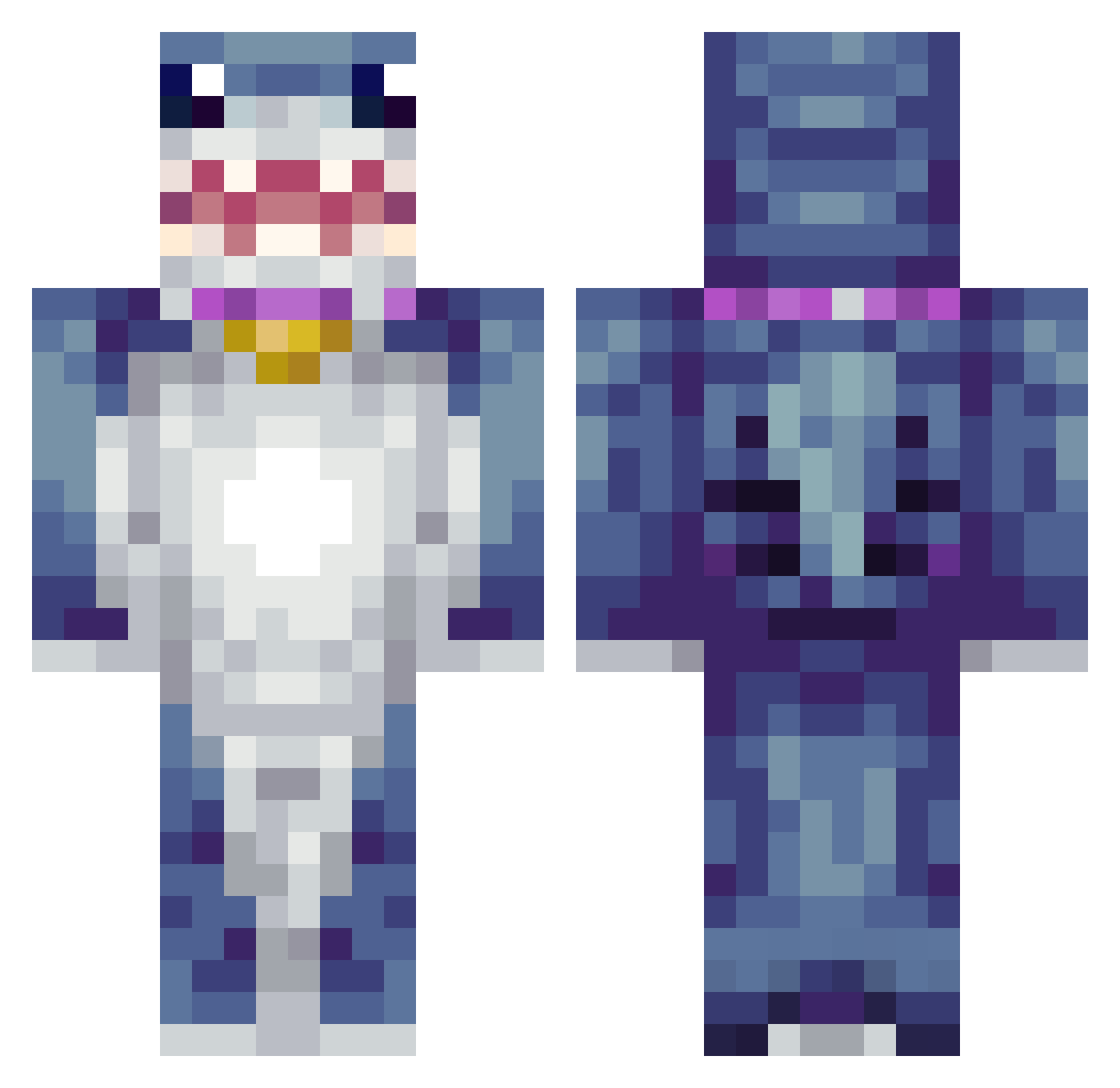
Current Minecraft skin of the player Arthraxx1, loaded from the official Mojang API. Rotate the 3D model with your mouse or finger, then download the skin as a PNG file and use it in Minecraft: Bedrock Edition or Java Edition for free. When Arthraxx1 changes their skin, this page updates automatically and the old skin stays in the history below.
Other players with this skin (425)
Arthraxx1 was the 283rd player we have seen with this skin, first spotted on 07.10.2026. The same skin was seen on these players. Open a nickname to see their current skin and skin history.
 Gummibare7 Deanie1911 DaBabyInParis FadingPickle CXLLO_ Calllavii Bediamonded OddandUnique Ball_Snffr aziz0mo Co_ollin NidzaMagija G0ldHoe jhs9893 Dosaki03 Bobbel32 L0k0lloyd69 wwowow ItzAyaan_ Icy5296 ToxicThund3r AimBotDotExe__ XD_MoN aluucards kmoneyyyyy_ lingling2002 xdeks123 Vernande marco_0987 IAmDalilah HeyDolan yonghan1229 MrDramek County456 HugoFang227 Gabriel123cool Fluffybear2010 Jijahman281 Sebkhalifa aneid xsmayn19 YaBoiJumbo th3ris3n Orpheus_6 Agent_Capybara69 Josjenjoh angrymonsta Pirk27 ismael3248 weile34 Liking1221 Doba64 Kyfess Peace_Out1 Kimichi124 Master_Dantes lil_leppy01 Aurora_SoaQ0DG DuongTieu12 Spinbrax
More Shark Minecraft skins
How to install the Arthraxx1 skin
- Press the Download button above to save the skin as a PNG file.
- Minecraft: Bedrock Edition (PE): open the Dressing Room from the main menu (or tap your character → Edit Character), go to Classic Skins → Owned, press the + (new skin) button, choose the downloaded PNG and pick the Classic (Steve) model. Works on PC and mobile; consoles cannot import custom skins.
- Minecraft: Java Edition: open the Minecraft Launcher, go to the Skins tab, click New Skin, load the PNG, pick the Classic (Steve) model and press Save & Use. You can also upload it at minecraft.net → Profile → Change Skin.
The skin does not show up after import - what should I do?
Restart Minecraft and open the Dressing Room again - imported skins sometimes appear only after a restart. Also make sure you selected the imported skin and picked the Classic (Steve) model.
Which model should I choose, Classic or Slim?
This skin is designed for the Classic (Steve) model. If you pick the wrong model, the arms of the skin will look stretched or squeezed.
Is the skin of Arthraxx1 free to download?
Yes. Press Download, save the PNG file and use it in Minecraft: Bedrock Edition or Java Edition - no payment or registration needed. The skin also works on multiplayer servers and Realms.
More skins
Looking for more? Go back to all Minecraft skins and check the top skins of the week, month and all time, or find any player's skin by nickname.