
Arroyo833 - Minecraft Skins & Skin History
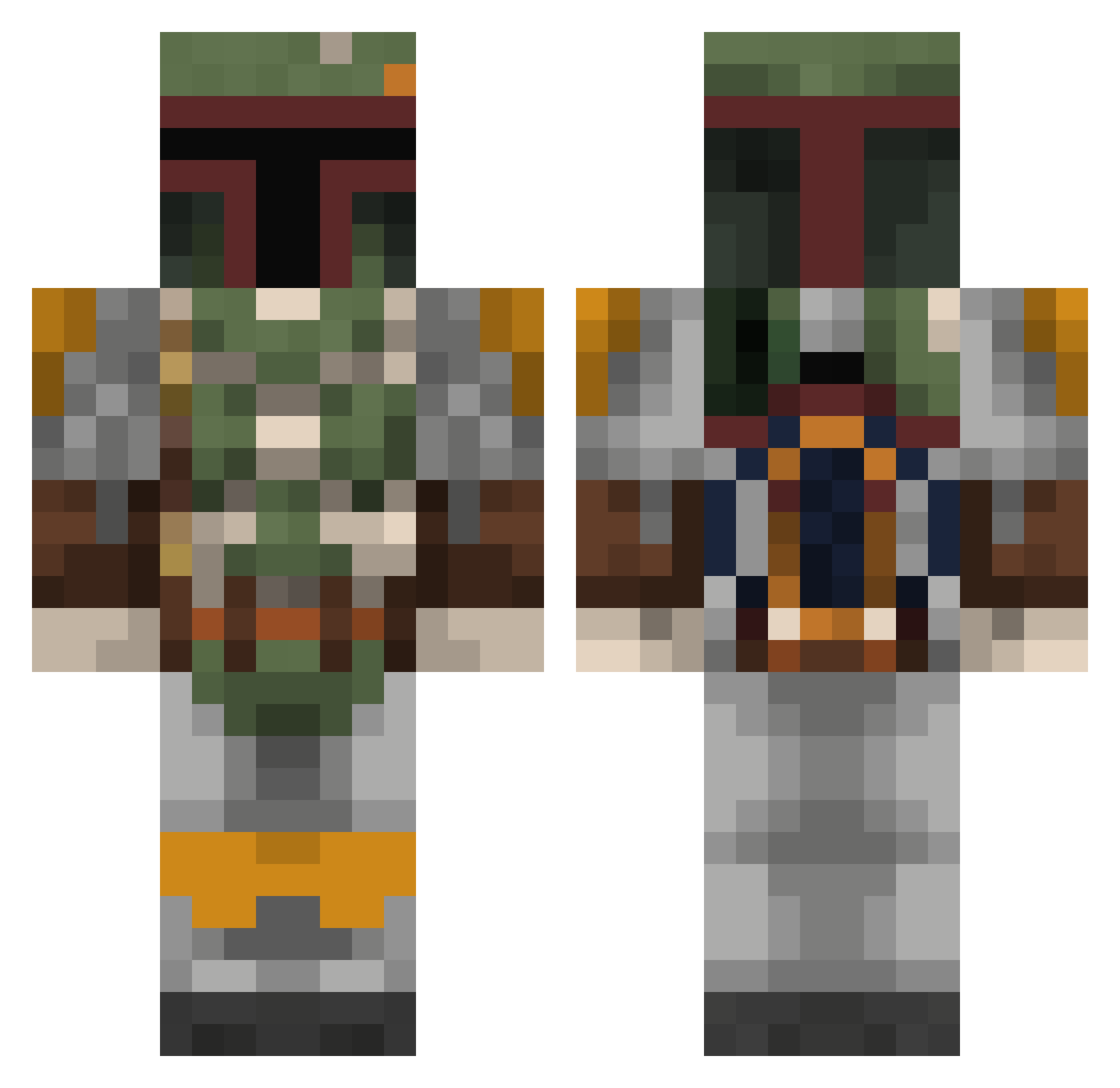
Current Minecraft skin of the player Arroyo833, loaded from the official Mojang API. Rotate the 3D model with your mouse or finger, then download the skin as a PNG file and use it in Minecraft: Bedrock Edition or Java Edition for free. When Arroyo833 changes their skin, this page updates automatically and the old skin stays in the history below.
Other players with this skin (806)
Arroyo833 was the 334th player we have seen with this skin, first spotted on 12.09.2026. The same skin was seen on these players. Open a nickname to see their current skin and skin history.
 shenniko tyboxer87 buttniks meatwagon49 M107Saint Darkrepulser213 Twidd18 Coronaround inkperson MachoChillon StormPyre Chaser2028 Squishy_Banana Qwanta MrLolman007 spageeet Matanzu Kaiser721 TheWarCookie SKB_Pamin FinestEvergreen commandonutella monti_classico SkyHighGaming Noahthefart GoTo225 KKAZv Barazitee bri210 pooma359 TomatoDemon HDuma HimTiser witherskeleton77 Magic198 Leguarus PhantomSniperr RaptorGoRawr fredriksen3 Davevader15 thebigbug JGWestall Deadpool120011 Rockzo22 kalam98 blessing100 wobblezz bassturntup OpWanKenobi L0N3STARR Dedelete Mister_Twister_ EthanHan88 Raring05 BakuPL23 _Xavo_ MrMattila Kwolek Bookworm_Iam cristiantorres20
More Boba Fett Minecraft skins
How to install the Arroyo833 skin
- Press the Download button above to save the skin as a PNG file.
- Minecraft: Bedrock Edition (PE): open the Dressing Room from the main menu (or tap your character → Edit Character), go to Classic Skins → Owned, press the + (new skin) button, choose the downloaded PNG and pick the Classic (Steve) model. Works on PC and mobile; consoles cannot import custom skins.
- Minecraft: Java Edition: open the Minecraft Launcher, go to the Skins tab, click New Skin, load the PNG, pick the Classic (Steve) model and press Save & Use. You can also upload it at minecraft.net → Profile → Change Skin.
The skin does not show up after import - what should I do?
Restart Minecraft and open the Dressing Room again - imported skins sometimes appear only after a restart. Also make sure you selected the imported skin and picked the Classic (Steve) model.
Which model should I choose, Classic or Slim?
This skin is designed for the Classic (Steve) model. If you pick the wrong model, the arms of the skin will look stretched or squeezed.
Is the skin of Arroyo833 free to download?
Yes. Press Download, save the PNG file and use it in Minecraft: Bedrock Edition or Java Edition - no payment or registration needed. The skin also works on multiplayer servers and Realms.
More skins
Looking for more? Go back to all Minecraft skins and check the top skins of the week, month and all time, or find any player's skin by nickname.