
Arctic_Wolf_67 - Minecraft Skins & Skin History
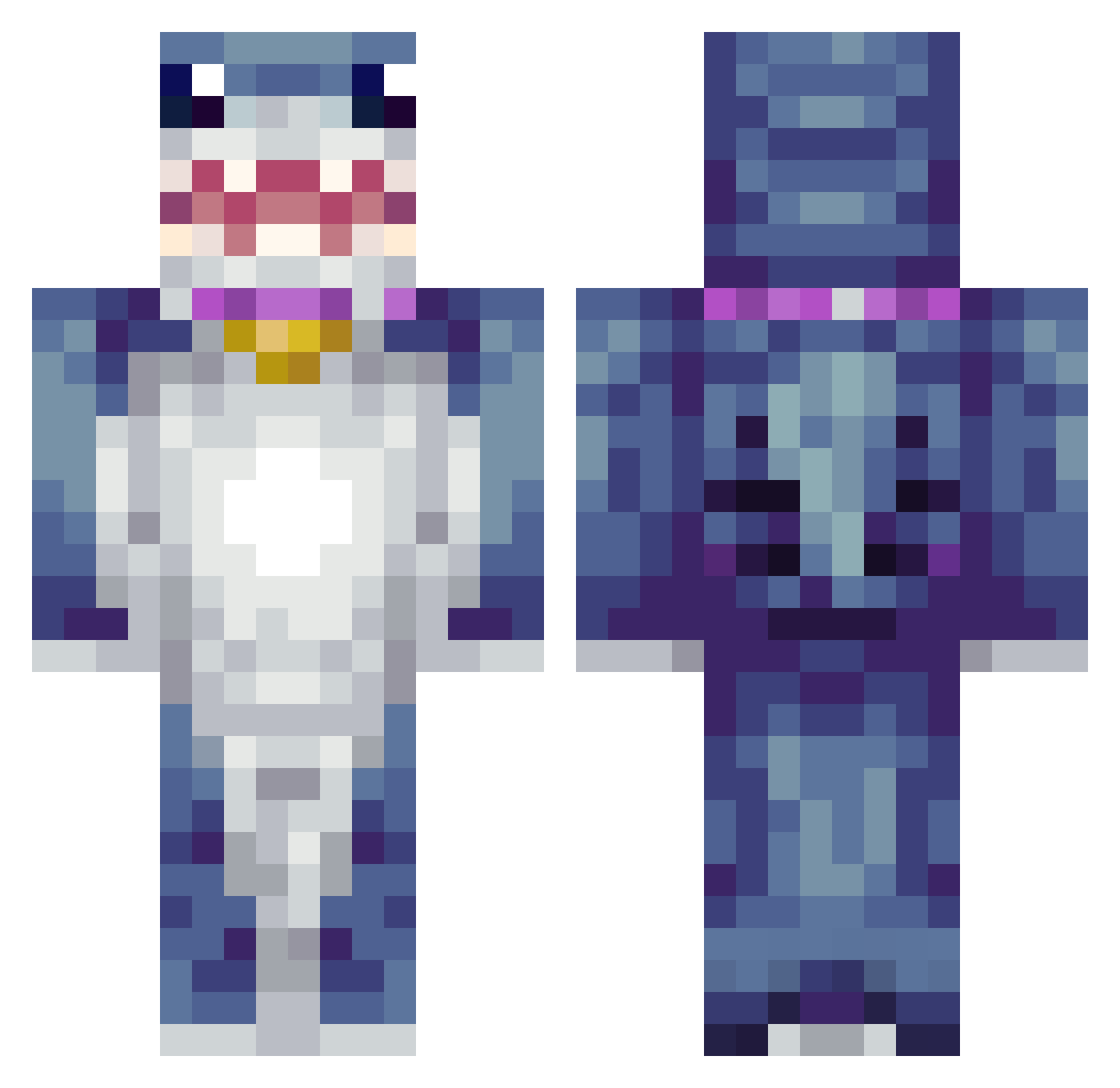
Current Minecraft skin of the player Arctic_Wolf_67, loaded from the official Mojang API. Rotate the 3D model with your mouse or finger, then download the skin as a PNG file and use it in Minecraft: Bedrock Edition or Java Edition for free. When Arctic_Wolf_67 changes their skin, this page updates automatically and the old skin stays in the history below.
Other players with this skin (425)
Arctic_Wolf_67 was the 132nd player we have seen with this skin, first spotted on 30.08.2026. The same skin was seen on these players. Open a nickname to see their current skin and skin history.
 Jordhan_ smol_steely Gundampower Axproo1 PapiToCutee lucek127 PiggyofthePiggie saii0 earljosef18 Blizz426 OGnutter Deseli990 pow1111 AznAtua xonfirs con9977 Jacobgregersen00 elimanningfa
 Nightcrowe qingyi111 luisdupre Minecraftboss62 Cocowillie Trestee11 TSGKernan Javimint24 yahavos DR1V3N MrSpin0 Chrismn byCentricX frog1313 TallWhite coal7890 Saint_Jose ghpn WeetbixFX ChoiHyunSukk Hazzawashere Nagonokami godownsoftsound Mel561 driblar Linc2448 allial22 Klownsundermybed KIPFISH BlueOrBlue Junior081 ArianSchneider FlipperChip prettyriri TracDoc rhno Centurion75001 Itschili Rileyriles12
 Abdelnasser_ USOSLAYER lilhighway
More Shark Minecraft skins
How to install the Arctic_Wolf_67 skin
- Press the Download button above to save the skin as a PNG file.
- Minecraft: Bedrock Edition (PE): open the Dressing Room from the main menu (or tap your character → Edit Character), go to Classic Skins → Owned, press the + (new skin) button, choose the downloaded PNG and pick the Classic (Steve) model. Works on PC and mobile; consoles cannot import custom skins.
- Minecraft: Java Edition: open the Minecraft Launcher, go to the Skins tab, click New Skin, load the PNG, pick the Classic (Steve) model and press Save & Use. You can also upload it at minecraft.net → Profile → Change Skin.
The skin does not show up after import - what should I do?
Restart Minecraft and open the Dressing Room again - imported skins sometimes appear only after a restart. Also make sure you selected the imported skin and picked the Classic (Steve) model.
Which model should I choose, Classic or Slim?
This skin is designed for the Classic (Steve) model. If you pick the wrong model, the arms of the skin will look stretched or squeezed.
Is the skin of Arctic_Wolf_67 free to download?
Yes. Press Download, save the PNG file and use it in Minecraft: Bedrock Edition or Java Edition - no payment or registration needed. The skin also works on multiplayer servers and Realms.
More skins
Looking for more? Go back to all Minecraft skins and check the top skins of the week, month and all time, or find any player's skin by nickname.