
AngelWolv - Minecraft Skins & Skin History
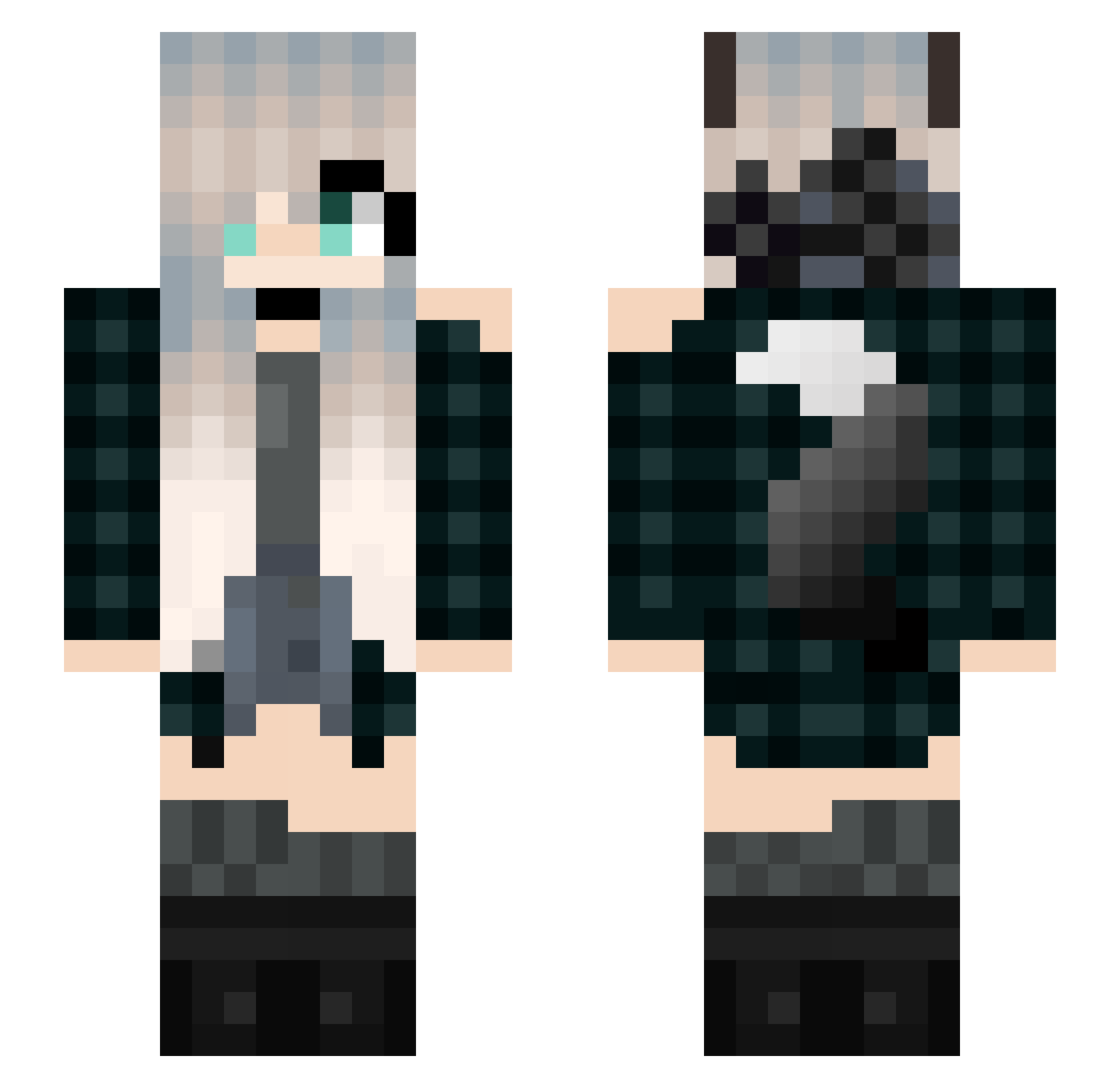
Current Minecraft skin of the player AngelWolv, loaded from the official Mojang API. Rotate the 3D model with your mouse or finger, then download the skin as a PNG file and use it in Minecraft: Bedrock Edition or Java Edition for free. When AngelWolv changes their skin, this page updates automatically and the old skin stays in the history below.
Other players with this skin (203)
AngelWolv was the 26th player we have seen with this skin, first spotted on 06.08.2026. The same skin was seen on these players. Open a nickname to see their current skin and skin history.
 Ann_chan HayamiSM Snowflake_Heart Zyombzz KAHpetah Yintang10 SaraFive Diana_Andreea Lapis0081 dedeynoob 967467 MickiWolf19 zezezewawawa wolfkib KotoneRay Katy0719 konpeki68 LGZINSHOW W1ther_Impact Krezyysad SuperBadWomen CrispyStaggy Nwiba WoIfy13 mujdeiu Liresa daynight2013 el_paBloo _Smulle_ LoveLively 123tomato ICE_ICE_HEART QwQGalaxyWolfQwQ Susukiie UKskills Eroisel Alpha_The_Killer Cloud1797 senselesssense Minejilu CroKM18 SeoiSam21 LadyNimrodel Shakeyka dogonto06 AlphaWolf9355 lilly2212 LegendOfNothing White_Flame0214 Mocod_ NineBirdsEX NIMOCHI233 rizehm JMCAS05 CJGamingXY Vfor_ LeoLol14 NezukoChan111 Wolfie444 ArmyForever12
More Wolf Ears Minecraft skins
How to install the AngelWolv skin
- Press the Download button above to save the skin as a PNG file.
- Minecraft: Bedrock Edition (PE): open the Dressing Room from the main menu (or tap your character → Edit Character), go to Classic Skins → Owned, press the + (new skin) button, choose the downloaded PNG and pick the Slim (Alex) model. Works on PC and mobile; consoles cannot import custom skins.
- Minecraft: Java Edition: open the Minecraft Launcher, go to the Skins tab, click New Skin, load the PNG, pick the Slim (Alex) model and press Save & Use. You can also upload it at minecraft.net → Profile → Change Skin.
The skin does not show up after import - what should I do?
Restart Minecraft and open the Dressing Room again - imported skins sometimes appear only after a restart. Also make sure you selected the imported skin and picked the Slim (Alex) model.
Which model should I choose, Classic or Slim?
This skin is designed for the Slim (Alex) model. If you pick the wrong model, the arms of the skin will look stretched or squeezed.
Is the skin of AngelWolv free to download?
Yes. Press Download, save the PNG file and use it in Minecraft: Bedrock Edition or Java Edition - no payment or registration needed. The skin also works on multiplayer servers and Realms.
More skins
Looking for more? Go back to all Minecraft skins and check the top skins of the week, month and all time, or find any player's skin by nickname.