
AndreHasch - Minecraft Skins & Skin History
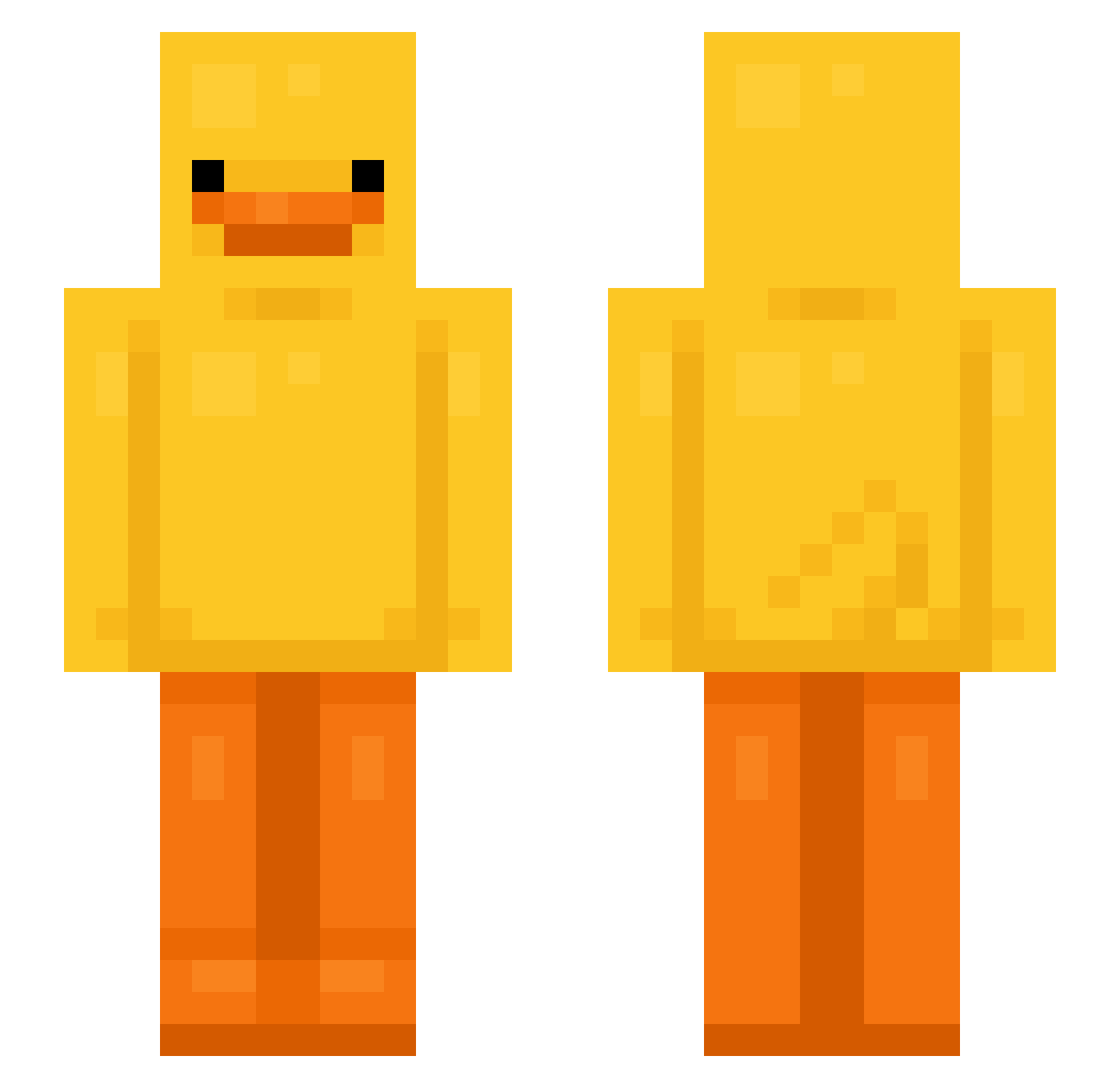
Current Minecraft skin of the player AndreHasch, loaded from the official Mojang API. Rotate the 3D model with your mouse or finger, then download the skin as a PNG file and use it in Minecraft: Bedrock Edition or Java Edition for free. When AndreHasch changes their skin, this page updates automatically and the old skin stays in the history below.
Other players with this skin (633)
AndreHasch was the 232nd player we have seen with this skin, first spotted on 27.08.2026. The same skin was seen on these players. Open a nickname to see their current skin and skin history.
 ToloKolo JulioBroszzz poisonpages Asmatiik Enethingg mxi_games seraphin8 sSSlipp
 Squid2Cute Sliced_Bread4 prostul nanii1808 rubenmg31_ skywalkerr34 emilyismle JustA_Herb Banancho69 Mattiozzo lwkmissu shigletz noodles0up rarara02 CREEPERGAMER77 yunxeoo Santana21 Keviohh CYHparad BLICKET1112 MrDomius yeotam 8Belkadi ondrejiprosim HeyPPy happy08_21 MissyMay08 JJAKE777 Flea_Money KiraaQAQ thundercat123 zBaloo braydenkyle Inepter xXVoidDemonXx Calmag belllllllllll Gotakio riverhamrin io55 mila___ Lecca_ yeong12342 Cruel_nV KiNg240hz KamilK0 duckonataxi Nikcita Glittershocks Neustp8 trexsito NONEUNGEJEILJOH
More Bird Minecraft skins
How to install the AndreHasch skin
- Press the Download button above to save the skin as a PNG file.
- Minecraft: Bedrock Edition (PE): open the Dressing Room from the main menu (or tap your character → Edit Character), go to Classic Skins → Owned, press the + (new skin) button, choose the downloaded PNG and pick the Slim (Alex) model. Works on PC and mobile; consoles cannot import custom skins.
- Minecraft: Java Edition: open the Minecraft Launcher, go to the Skins tab, click New Skin, load the PNG, pick the Slim (Alex) model and press Save & Use. You can also upload it at minecraft.net → Profile → Change Skin.
The skin does not show up after import - what should I do?
Restart Minecraft and open the Dressing Room again - imported skins sometimes appear only after a restart. Also make sure you selected the imported skin and picked the Slim (Alex) model.
Which model should I choose, Classic or Slim?
This skin is designed for the Slim (Alex) model. If you pick the wrong model, the arms of the skin will look stretched or squeezed.
Is the skin of AndreHasch free to download?
Yes. Press Download, save the PNG file and use it in Minecraft: Bedrock Edition or Java Edition - no payment or registration needed. The skin also works on multiplayer servers and Realms.
More skins
Looking for more? Go back to all Minecraft skins and check the top skins of the week, month and all time, or find any player's skin by nickname.