
Andr3Santana - Minecraft Skins & Skin History
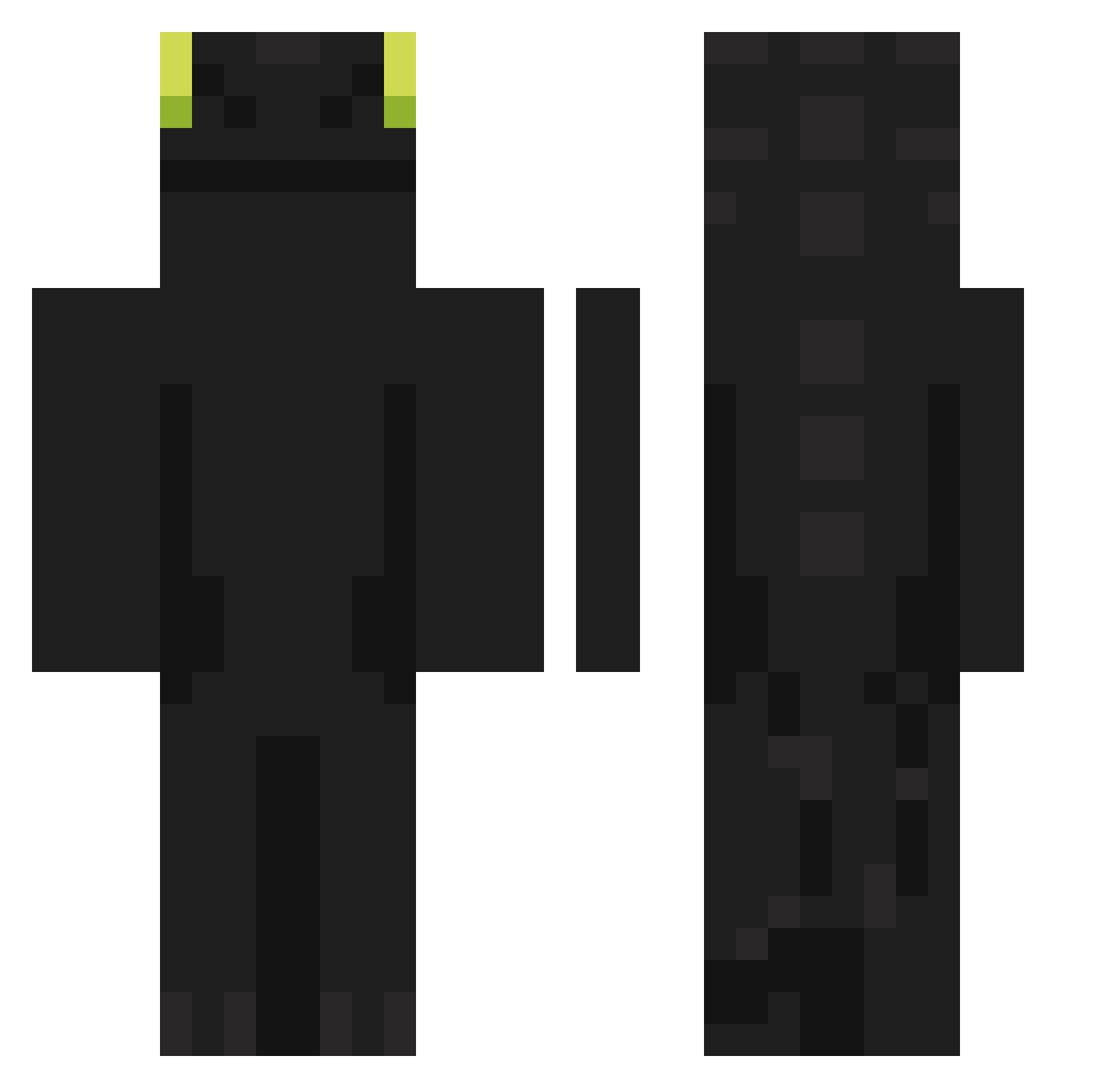
Current Minecraft skin of the player Andr3Santana, loaded from the official Mojang API. Rotate the 3D model with your mouse or finger, then download the skin as a PNG file and use it in Minecraft: Bedrock Edition or Java Edition for free. When Andr3Santana changes their skin, this page updates automatically and the old skin stays in the history below.
Other players with this skin (961)
Andr3Santana was the 620th player we have seen with this skin, first spotted on 08.10.2026. The same skin was seen on these players. Open a nickname to see their current skin and skin history.
 HonAzure KaselZhol Reihyun98 Aliennn115 predows Shinnnn1 casanollie Gman613 Boom__24 HenriJett BLUENONAME Benclarke546 juan26027 H1roP wjxbnd Magickd3us Cordonesxd Bananahero1205 Daxter5561 EILUJ08 Souflym Epicboiiiiii CamicVOX AmeRyujin 69Pancakes zDark_25 Okjiyam_ Omn1ee Mixterioso2_ foycb Jaiql Pablofiu MintyMint5 BezTeni Yunii33 Kiwipurin Nixamair momoking8800 Eren_GG mimeslice RouskiiI SanisVirus DENO0503 cheesecak3r Mokak sulminowskiYT HYUN_47 Ysken SSLachy Hjklmnrz Valtrexez kostas750 mileto_de_tales late23 DrZanik LeOX807a Bekkir PPP1012 TwEum Fuol
More Night Fury Minecraft skins
How to install the Andr3Santana skin
- Press the Download button above to save the skin as a PNG file.
- Minecraft: Bedrock Edition (PE): open the Dressing Room from the main menu (or tap your character → Edit Character), go to Classic Skins → Owned, press the + (new skin) button, choose the downloaded PNG and pick the Classic (Steve) model. Works on PC and mobile; consoles cannot import custom skins.
- Minecraft: Java Edition: open the Minecraft Launcher, go to the Skins tab, click New Skin, load the PNG, pick the Classic (Steve) model and press Save & Use. You can also upload it at minecraft.net → Profile → Change Skin.
The skin does not show up after import - what should I do?
Restart Minecraft and open the Dressing Room again - imported skins sometimes appear only after a restart. Also make sure you selected the imported skin and picked the Classic (Steve) model.
Which model should I choose, Classic or Slim?
This skin is designed for the Classic (Steve) model. If you pick the wrong model, the arms of the skin will look stretched or squeezed.
Is the skin of Andr3Santana free to download?
Yes. Press Download, save the PNG file and use it in Minecraft: Bedrock Edition or Java Edition - no payment or registration needed. The skin also works on multiplayer servers and Realms.
More skins
Looking for more? Go back to all Minecraft skins and check the top skins of the week, month and all time, or find any player's skin by nickname.