
AnasFF5X_ - Minecraft Skins & Skin History
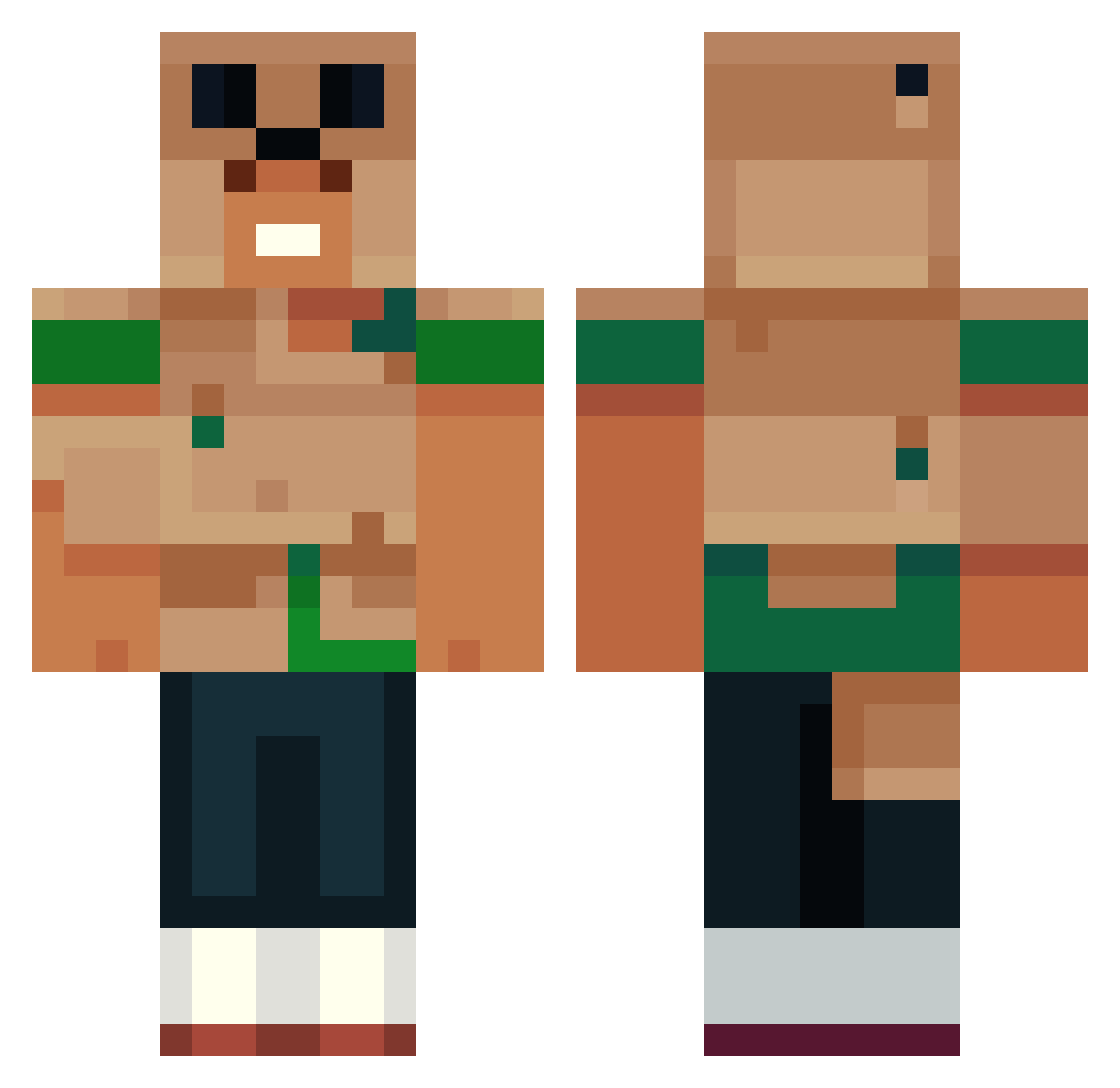
Current Minecraft skin of the player AnasFF5X_, loaded from the official Mojang API. Rotate the 3D model with your mouse or finger, then download the skin as a PNG file and use it in Minecraft: Bedrock Edition or Java Edition for free. When AnasFF5X_ changes their skin, this page updates automatically and the old skin stays in the history below.
Other players with this skin (448)
AnasFF5X_ was the 75th player we have seen with this skin, first spotted on 08.08.2026. The same skin was seen on these players. Open a nickname to see their current skin and skin history.
 doctercoconut Caio6693 Kili274 danielzim_ 3AEME FindSomeoneNow Oceangum idealpaper NuTrynity lucky070705 DillyDabbin MCLaggin1164 tekben11 seabass2345 Bjorn2209 Ali2q mattsslug Darkovvs
 oooomer thatmexican13
 Danrod1 Elri1337 GpM13 ryneeds
 Pranto267 Himoryia
 RamoGuy14 PETCHy10 KIROOOOOOOOOOOO Laskar2953 CherryNinja3000 OincoincBoy HGM_NoProDZ ErenJeager36
 Najojar oguzozshn YW1403 P3T3M4N Diefrtt Je_Ti Krizwayne YajatKaul Rappelz0 katto4703 _allenn Drunkenmedic Markosdc Finbro111111 wrenchfx xoaxoa Myles129 PLP_2014 Hersirr MinecraftGAN0 UsersLoL9880 RAMNO5 Lobobo843 DeathBear001 FabioAllMighty
 kilomravki
More Animal Minecraft skins
How to install the AnasFF5X_ skin
- Press the Download button above to save the skin as a PNG file.
- Minecraft: Bedrock Edition (PE): open the Dressing Room from the main menu (or tap your character → Edit Character), go to Classic Skins → Owned, press the + (new skin) button, choose the downloaded PNG and pick the Classic (Steve) model. Works on PC and mobile; consoles cannot import custom skins.
- Minecraft: Java Edition: open the Minecraft Launcher, go to the Skins tab, click New Skin, load the PNG, pick the Classic (Steve) model and press Save & Use. You can also upload it at minecraft.net → Profile → Change Skin.
The skin does not show up after import - what should I do?
Restart Minecraft and open the Dressing Room again - imported skins sometimes appear only after a restart. Also make sure you selected the imported skin and picked the Classic (Steve) model.
Which model should I choose, Classic or Slim?
This skin is designed for the Classic (Steve) model. If you pick the wrong model, the arms of the skin will look stretched or squeezed.
Is the skin of AnasFF5X_ free to download?
Yes. Press Download, save the PNG file and use it in Minecraft: Bedrock Edition or Java Edition - no payment or registration needed. The skin also works on multiplayer servers and Realms.
More skins
Looking for more? Go back to all Minecraft skins and check the top skins of the week, month and all time, or find any player's skin by nickname.