
AmigoMani - Minecraft Skins & Skin History
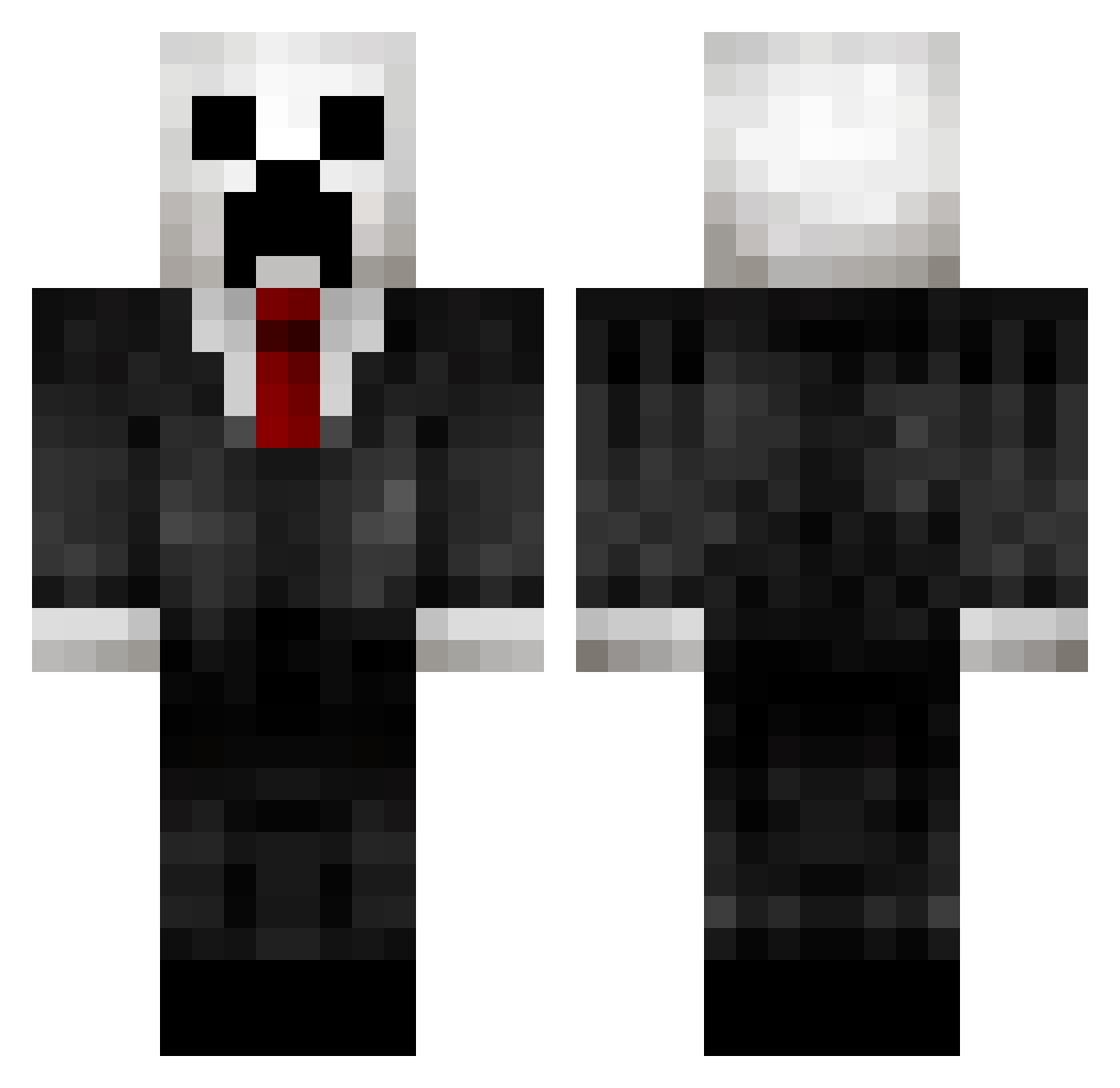
Current Minecraft skin of the player AmigoMani, loaded from the official Mojang API. Rotate the 3D model with your mouse or finger, then download the skin as a PNG file and use it in Minecraft: Bedrock Edition or Java Edition for free. When AmigoMani changes their skin, this page updates automatically and the old skin stays in the history below.
Other players with this skin (433)
AmigoMani was the 137th player we have seen with this skin, first spotted on 30.08.2026. The same skin was seen on these players. Open a nickname to see their current skin and skin history.
 A_T_M_42 Mr_Reifi MrEpicTurtle Nallepallipoika VALKKU333 CaptainArky Edward_Hui Obalunch Xrayenabled juanluis_99 Puntiii LUCKY1388 Linthree47 quackunicorn SHADOWKILLA_99 Wodnesday SvenBD CaptainTristian1 EmmettDO zakery01 pizzaguy74 Phantomdrv99 FunFaun410 DakotaB2006 Mountaineers54 TheLazyTurtle03 awesomeguy569 TheCalmHunt Pytcho_ lexanman5037 megamees31 Patrick_Eli jacksamf2002 Raxus98 destroyer2040 wisesailor datbigguy fehe QRM_Envy Jayyyyyyyw cape_man tornado117 THEGUYFROMNIGER xxxBlueGoldxxx MS200592 bbiill TheCrankydog0918 Kingsapoi Iskera Eyerdum lastplayerHD GSamsa_Wexford lolwesleylol antondare caelita Palmza_TH jtp00123 TalMan171 Stogo Hobbes_z
More Creeper Minecraft skins
How to install the AmigoMani skin
- Press the Download button above to save the skin as a PNG file.
- Minecraft: Bedrock Edition (PE): open the Dressing Room from the main menu (or tap your character → Edit Character), go to Classic Skins → Owned, press the + (new skin) button, choose the downloaded PNG and pick the Classic (Steve) model. Works on PC and mobile; consoles cannot import custom skins.
- Minecraft: Java Edition: open the Minecraft Launcher, go to the Skins tab, click New Skin, load the PNG, pick the Classic (Steve) model and press Save & Use. You can also upload it at minecraft.net → Profile → Change Skin.
The skin does not show up after import - what should I do?
Restart Minecraft and open the Dressing Room again - imported skins sometimes appear only after a restart. Also make sure you selected the imported skin and picked the Classic (Steve) model.
Which model should I choose, Classic or Slim?
This skin is designed for the Classic (Steve) model. If you pick the wrong model, the arms of the skin will look stretched or squeezed.
Is the skin of AmigoMani free to download?
Yes. Press Download, save the PNG file and use it in Minecraft: Bedrock Edition or Java Edition - no payment or registration needed. The skin also works on multiplayer servers and Realms.
More skins
Looking for more? Go back to all Minecraft skins and check the top skins of the week, month and all time, or find any player's skin by nickname.