
Amaterasu57 - Minecraft Skins & Skin History
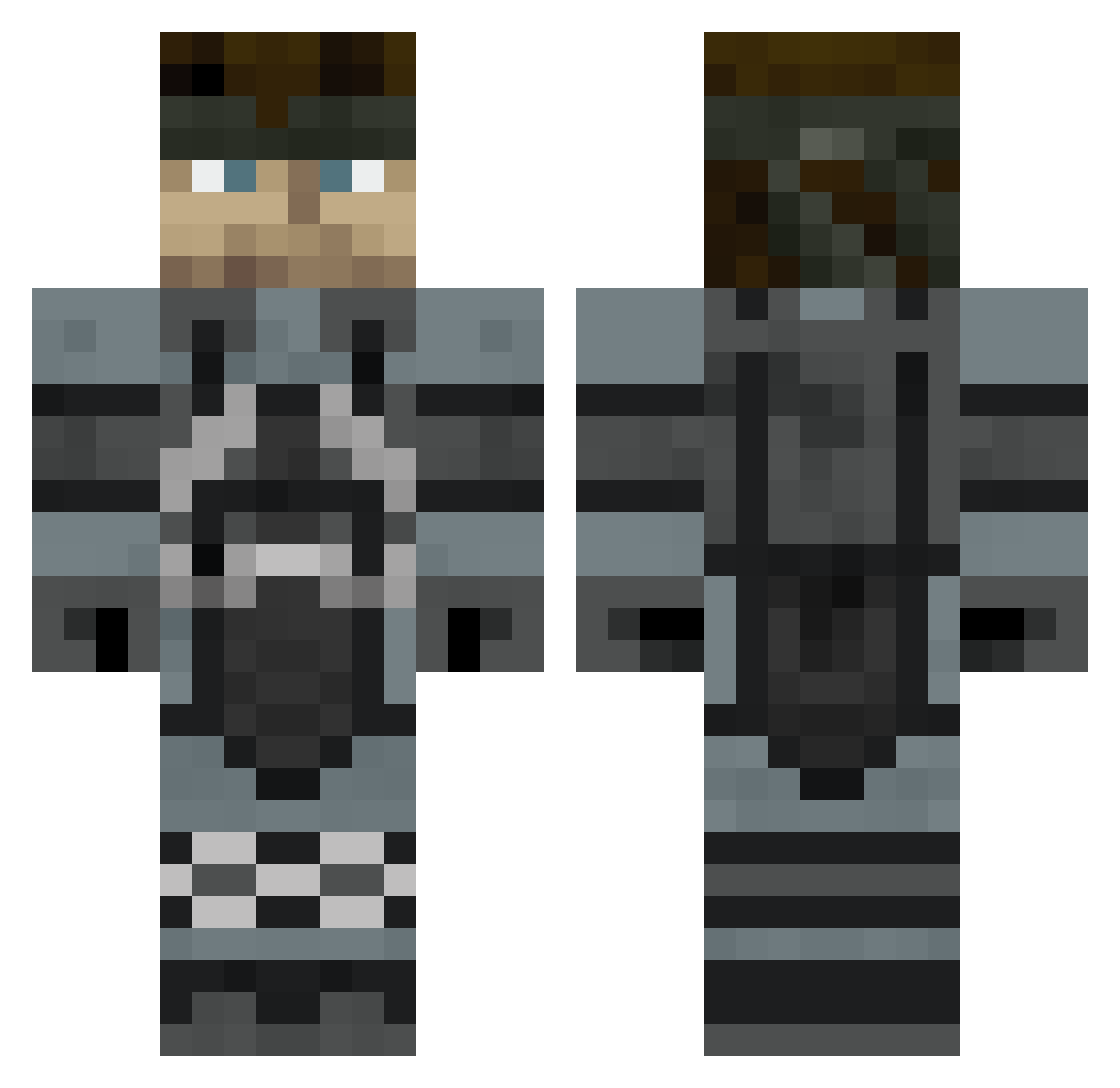
Current Minecraft skin of the player Amaterasu57, loaded from the official Mojang API. Rotate the 3D model with your mouse or finger, then download the skin as a PNG file and use it in Minecraft: Bedrock Edition or Java Edition for free. When Amaterasu57 changes their skin, this page updates automatically and the old skin stays in the history below.
Other players with this skin (422)
Amaterasu57 was the 71st player we have seen with this skin, first spotted on 05.08.2026. The same skin was seen on these players. Open a nickname to see their current skin and skin history.
 Kintaro420 Cloudwolf7 michaellee17 BaoPhan Aschnakh ItIsLit freekarrtt willop6 SajeelX severdr Derpy_Defender TheProphet22 Gjackson80 xThunderCuntx Indie918 Vinicious antbanks85 ChimeraJT9 DarkWolf884 MCpeepants1337 OperatingLukas Celery_Man83 NotBhedFarken Saekar Duskerz SalzStreuer89 mark20589 A_fishy SaviorSelf25 Khadell DarkLion787 Traumalolol wetspaghetiiii Alphius18 hpmon YangWenLiu qeeeto Griffithsu Sebastian69 KoloBorsuk2017 nataku050 _VLR Mine_Boss1 iZaitv3 Morgenmuffel5000 FreshBrokass MagisterZach JpBobeldyk Uder1710 Kalb96 Vicromx wirriam27 lamermann XFLOutLaw Ejacoby10 Soltherian asidbath xBigDaddy Pythor Lt_Ballsack101
More Snake Minecraft skins
How to install the Amaterasu57 skin
- Press the Download button above to save the skin as a PNG file.
- Minecraft: Bedrock Edition (PE): open the Dressing Room from the main menu (or tap your character → Edit Character), go to Classic Skins → Owned, press the + (new skin) button, choose the downloaded PNG and pick the Classic (Steve) model. Works on PC and mobile; consoles cannot import custom skins.
- Minecraft: Java Edition: open the Minecraft Launcher, go to the Skins tab, click New Skin, load the PNG, pick the Classic (Steve) model and press Save & Use. You can also upload it at minecraft.net → Profile → Change Skin.
The skin does not show up after import - what should I do?
Restart Minecraft and open the Dressing Room again - imported skins sometimes appear only after a restart. Also make sure you selected the imported skin and picked the Classic (Steve) model.
Which model should I choose, Classic or Slim?
This skin is designed for the Classic (Steve) model. If you pick the wrong model, the arms of the skin will look stretched or squeezed.
Is the skin of Amaterasu57 free to download?
Yes. Press Download, save the PNG file and use it in Minecraft: Bedrock Edition or Java Edition - no payment or registration needed. The skin also works on multiplayer servers and Realms.
More skins
Looking for more? Go back to all Minecraft skins and check the top skins of the week, month and all time, or find any player's skin by nickname.