
Alialshehab123 - Minecraft Skins & Skin History
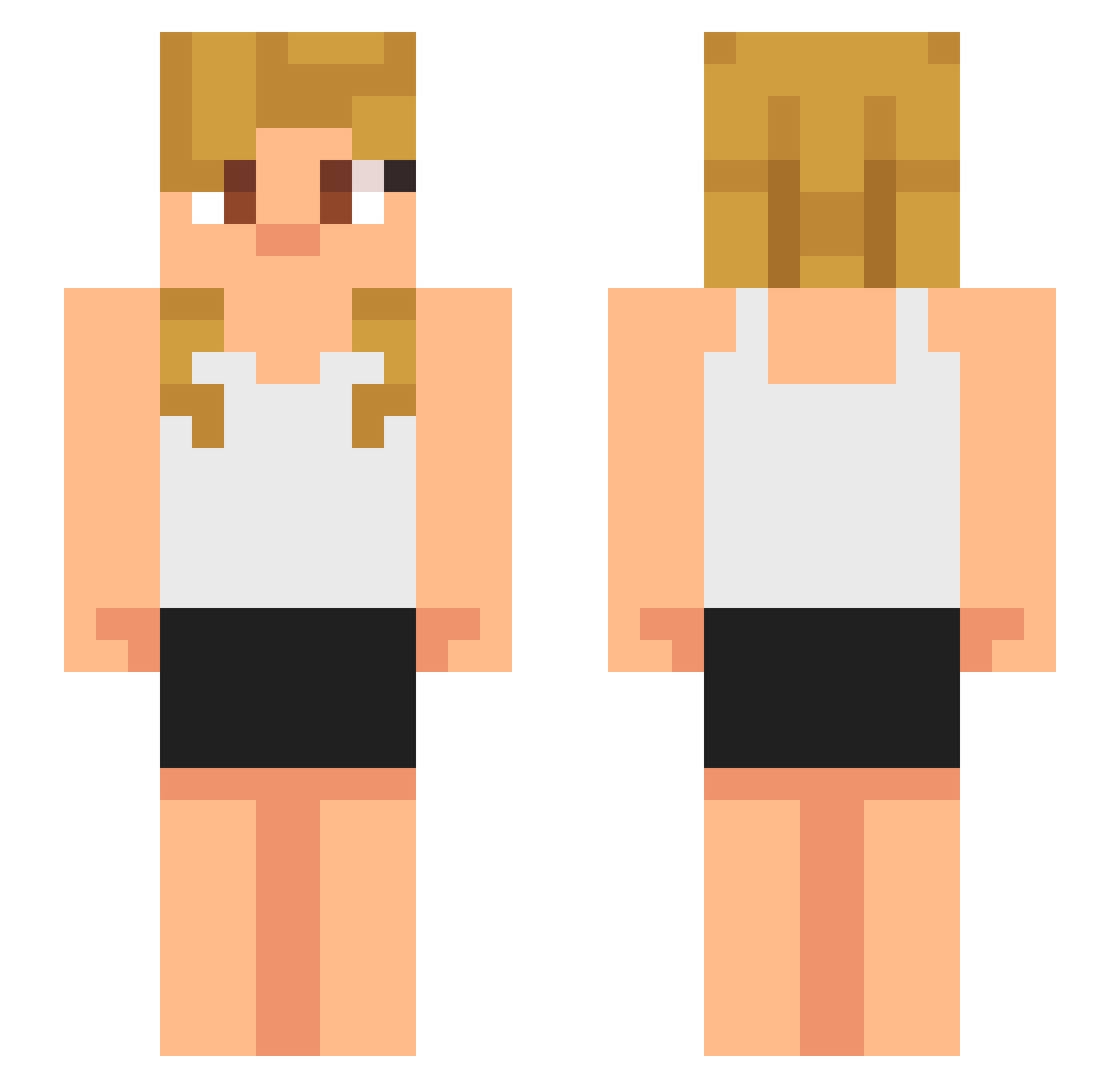
Current Minecraft skin of the player Alialshehab123, loaded from the official Mojang API. Rotate the 3D model with your mouse or finger, then download the skin as a PNG file and use it in Minecraft: Bedrock Edition or Java Edition for free. When Alialshehab123 changes their skin, this page updates automatically and the old skin stays in the history below.
Other players with this skin (633)
Alialshehab123 was the 361st player we have seen with this skin, first spotted on 28.09.2026. The same skin was seen on these players. Open a nickname to see their current skin and skin history.
 churvin TFMRAY Iricksb Hairynose81 Trinity344 1illusion1 AdenT2022 GHTAlp2025 Probrofosho penguwen jsplays1234 TBWHypez im_a_potato546 S7ank3raa mysticallumpa T74n PhantomGames_ thefangfang WangQiu1 hhIEE ZUKREIN Ceddyy24 ProStatical Flexzy12 GamerLycan Inkboy101011 KamiiKaze AbleCane Zaaccchhhh TIOTULO Vergil0907 ProPetchz Anbaugamer PPC123 gili1 Jokubazmc 32xk Ieattacos999 zahar4iks CHumell02 TheEmperorEric BastianSandal EntropyAlt18 pamsi1 neznez21 b3kokh lowirex721 Gbeeee ddin10 ellgolden Nycaedemon k9qf JuanRe14 SHIIIIIIZZZZZAAA edzapeza Poturek XxTLGphantom Dorito3290 KillerAngel10 Taquitosdetripa2
More Girl Minecraft skins
How to install the Alialshehab123 skin
- Press the Download button above to save the skin as a PNG file.
- Minecraft: Bedrock Edition (PE): open the Dressing Room from the main menu (or tap your character → Edit Character), go to Classic Skins → Owned, press the + (new skin) button, choose the downloaded PNG and pick the Slim (Alex) model. Works on PC and mobile; consoles cannot import custom skins.
- Minecraft: Java Edition: open the Minecraft Launcher, go to the Skins tab, click New Skin, load the PNG, pick the Slim (Alex) model and press Save & Use. You can also upload it at minecraft.net → Profile → Change Skin.
The skin does not show up after import - what should I do?
Restart Minecraft and open the Dressing Room again - imported skins sometimes appear only after a restart. Also make sure you selected the imported skin and picked the Slim (Alex) model.
Which model should I choose, Classic or Slim?
This skin is designed for the Slim (Alex) model. If you pick the wrong model, the arms of the skin will look stretched or squeezed.
Is the skin of Alialshehab123 free to download?
Yes. Press Download, save the PNG file and use it in Minecraft: Bedrock Edition or Java Edition - no payment or registration needed. The skin also works on multiplayer servers and Realms.
More skins
Looking for more? Go back to all Minecraft skins and check the top skins of the week, month and all time, or find any player's skin by nickname.