
Alessandro10418 - Minecraft Skins & Skin History
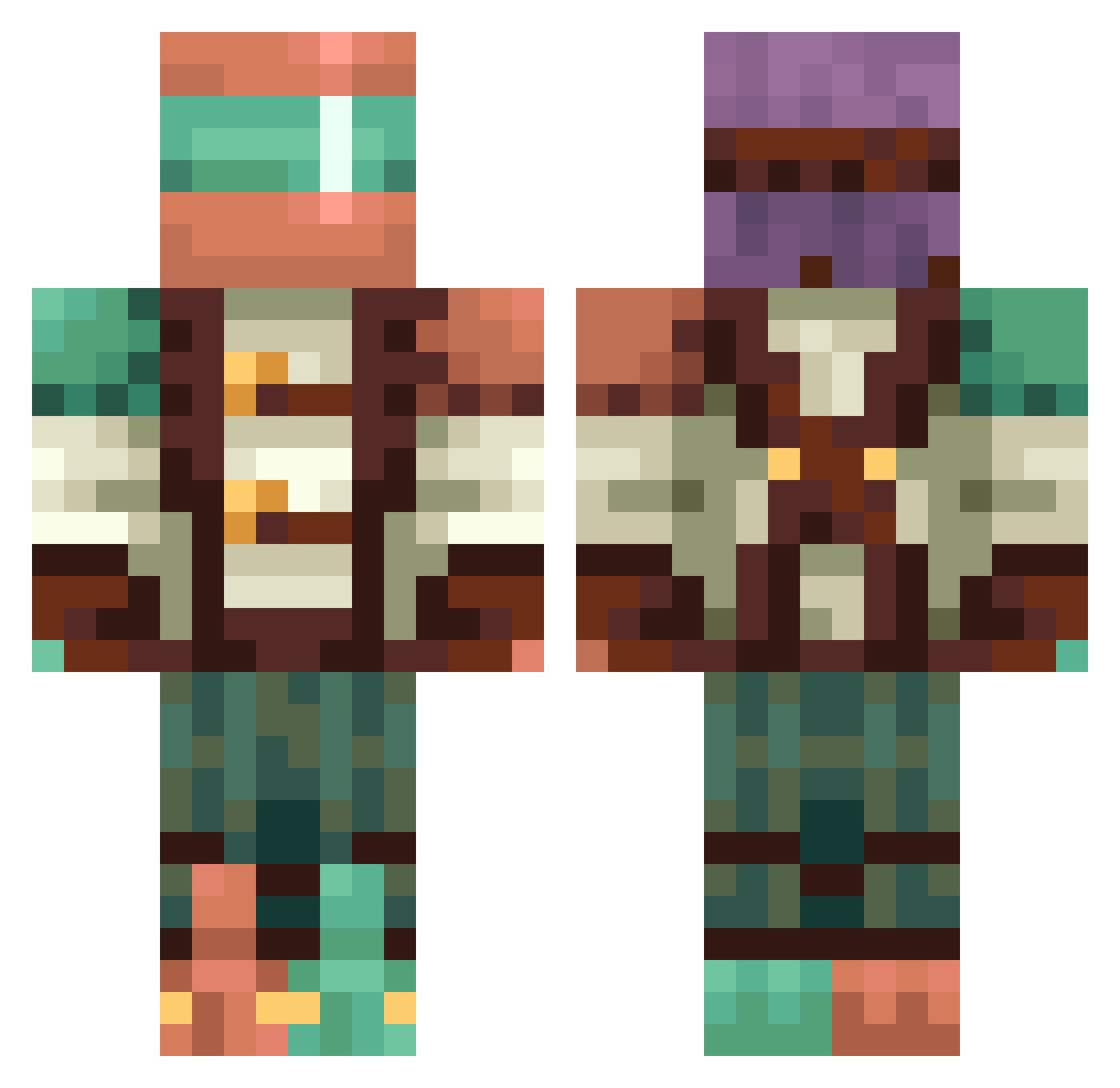
Current Minecraft skin of the player Alessandro10418, loaded from the official Mojang API. Rotate the 3D model with your mouse or finger, then download the skin as a PNG file and use it in Minecraft: Bedrock Edition or Java Edition for free. When Alessandro10418 changes their skin, this page updates automatically and the old skin stays in the history below.
Other players with this skin (422)
Alessandro10418 was the 406th player we have seen with this skin, first spotted on 26.10.2026. The same skin was seen on these players. Open a nickname to see their current skin and skin history.
 Fedor276 iamnotdubs thechild24 RomanReignsBR ClemensPlate Grinder_Luca Voltron2015 RoseTheJollyHatt gal_ferrari Contaminacion7 Egvard2 ItsRayvizzz DTLL_ Raibz Homer3d DaBean26 BigDany2010 ZIGZAG2705 Mr_UnKnown096 hxr27 BU4UGaming Ezra6307 bubu_220 CainMagi PortedHealer613 nikutarouu Nightdark20 venusssxd soeren_olsen darkphoenix911 kingofthisnight elias300313 f1n3w SCREECH11117 MilyDynamite Gonza_Bena HaritWarrior AsleepNoodle KaedeAkamatsuu demuja CthUwUlhUwU Toothless251 Dreadfish2023 goopleScoop Purple_Panther73 Velvet_Fu beforeidie d2rk_angel auraae GabeDaBaller jigujigu06 balloonmike Bezwingerin keldo87 CHEWY12345678910 WhittyBug G0ldenGinkgo darthmystogan ZodiacFoxtrot PepperToni_Pizza
More Explorer Minecraft skins
How to install the Alessandro10418 skin
- Press the Download button above to save the skin as a PNG file.
- Minecraft: Bedrock Edition (PE): open the Dressing Room from the main menu (or tap your character → Edit Character), go to Classic Skins → Owned, press the + (new skin) button, choose the downloaded PNG and pick the Classic (Steve) model. Works on PC and mobile; consoles cannot import custom skins.
- Minecraft: Java Edition: open the Minecraft Launcher, go to the Skins tab, click New Skin, load the PNG, pick the Classic (Steve) model and press Save & Use. You can also upload it at minecraft.net → Profile → Change Skin.
The skin does not show up after import - what should I do?
Restart Minecraft and open the Dressing Room again - imported skins sometimes appear only after a restart. Also make sure you selected the imported skin and picked the Classic (Steve) model.
Which model should I choose, Classic or Slim?
This skin is designed for the Classic (Steve) model. If you pick the wrong model, the arms of the skin will look stretched or squeezed.
Is the skin of Alessandro10418 free to download?
Yes. Press Download, save the PNG file and use it in Minecraft: Bedrock Edition or Java Edition - no payment or registration needed. The skin also works on multiplayer servers and Realms.
More skins
Looking for more? Go back to all Minecraft skins and check the top skins of the week, month and all time, or find any player's skin by nickname.