
Aldinwow - Minecraft Skins & Skin History
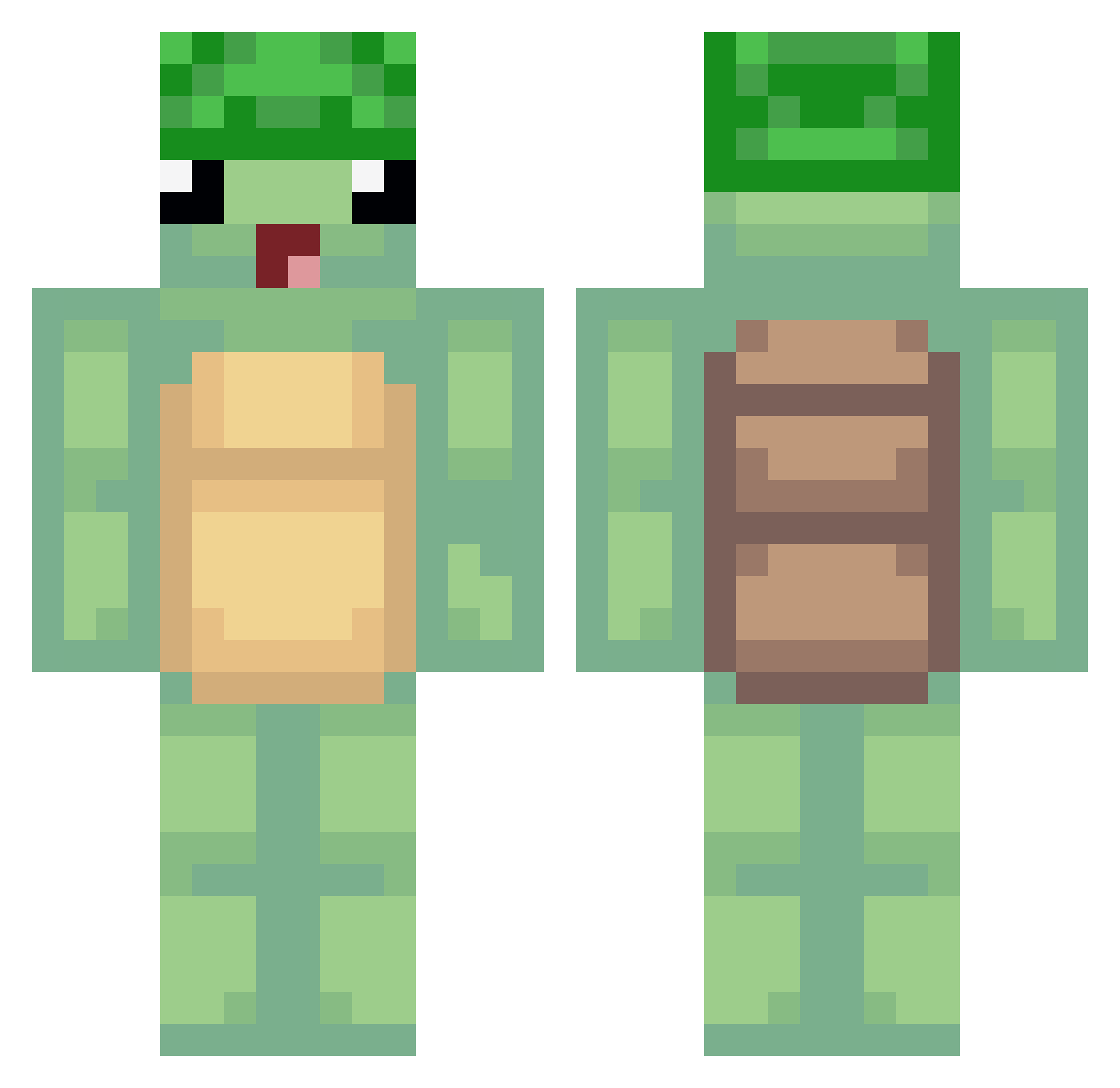
Current Minecraft skin of the player Aldinwow, loaded from the official Mojang API. Rotate the 3D model with your mouse or finger, then download the skin as a PNG file and use it in Minecraft: Bedrock Edition or Java Edition for free. When Aldinwow changes their skin, this page updates automatically and the old skin stays in the history below.
Other players with this skin (489)
Aldinwow was the 49th player we have seen with this skin, first spotted on 03.08.2026. The same skin was seen on these players. Open a nickname to see their current skin and skin history.
 YrekLei cocacola500 finkfong KR_mask MastaKaillou dwniz_ ARUTOdaaaaaaaaaa HiroTheElite mariesoph _SkyDow_ Killshoot pouchistik _PolskiMikolaj__ CannonKing LetMink23018401 _YGG KC_Cat04 Cashalot25 MACHEMACHATTE Its_TukTuk Hadryele lufdytac Turtl35 nunisz2 Fo11owing FollowSunsett JaYooN2__ Ninibanana XIJINPINGSIMA123 Mtoo_ CannabisCaleb JucktMichNull Fickpuppe J_Louie1779 1_Persent hssong43 Ramooo11sYT00_ Trunkz KingAce7 Sankitetsu Slaubbertooth69 DasCrozo DDo_Yeah Andrw_cL KokoPuffffs CombatLatran Frayzix_ Tentalios Benino GuineaPigZhuZhu timothy222boss RealCryterion
 Tomasz33wski DemonGirl_2008 momoads Raenon Egoelit757 Cynthialex Sylence69 YuniMaus
More Turtle Minecraft skins
How to install the Aldinwow skin
- Press the Download button above to save the skin as a PNG file.
- Minecraft: Bedrock Edition (PE): open the Dressing Room from the main menu (or tap your character → Edit Character), go to Classic Skins → Owned, press the + (new skin) button, choose the downloaded PNG and pick the Classic (Steve) model. Works on PC and mobile; consoles cannot import custom skins.
- Minecraft: Java Edition: open the Minecraft Launcher, go to the Skins tab, click New Skin, load the PNG, pick the Classic (Steve) model and press Save & Use. You can also upload it at minecraft.net → Profile → Change Skin.
The skin does not show up after import - what should I do?
Restart Minecraft and open the Dressing Room again - imported skins sometimes appear only after a restart. Also make sure you selected the imported skin and picked the Classic (Steve) model.
Which model should I choose, Classic or Slim?
This skin is designed for the Classic (Steve) model. If you pick the wrong model, the arms of the skin will look stretched or squeezed.
Is the skin of Aldinwow free to download?
Yes. Press Download, save the PNG file and use it in Minecraft: Bedrock Edition or Java Edition - no payment or registration needed. The skin also works on multiplayer servers and Realms.
More skins
Looking for more? Go back to all Minecraft skins and check the top skins of the week, month and all time, or find any player's skin by nickname.