
Agent_Schildi - Minecraft Skins & Skin History
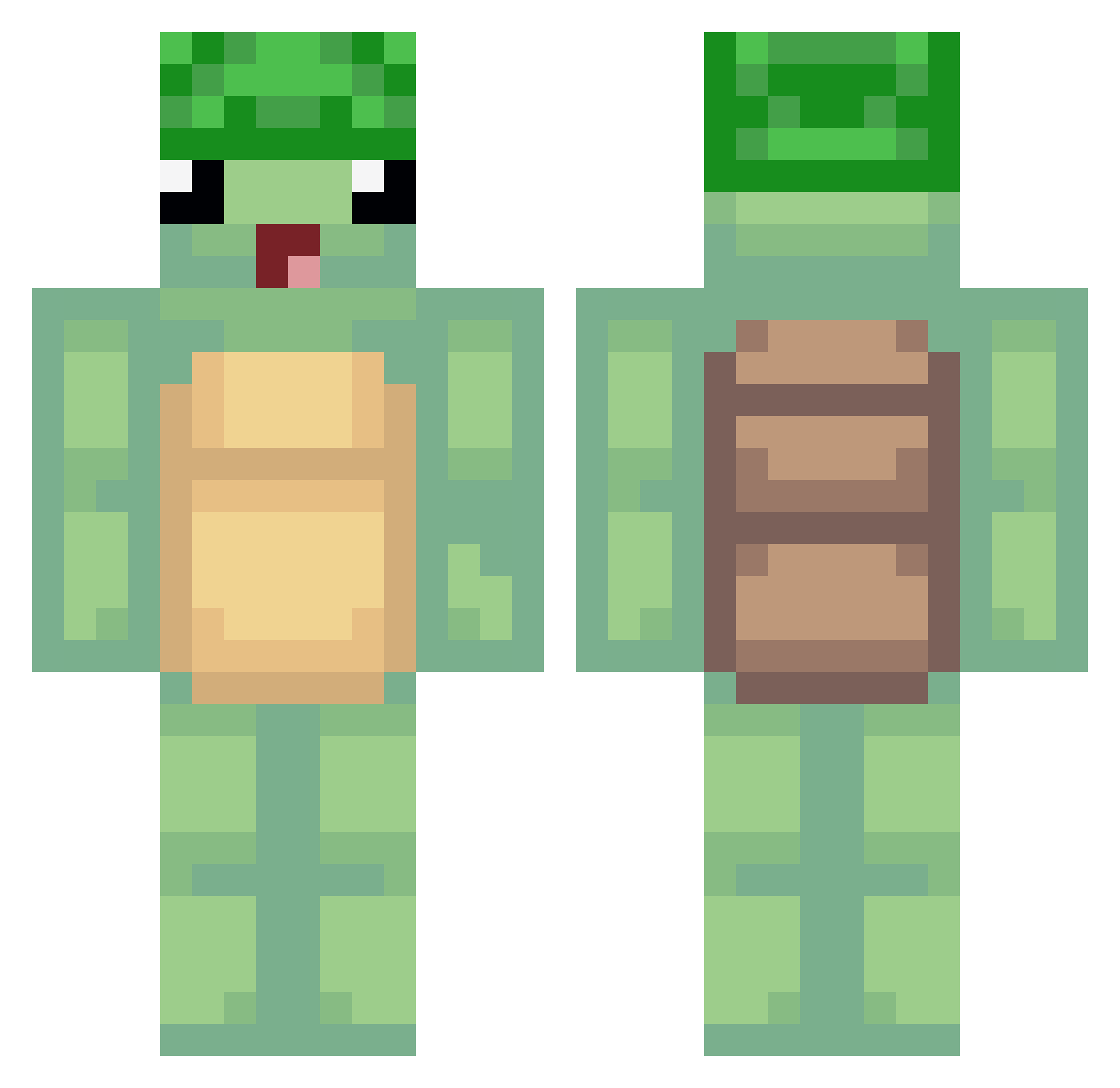
Current Minecraft skin of the player Agent_Schildi, loaded from the official Mojang API. Rotate the 3D model with your mouse or finger, then download the skin as a PNG file and use it in Minecraft: Bedrock Edition or Java Edition for free. When Agent_Schildi changes their skin, this page updates automatically and the old skin stays in the history below.
Other players with this skin (489)
Agent_Schildi was the 168th player we have seen with this skin, first spotted on 03.09.2026. The same skin was seen on these players. Open a nickname to see their current skin and skin history.
 RyqiaCjitzwe Lauchi13 ItzPrue monviando backwns TT3TT bensterman9 JTruant9 eggnogwife buukap exterminador314_ skizzymisty KleinerPandaber Stakemeet Agustin2k ferdi1806 AishFN Sympathomimetic kittinghuffing AKtheWarlock entrick54 lucylopes23 Mme_Totue Godly556 entresss karkarkarkarkar dutehh UnKoalaVert Gloomy_Catt Manny4u NodeSupport TurtleAnnie12 MegBro _lindale smiles0214 biven _WorldRecordEgg_ Suiji05 KRSWAT_ DEPARTAMEHT LeadingWheat32 _Straka_ Turtlebone12 Quick_Dino Bl4z1k Zaneo1 Sophdawg08 xPeppersx Halomec99 MysteryXenon MrMasterOogway heyitslisa7033 tomek_waw thebobby342 Lukasks02 121212121111 BambiNinja Iamgoblin TomatosAndCheese SparedTortoise
More Turtle Minecraft skins
How to install the Agent_Schildi skin
- Press the Download button above to save the skin as a PNG file.
- Minecraft: Bedrock Edition (PE): open the Dressing Room from the main menu (or tap your character → Edit Character), go to Classic Skins → Owned, press the + (new skin) button, choose the downloaded PNG and pick the Classic (Steve) model. Works on PC and mobile; consoles cannot import custom skins.
- Minecraft: Java Edition: open the Minecraft Launcher, go to the Skins tab, click New Skin, load the PNG, pick the Classic (Steve) model and press Save & Use. You can also upload it at minecraft.net → Profile → Change Skin.
The skin does not show up after import - what should I do?
Restart Minecraft and open the Dressing Room again - imported skins sometimes appear only after a restart. Also make sure you selected the imported skin and picked the Classic (Steve) model.
Which model should I choose, Classic or Slim?
This skin is designed for the Classic (Steve) model. If you pick the wrong model, the arms of the skin will look stretched or squeezed.
Is the skin of Agent_Schildi free to download?
Yes. Press Download, save the PNG file and use it in Minecraft: Bedrock Edition or Java Edition - no payment or registration needed. The skin also works on multiplayer servers and Realms.
More skins
Looking for more? Go back to all Minecraft skins and check the top skins of the week, month and all time, or find any player's skin by nickname.