
Admixpl - Minecraft Skins & Skin History
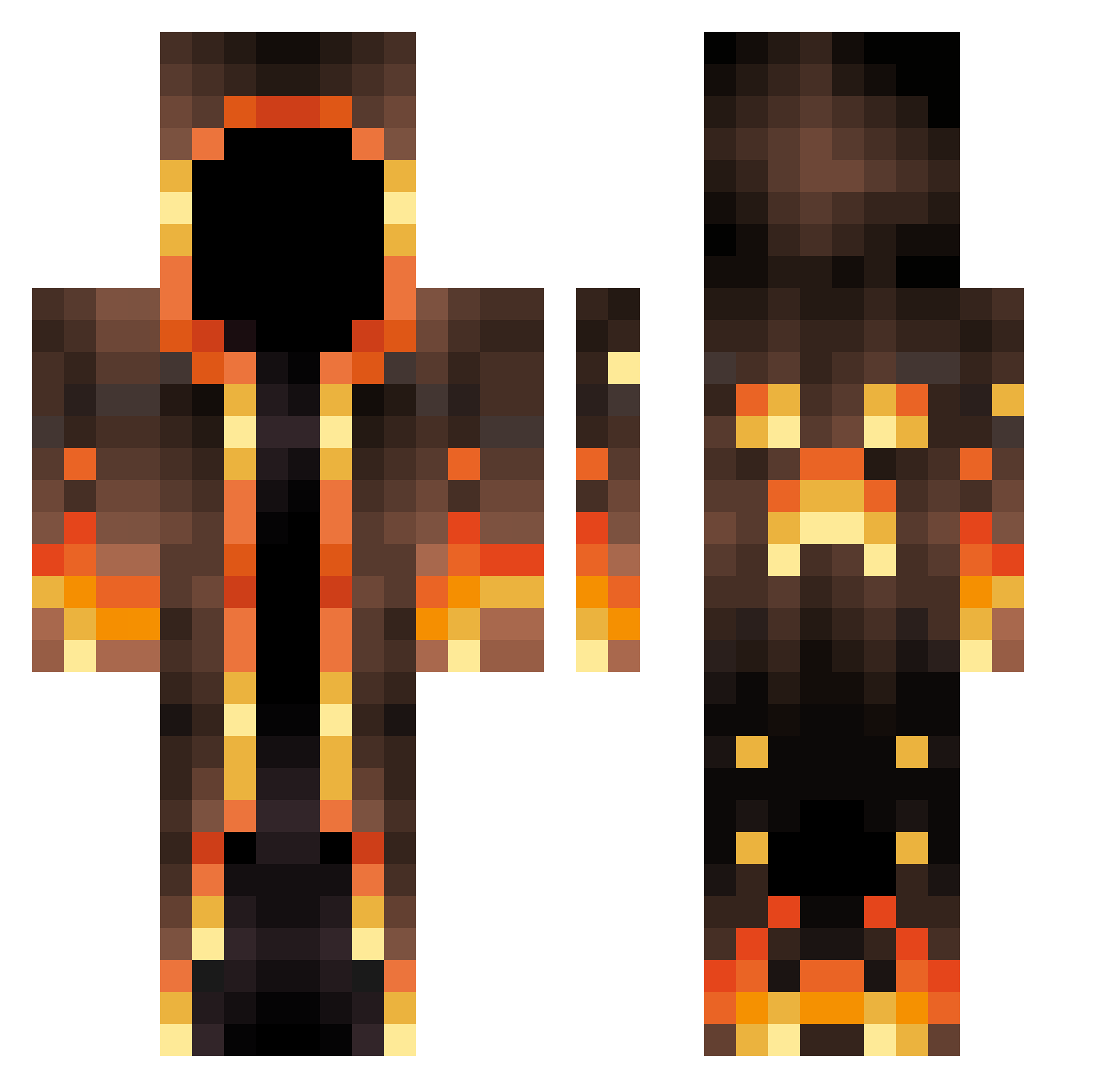
Current Minecraft skin of the player Admixpl, loaded from the official Mojang API. Rotate the 3D model with your mouse or finger, then download the skin as a PNG file and use it in Minecraft: Bedrock Edition or Java Edition for free. When Admixpl changes their skin, this page updates automatically and the old skin stays in the history below.
Other players with this skin (663)
Admixpl was the 365th player we have seen with this skin, first spotted on 24.09.2026. The same skin was seen on these players. Open a nickname to see their current skin and skin history.
 TutiYT_Lol SwiftSwordsman_ Inferni_ BigPapa1371 FirePanda8910 Joanxiv HelenKeller4201 TheDarkMrMoon Edgar_cor Kwazeo PotatoIsOp Ti_lex DaddyRemyy MrRobot300 xzqian orgariany Eduyoshi VarietalKhan7 CozmoKing CircusWolf PatriX_2408 Ondreena1 HTYKU Emano_s wannixd Awian56 ReaperJ YikesRL yaxzktoyaa_ PVPhundendk OPbaum bir9s jumaba Nightmaster05 Ringofates Luap_gamer Discapan MariusGJ kamui545 sevattarr iSebii Bandicoo Deisinho NewGalaxys10 llaison hypejezus Rox0_ PastBench536101 MisterXSL300 monetortellone KaiLun1219 DZJ940822 Logz2004 DenizWorld1281 Untamed_Pander RatofMan Nic_Endo Brodine supercow87 Dovabear1122
More Magma Minecraft skins
How to install the Admixpl skin
- Press the Download button above to save the skin as a PNG file.
- Minecraft: Bedrock Edition (PE): open the Dressing Room from the main menu (or tap your character → Edit Character), go to Classic Skins → Owned, press the + (new skin) button, choose the downloaded PNG and pick the Classic (Steve) model. Works on PC and mobile; consoles cannot import custom skins.
- Minecraft: Java Edition: open the Minecraft Launcher, go to the Skins tab, click New Skin, load the PNG, pick the Classic (Steve) model and press Save & Use. You can also upload it at minecraft.net → Profile → Change Skin.
The skin does not show up after import - what should I do?
Restart Minecraft and open the Dressing Room again - imported skins sometimes appear only after a restart. Also make sure you selected the imported skin and picked the Classic (Steve) model.
Which model should I choose, Classic or Slim?
This skin is designed for the Classic (Steve) model. If you pick the wrong model, the arms of the skin will look stretched or squeezed.
Is the skin of Admixpl free to download?
Yes. Press Download, save the PNG file and use it in Minecraft: Bedrock Edition or Java Edition - no payment or registration needed. The skin also works on multiplayer servers and Realms.
More skins
Looking for more? Go back to all Minecraft skins and check the top skins of the week, month and all time, or find any player's skin by nickname.