
Academie - Minecraft Skins & Skin History
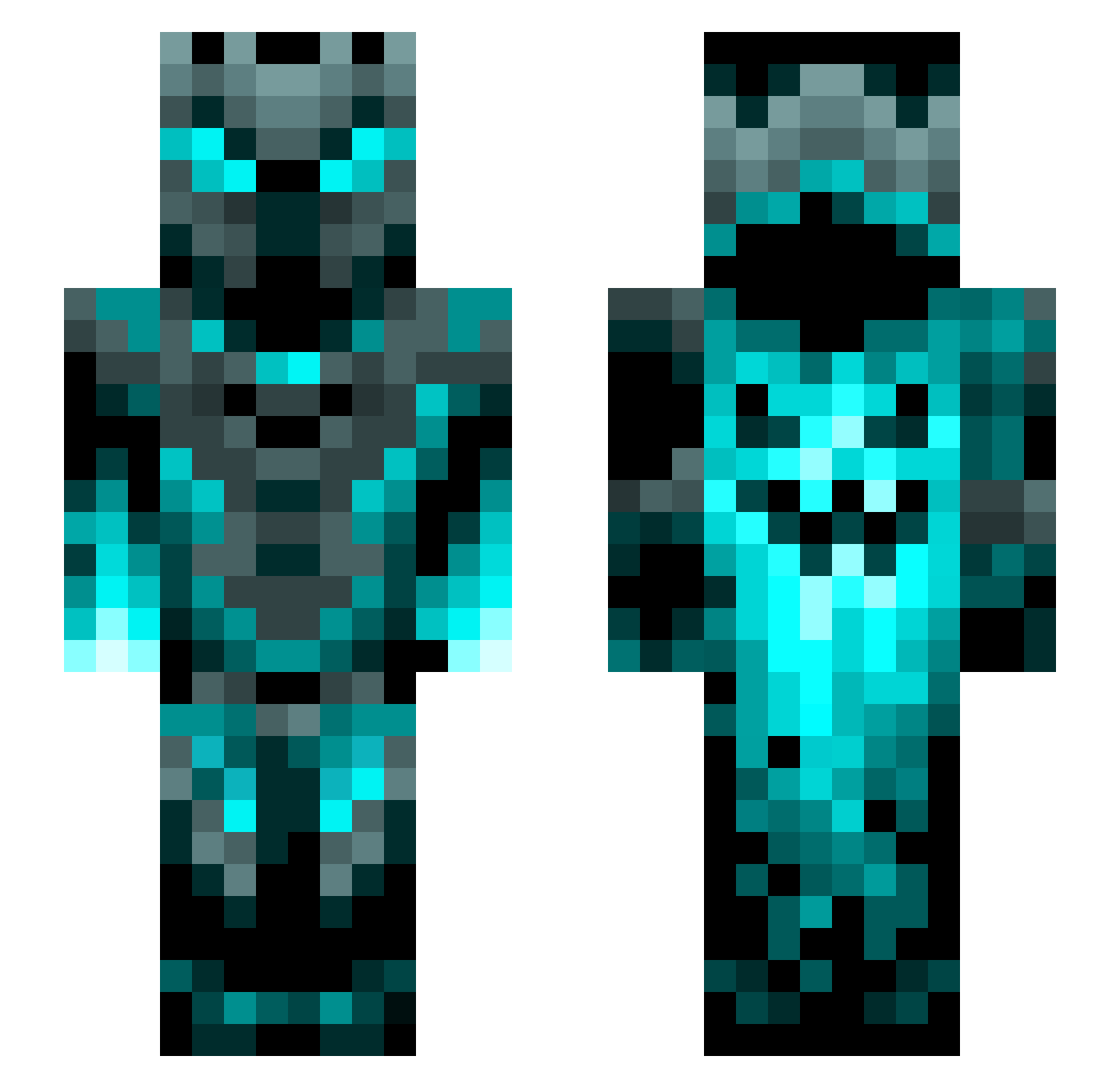
Current Minecraft skin of the player Academie, loaded from the official Mojang API. Rotate the 3D model with your mouse or finger, then download the skin as a PNG file and use it in Minecraft: Bedrock Edition or Java Edition for free. When Academie changes their skin, this page updates automatically and the old skin stays in the history below.
Other players with this skin (1201)
Academie was the 773rd player we have seen with this skin, first spotted on 30.09.2026. The same skin was seen on these players. Open a nickname to see their current skin and skin history.
 PROMAN1132 SamuelTheGod AKAGhost18 INomisI apfeld Arrolightt masonactot ShaneIzLame ssss2323 Sklllett PineappleSplat mclaris Das927 bolas3767 Void_eRaze LuckyLuga Lumitier Birds_of_Mayhem Apotheker1312 B14Z3R_6 GasparCro Senruc abodeix KingZoro foxclankid Drastorm0 Ehiras Hectorgg83 InsertName64 Gurkenmonster2 SebiSebastian Entity049 RODRICUSF123 phantom_sparkles FunkMasterKT Darkside_2013 Magicer44 Krk1961 TLOS_25 Romans_11 AdeptLamp93653 Lezaclaire Ethob0807 maksom2 kendrix134 Hopperlikeahaw sirREBEL HUEMUNGUS78 AWCHAVEZ Math6882 Moonarch_99 Diamondkid BlueflameKnight_ Marcus_Mural SPARKS101 DaNoah0604 Umbreon4Life87 Shadowknight3030 elozarwol Nebula2525
More Phantom Minecraft skins
How to install the Academie skin
- Press the Download button above to save the skin as a PNG file.
- Minecraft: Bedrock Edition (PE): open the Dressing Room from the main menu (or tap your character → Edit Character), go to Classic Skins → Owned, press the + (new skin) button, choose the downloaded PNG and pick the Slim (Alex) model. Works on PC and mobile; consoles cannot import custom skins.
- Minecraft: Java Edition: open the Minecraft Launcher, go to the Skins tab, click New Skin, load the PNG, pick the Slim (Alex) model and press Save & Use. You can also upload it at minecraft.net → Profile → Change Skin.
The skin does not show up after import - what should I do?
Restart Minecraft and open the Dressing Room again - imported skins sometimes appear only after a restart. Also make sure you selected the imported skin and picked the Slim (Alex) model.
Which model should I choose, Classic or Slim?
This skin is designed for the Slim (Alex) model. If you pick the wrong model, the arms of the skin will look stretched or squeezed.
Is the skin of Academie free to download?
Yes. Press Download, save the PNG file and use it in Minecraft: Bedrock Edition or Java Edition - no payment or registration needed. The skin also works on multiplayer servers and Realms.
More skins
Looking for more? Go back to all Minecraft skins and check the top skins of the week, month and all time, or find any player's skin by nickname.