
ANKE0 - Minecraft Skins & Skin History
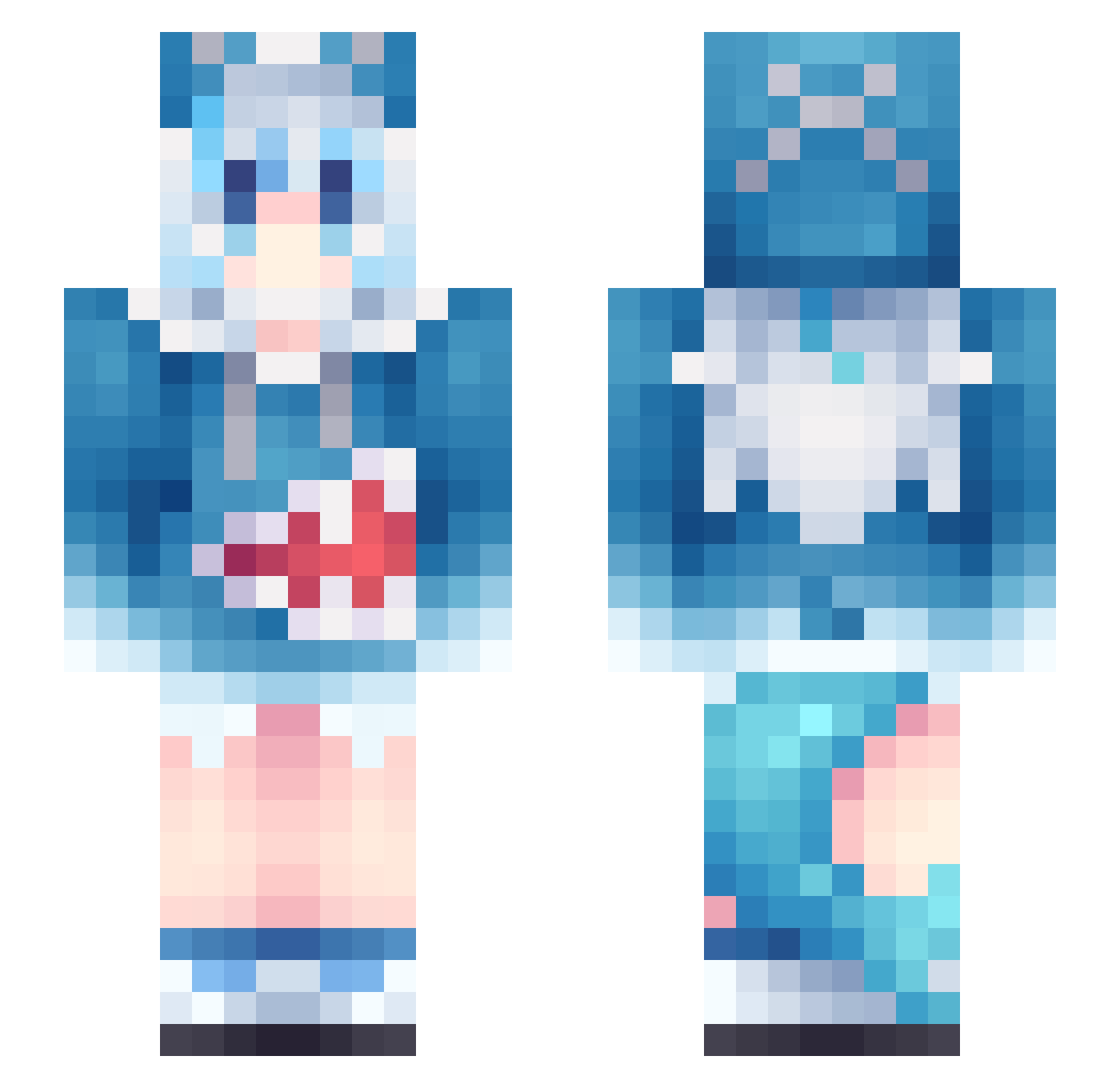
Current Minecraft skin of the player ANKE0, loaded from the official Mojang API. Rotate the 3D model with your mouse or finger, then download the skin as a PNG file and use it in Minecraft: Bedrock Edition or Java Edition for free. When ANKE0 changes their skin, this page updates automatically and the old skin stays in the history below.
Other players with this skin (1133)
ANKE0 was the 483rd player we have seen with this skin, first spotted on 17.09.2026. The same skin was seen on these players. Open a nickname to see their current skin and skin history.
 Thomiko _sevenpercent_ Sun2080 Ryulnwza007 DARKguy2112 kaiROC0508 xiaobaiqi WRXVIII nick20130205 MJJ009 jianlai11 gilmaz paback2 kirbysleftnut MANUALIVY doolsyy 342516 Lapis1985 97cx LanAhsq ItsmeMari GutaP dUWUF Han1204 LollipopLuna MrThug7l src9_1 wuyuzi66 yanglizi sunnipickle ABIINN song_1102 Kong53 noel_funk GreenLIU sone4ka_ Sorry_Man_ Shiki_Natsume1 27MidNight27 Mixitozzz HUdonk shashajiang HailedMoon M4D_NESS awsl234 haifeng_123 Kishinje ElectTurnip4332 lllllkkk Sakura622 kuroko6117 KawaiiBear_UwU_ aaavri totoro1314 Haxzy_03 Shaomaibao Zaetwo AuxiaAmps Lumitakrii lunaticparty_
More Gawr Gura Minecraft skins
How to install the ANKE0 skin
- Press the Download button above to save the skin as a PNG file.
- Minecraft: Bedrock Edition (PE): open the Dressing Room from the main menu (or tap your character → Edit Character), go to Classic Skins → Owned, press the + (new skin) button, choose the downloaded PNG and pick the Slim (Alex) model. Works on PC and mobile; consoles cannot import custom skins.
- Minecraft: Java Edition: open the Minecraft Launcher, go to the Skins tab, click New Skin, load the PNG, pick the Slim (Alex) model and press Save & Use. You can also upload it at minecraft.net → Profile → Change Skin.
The skin does not show up after import - what should I do?
Restart Minecraft and open the Dressing Room again - imported skins sometimes appear only after a restart. Also make sure you selected the imported skin and picked the Slim (Alex) model.
Which model should I choose, Classic or Slim?
This skin is designed for the Slim (Alex) model. If you pick the wrong model, the arms of the skin will look stretched or squeezed.
Is the skin of ANKE0 free to download?
Yes. Press Download, save the PNG file and use it in Minecraft: Bedrock Edition or Java Edition - no payment or registration needed. The skin also works on multiplayer servers and Realms.
More skins
Looking for more? Go back to all Minecraft skins and check the top skins of the week, month and all time, or find any player's skin by nickname.