
AMeowingCat - Minecraft Skins & Skin History
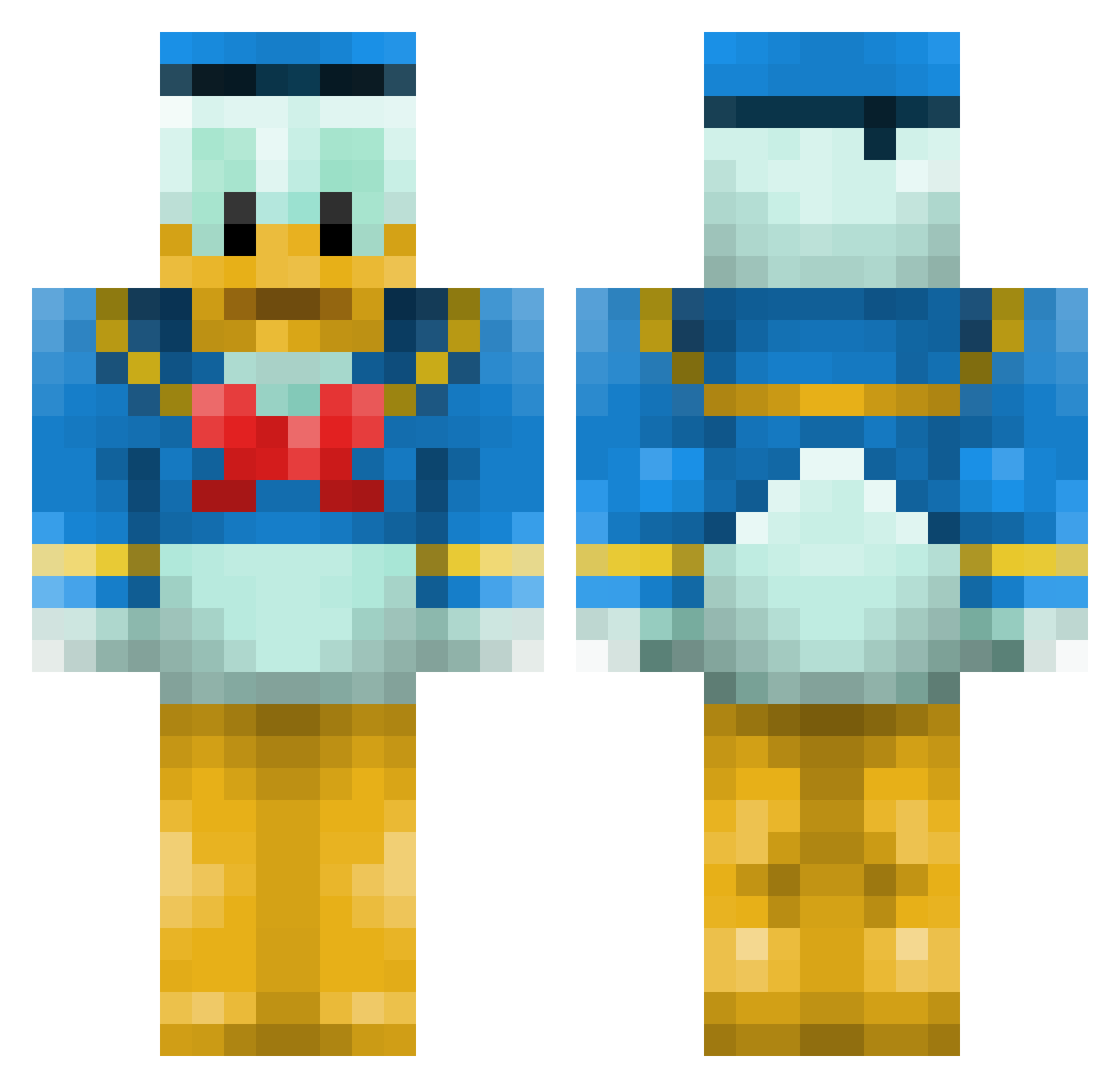
Current Minecraft skin of the player AMeowingCat, loaded from the official Mojang API. Rotate the 3D model with your mouse or finger, then download the skin as a PNG file and use it in Minecraft: Bedrock Edition or Java Edition for free. When AMeowingCat changes their skin, this page updates automatically and the old skin stays in the history below.
Other players with this skin (76)
AMeowingCat was the 23rd player we have seen with this skin, first spotted on 24.08.2026. The same skin was seen on these players. Open a nickname to see their current skin and skin history.
 shionxxx tendon5656 ashfordprefect Cealyst Aaronmchiv18 Kanibukubuku LiuXing217 Pixgniii
 Konstiga_Korven It_me69 Valantis1212 sivach Ap1on DatLat Lil_Kob Ozzy_7898 TazrBeam SloWiczek12 marcusnordahl thlibsson Wiggmin Nltwiitchy QmiBrother shenero216 eco_man IcedOutNarc nishicha petuniasghost PIasKU98 savage08 grandpajeff _BarnOwl_ snow901x mon5l TANUKIsun uvuveveve DragonBoy_KB ZBo130 Saturnalia0514 caiden321 Xuaaner gorich17 Huyghu
 rotarybolt7 Macho_Nacho005 CastIeS Arvid10000 MalyKnoten Dawgsfan5621 Dymzy CroffinX vixorzz monjyo219 cleearrr eeeurt Peckertooth DocFruit SirPoopiebutt LivEum skatestar98
More Donald Duck Minecraft skins
How to install the AMeowingCat skin
- Press the Download button above to save the skin as a PNG file.
- Minecraft: Bedrock Edition (PE): open the Dressing Room from the main menu (or tap your character → Edit Character), go to Classic Skins → Owned, press the + (new skin) button, choose the downloaded PNG and pick the Classic (Steve) model. Works on PC and mobile; consoles cannot import custom skins.
- Minecraft: Java Edition: open the Minecraft Launcher, go to the Skins tab, click New Skin, load the PNG, pick the Classic (Steve) model and press Save & Use. You can also upload it at minecraft.net → Profile → Change Skin.
The skin does not show up after import - what should I do?
Restart Minecraft and open the Dressing Room again - imported skins sometimes appear only after a restart. Also make sure you selected the imported skin and picked the Classic (Steve) model.
Which model should I choose, Classic or Slim?
This skin is designed for the Classic (Steve) model. If you pick the wrong model, the arms of the skin will look stretched or squeezed.
Is the skin of AMeowingCat free to download?
Yes. Press Download, save the PNG file and use it in Minecraft: Bedrock Edition or Java Edition - no payment or registration needed. The skin also works on multiplayer servers and Realms.
More skins
Looking for more? Go back to all Minecraft skins and check the top skins of the week, month and all time, or find any player's skin by nickname.