
LivEum - Minecraft Skins & Skin History
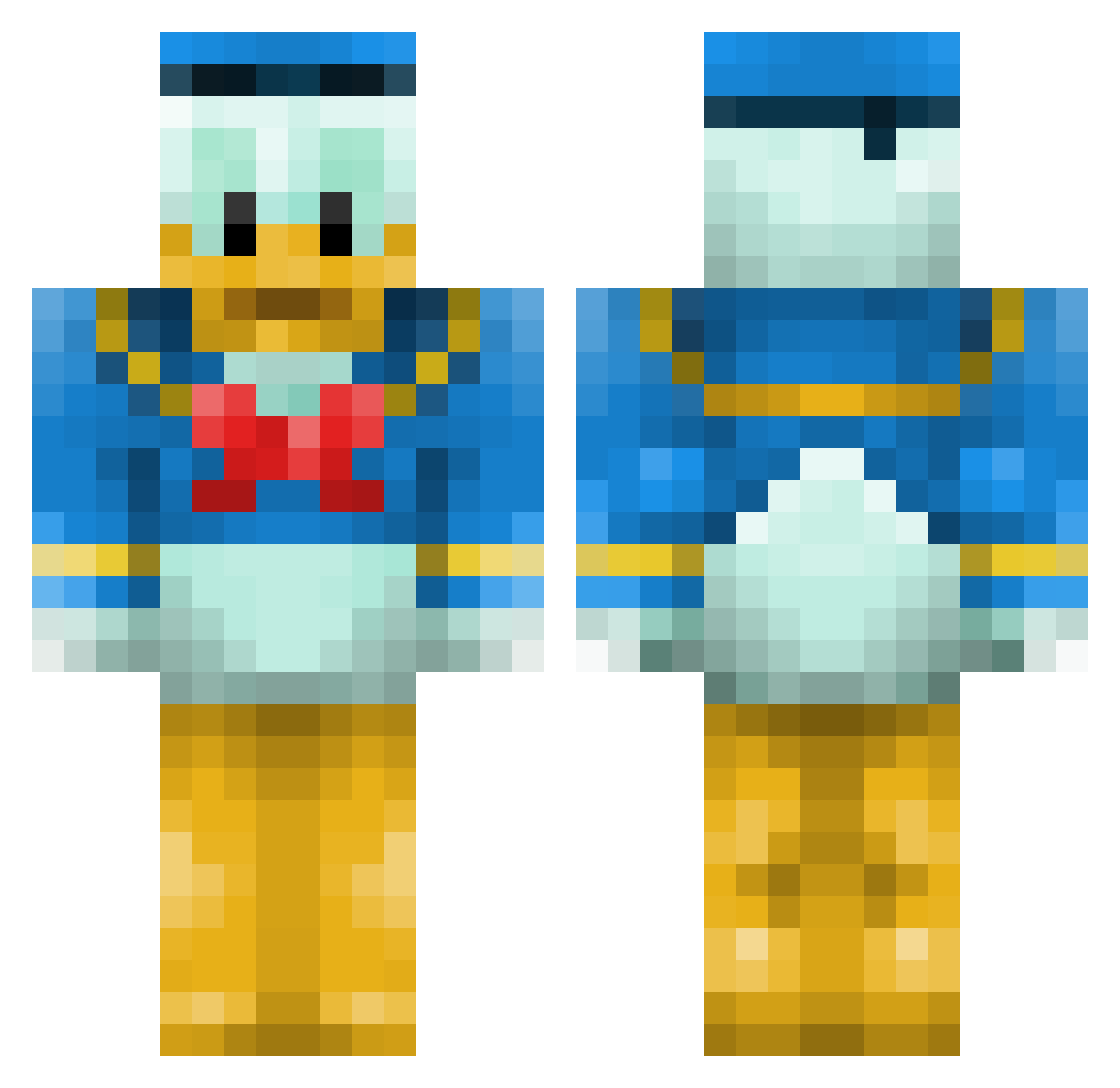
Current Minecraft skin of the player LivEum, loaded from the official Mojang API. Rotate the 3D model with your mouse or finger, then download the skin as a PNG file and use it in Minecraft: Bedrock Edition or Java Edition for free. When LivEum changes their skin, this page updates automatically and the old skin stays in the history below.
Other players with this skin (114)
LivEum was the 60th player we have seen with this skin, first spotted on 07.10.2026. The same skin was seen on these players. Open a nickname to see their current skin and skin history.
 skatestar98 Ekorren2000 felixnico12 Champinunkel SirPoopiebutt Decos12 DSOP4 DocFruit Peckertooth eeeurt scan1110 TheOGShowerGel cleearrr Sgooooch maru_daruma monjyo219 vixorzz PFfujiwara AROezja YoloAspire MalyKnoten peterthegecko432 Arvid10000 matrixmaus JAEJAE715 ninjaxxou24 Macho_Nacho005 Hokusugar lillgrabben1 Huyghu caiden321 Block_Buster2k15 Huvila01 Saturnalia0514 zachschroeder25 Goldarrak Papanikolopoulos meandeancain ZBo130 HashHavoc TANUKIsun belovetti snow901x Milanos_banaanos _BarnOwl_ grandpajeff b0rsuk ErevisBor Viqdim Donald_Duck68 Kelesetth StCmored Runker740 winterparrot current149 prtn1024 minlof nishicha IcedOutNarc KhalDaffy
More Donald Duck Minecraft skins
How to install the LivEum skin
- Press the Download button above to save the skin as a PNG file.
- Minecraft: Bedrock Edition (PE): open the Dressing Room from the main menu (or tap your character → Edit Character), go to Classic Skins → Owned, press the + (new skin) button, choose the downloaded PNG and pick the Classic (Steve) model. Works on PC and mobile; consoles cannot import custom skins.
- Minecraft: Java Edition: open the Minecraft Launcher, go to the Skins tab, click New Skin, load the PNG, pick the Classic (Steve) model and press Save & Use. You can also upload it at minecraft.net → Profile → Change Skin.
The skin does not show up after import - what should I do?
Restart Minecraft and open the Dressing Room again - imported skins sometimes appear only after a restart. Also make sure you selected the imported skin and picked the Classic (Steve) model.
Which model should I choose, Classic or Slim?
This skin is designed for the Classic (Steve) model. If you pick the wrong model, the arms of the skin will look stretched or squeezed.
Is the skin of LivEum free to download?
Yes. Press Download, save the PNG file and use it in Minecraft: Bedrock Edition or Java Edition - no payment or registration needed. The skin also works on multiplayer servers and Realms.
More skins
Looking for more? Go back to all Minecraft skins and check the top skins of the week, month and all time, or find any player's skin by nickname.