
A1tyn - Minecraft Skins & Skin History
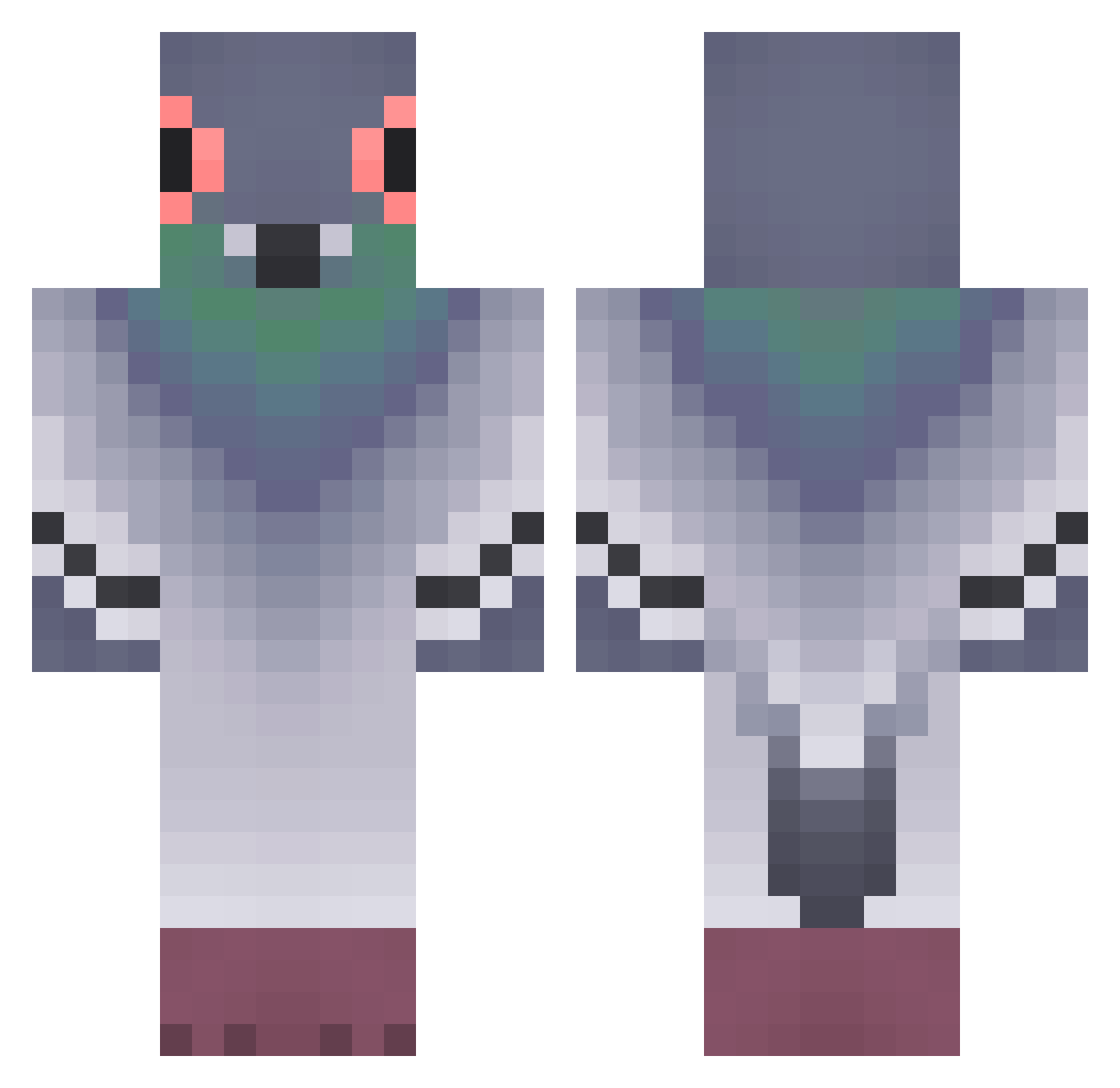
Current Minecraft skin of the player A1tyn, loaded from the official Mojang API. Rotate the 3D model with your mouse or finger, then download the skin as a PNG file and use it in Minecraft: Bedrock Edition or Java Edition for free. When A1tyn changes their skin, this page updates automatically and the old skin stays in the history below.
Other players with this skin (320)
A1tyn was the 152nd player we have seen with this skin, first spotted on 07.09.2026. The same skin was seen on these players. Open a nickname to see their current skin and skin history.
 luk1lusu ARG0NS Asqectu piopiocuakcuak NoeliaFifa Somindeed Calvin_6650 elvin15 kingjonghun1 teuzzoo Panecillo24 ethxn_nxhte gyyytan Mrshlamalamding1 AshMain56 MiceZdok sebasMCx_ Top_Gay MsCat_disciple Olinusko Stormboots Elgefjert legendary1ninja Vrakorn swanriver DrAngelus emilyyb66 _kidmo_ Andreas84steel84 dr_mztm kacupyn acceleratoracc love1002_ Wschut Paulinaaa_603 rad_cowboy miimus cyclopolips LILIZONO Tricerabottom ViggoT_ Velocity_214 EuD4 MamaT7337 Sharkboy10 Riskxz PDsDummy hoseokey Jabe03 ZyohUwU liliillillillill imjasonnash UNO1144 Descorchador13 Magiiguy frogonacid1911 BuBulGum_960 ra1ned0n gEERrMAN bippyboppy
More Pigeon Minecraft skins
How to install the A1tyn skin
- Press the Download button above to save the skin as a PNG file.
- Minecraft: Bedrock Edition (PE): open the Dressing Room from the main menu (or tap your character → Edit Character), go to Classic Skins → Owned, press the + (new skin) button, choose the downloaded PNG and pick the Classic (Steve) model. Works on PC and mobile; consoles cannot import custom skins.
- Minecraft: Java Edition: open the Minecraft Launcher, go to the Skins tab, click New Skin, load the PNG, pick the Classic (Steve) model and press Save & Use. You can also upload it at minecraft.net → Profile → Change Skin.
The skin does not show up after import - what should I do?
Restart Minecraft and open the Dressing Room again - imported skins sometimes appear only after a restart. Also make sure you selected the imported skin and picked the Classic (Steve) model.
Which model should I choose, Classic or Slim?
This skin is designed for the Classic (Steve) model. If you pick the wrong model, the arms of the skin will look stretched or squeezed.
Is the skin of A1tyn free to download?
Yes. Press Download, save the PNG file and use it in Minecraft: Bedrock Edition or Java Edition - no payment or registration needed. The skin also works on multiplayer servers and Realms.
More skins
Looking for more? Go back to all Minecraft skins and check the top skins of the week, month and all time, or find any player's skin by nickname.