
90frag - Minecraft Skins & Skin History
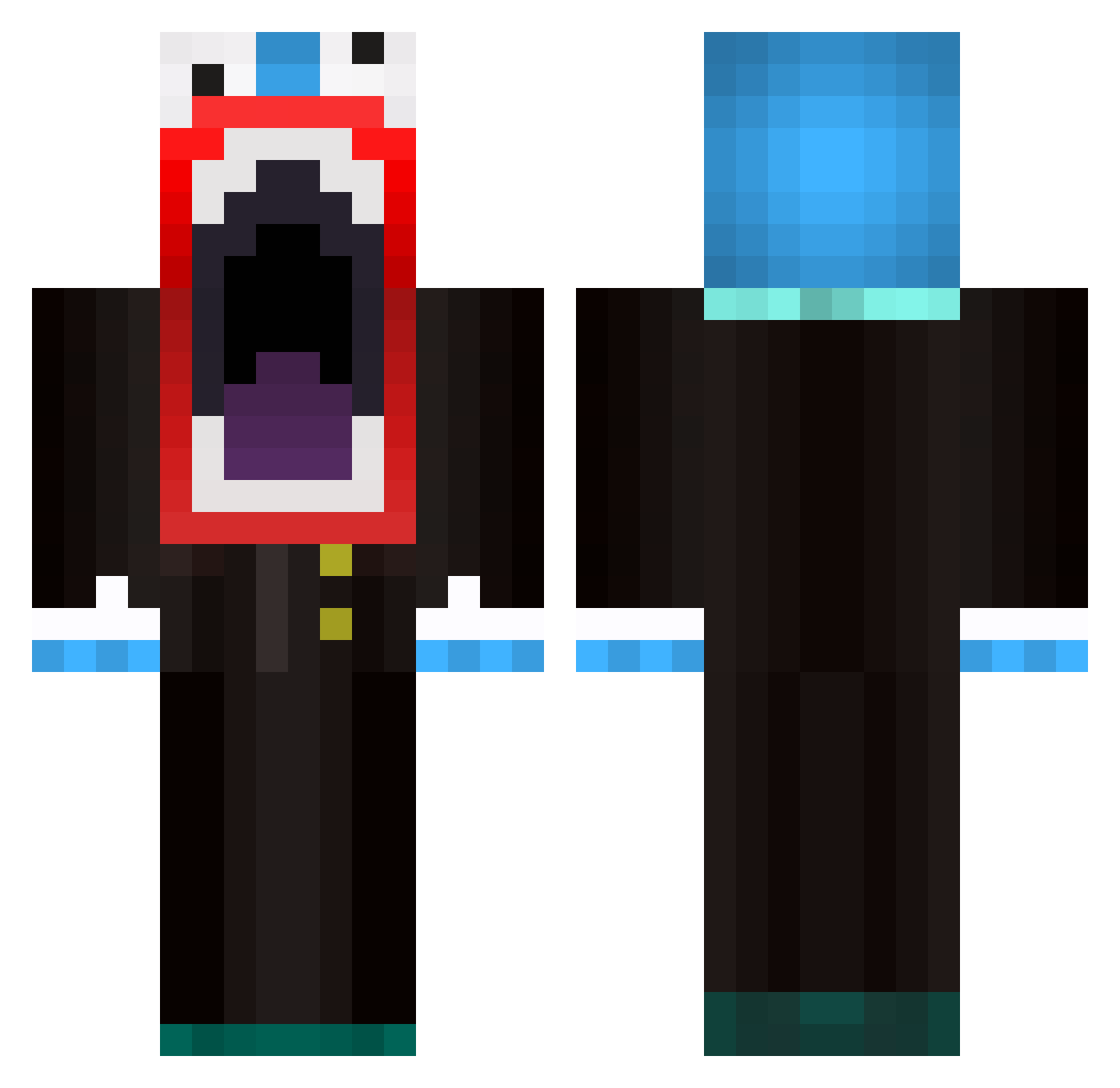
Current Minecraft skin of the player 90frag, loaded from the official Mojang API. Rotate the 3D model with your mouse or finger, then download the skin as a PNG file and use it in Minecraft: Bedrock Edition or Java Edition for free. When 90frag changes their skin, this page updates automatically and the old skin stays in the history below.
Other players with this skin (595)
90frag was the 97th player we have seen with this skin, first spotted on 12.08.2026. The same skin was seen on these players. Open a nickname to see their current skin and skin history.
 bones2239 Geruta Nisse1a AgentOOCornelPan PRECISIONGAMING Giorgio003 theWizard500 znidaricaljaz smkrquickscope Kagawa jordcass321 SpankingKids CTB04 tanman1010 pr0m3th3us151 ReubenMentz ak605 cheeeeeeeeee cod5chipmunk Phippsy2001 wolfman959 feboman1 x3tra henriquekiller78 Bustinya Theepicavanger CountryBoy890 YOGO07 fXxxx1 MajorCappiccino_ Beelzebaird Kuya818 endeligfredag bradt98 TheRealDira JSKXD3 guzzlerboy04 AionCannon marikmarik Crystall_Beast Turtlemaster123 MandyyxX spratjack zaco99 sirshark0 Loup07 Ratgoth The_WizardKid xHarrrry DarCars SandwichMugger muffinz14 pk0wner polkia77 phoenixwinters ProX91 SDGeneral zacks5949 saba_keon RobinjNL
More The Amazing Digital Circus Caine Minecraft skins
See all 6 The Amazing Digital Circus Caine skins
How to install the 90frag skin
- Press the Download button above to save the skin as a PNG file.
- Minecraft: Bedrock Edition (PE): open the Dressing Room from the main menu (or tap your character → Edit Character), go to Classic Skins → Owned, press the + (new skin) button, choose the downloaded PNG and pick the Classic (Steve) model. Works on PC and mobile; consoles cannot import custom skins.
- Minecraft: Java Edition: open the Minecraft Launcher, go to the Skins tab, click New Skin, load the PNG, pick the Classic (Steve) model and press Save & Use. You can also upload it at minecraft.net → Profile → Change Skin.
The skin does not show up after import - what should I do?
Restart Minecraft and open the Dressing Room again - imported skins sometimes appear only after a restart. Also make sure you selected the imported skin and picked the Classic (Steve) model.
Which model should I choose, Classic or Slim?
This skin is designed for the Classic (Steve) model. If you pick the wrong model, the arms of the skin will look stretched or squeezed.
Is the skin of 90frag free to download?
Yes. Press Download, save the PNG file and use it in Minecraft: Bedrock Edition or Java Edition - no payment or registration needed. The skin also works on multiplayer servers and Realms.
More skins
Looking for more? Go back to all Minecraft skins and check the top skins of the week, month and all time, or find any player's skin by nickname.