
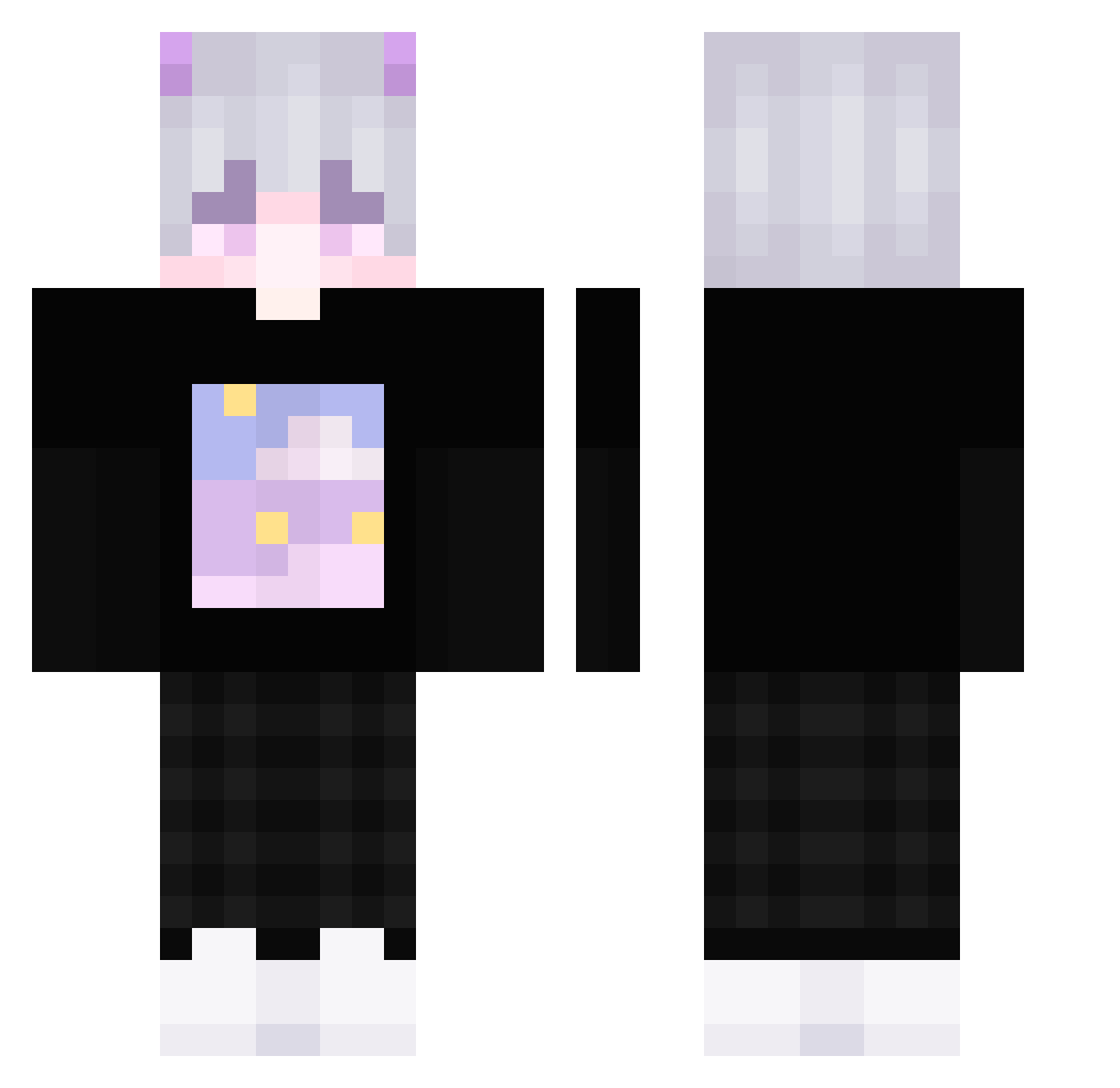
Current Minecraft skin of the player 8bmm, loaded from the official Mojang API. Rotate the 3D model with your mouse or finger, then download the skin as a PNG file and use it in Minecraft: Bedrock Edition or Java Edition for free. When 8bmm changes their skin, this page updates automatically and the old skin stays in the history below.
Other players with this skin (279)
8bmm was the 194th player we have seen with this skin, first spotted on 27.09.2026. The same skin was seen on these players. Open a nickname to see their current skin and skin history.
 Zenitsu_Yaoi AlreadyKill whatsagoodonline warriorfan Kets3ro_ 00_Akarui African4SHO saburka pompkin_ Hmo0odSa FireBomb76 Yuki__H Zoptron lityzzang 44229 xMomo_ Ein_OwO NadeSad Nashohs Ginitimay child_toucher zenchiru AntyxGG SKLAF2 wangbaoz maraqujatee kame_BR Aoyss TrieConx_YT AsianTwink101 Kchather Cinray stuntpiloot1 kjccD AkaiHyuuga MdChucky moya66 RandaleRadi Goodman9527 zhibin1019 N1sanci K3pUA feiyan101 TheMrChurros dhb203 Lulu_g7 ljwzs lappland912 Batatinha1234569 Han13ao DREAMGR0VE ssjjun D_Joe03 pierry590 ComplexIssue chu__yu PlastikTroete yDanielON misusu_xy kdkdyewo0116
More Horns Minecraft skins
How to install the 8bmm skin
- Press the Download button above to save the skin as a PNG file.
- Minecraft: Bedrock Edition (PE): open the Dressing Room from the main menu (or tap your character → Edit Character), go to Classic Skins → Owned, press the + (new skin) button, choose the downloaded PNG and pick the Classic (Steve) model. Works on PC and mobile; consoles cannot import custom skins.
- Minecraft: Java Edition: open the Minecraft Launcher, go to the Skins tab, click New Skin, load the PNG, pick the Classic (Steve) model and press Save & Use. You can also upload it at minecraft.net → Profile → Change Skin.
The skin does not show up after import - what should I do?
Restart Minecraft and open the Dressing Room again - imported skins sometimes appear only after a restart. Also make sure you selected the imported skin and picked the Classic (Steve) model.
Which model should I choose, Classic or Slim?
This skin is designed for the Classic (Steve) model. If you pick the wrong model, the arms of the skin will look stretched or squeezed.
Is the skin of 8bmm free to download?
Yes. Press Download, save the PNG file and use it in Minecraft: Bedrock Edition or Java Edition - no payment or registration needed. The skin also works on multiplayer servers and Realms.
More skins
Looking for more? Go back to all Minecraft skins and check the top skins of the week, month and all time, or find any player's skin by nickname.