
4pewdiepie - Minecraft Skins & Skin History
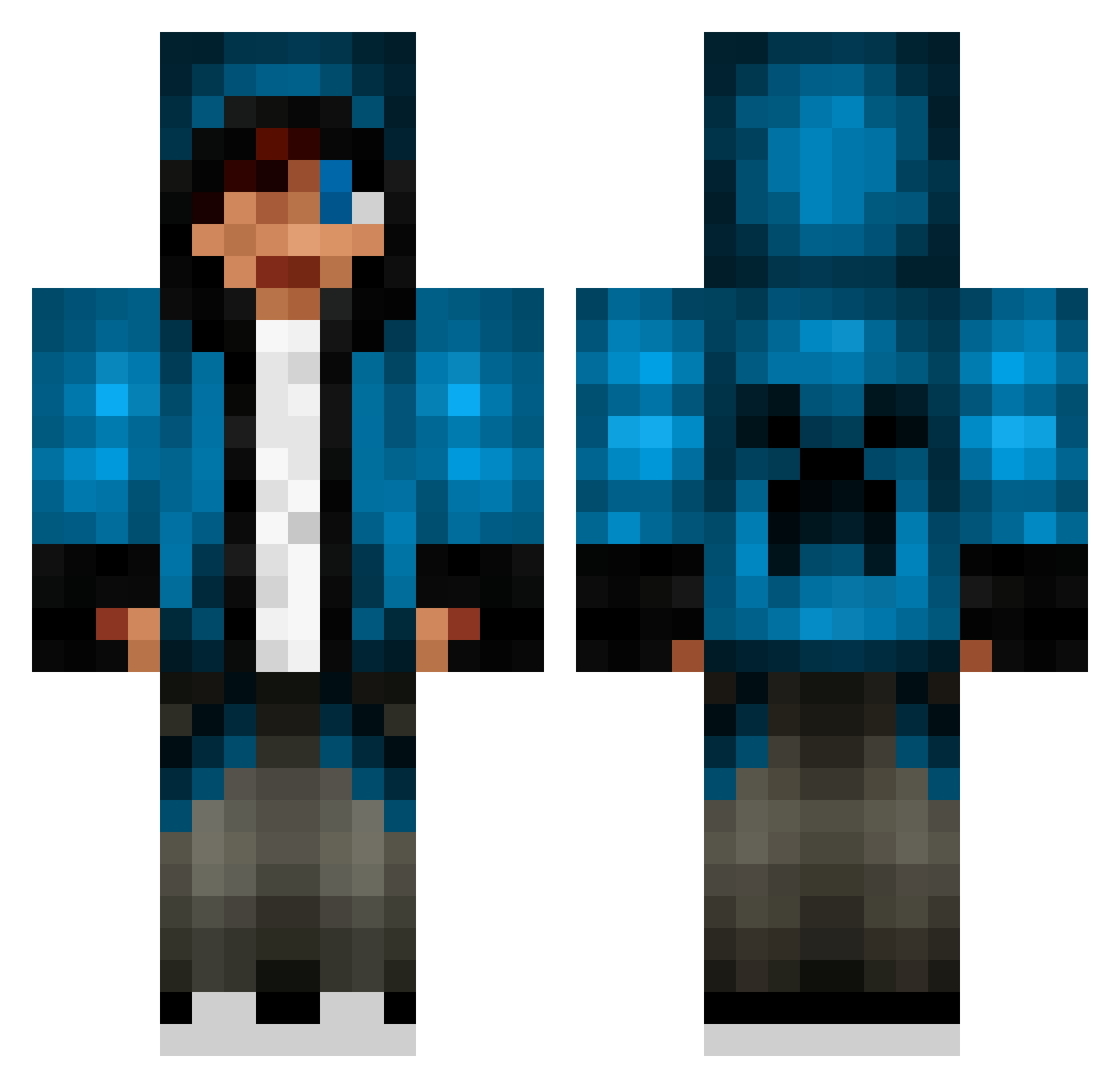
Current Minecraft skin of the player 4pewdiepie, loaded from the official Mojang API. Rotate the 3D model with your mouse or finger, then download the skin as a PNG file and use it in Minecraft: Bedrock Edition or Java Edition for free. When 4pewdiepie changes their skin, this page updates automatically and the old skin stays in the history below.
Other players with this skin (653)
4pewdiepie was the 634th player we have seen with this skin, first spotted on 20.10.2026. The same skin was seen on these players. Open a nickname to see their current skin and skin history.
 ULTRALIGHT_0 xXBROOKX Bananageil JellyBeanBag Linixur red_dragon_c ryanman2000 RegularJoe0022 ferix_50 lightVoltz a41644 TurpsMann xXDarkErikXx Cripster PlatinumGamer921 BlockedPuppy56 xvcordova7vx ForzaNight Gabe2704 Coman128 iceteafreak2 JuJulemand007 Lukasthell applesunflower ninja20p razmotaz chunwai612 jakobsen9280 chrisman455 TheEpicOre hardstyler1991 HunterKilller Bobby1812 Goregutts CalmDownBroski frederikkkkk Nastybogging blue_sniper2279 etnola13 splaty22 michaels789 nicodiangelo14 xXdjclownXx swed123 oompaloompa1998 THEMADBEAN EmSeNo blackhunta Elmars1 Nickel1996 DangerP7 KXNG_JAMIE THE373 kaulana2000 NexusCentauri dragonboy0808 joejoejoe4477 Romania64 Jwub tomlikesbikes
More Creeper Minecraft skins
How to install the 4pewdiepie skin
- Press the Download button above to save the skin as a PNG file.
- Minecraft: Bedrock Edition (PE): open the Dressing Room from the main menu (or tap your character → Edit Character), go to Classic Skins → Owned, press the + (new skin) button, choose the downloaded PNG and pick the Classic (Steve) model. Works on PC and mobile; consoles cannot import custom skins.
- Minecraft: Java Edition: open the Minecraft Launcher, go to the Skins tab, click New Skin, load the PNG, pick the Classic (Steve) model and press Save & Use. You can also upload it at minecraft.net → Profile → Change Skin.
The skin does not show up after import - what should I do?
Restart Minecraft and open the Dressing Room again - imported skins sometimes appear only after a restart. Also make sure you selected the imported skin and picked the Classic (Steve) model.
Which model should I choose, Classic or Slim?
This skin is designed for the Classic (Steve) model. If you pick the wrong model, the arms of the skin will look stretched or squeezed.
Is the skin of 4pewdiepie free to download?
Yes. Press Download, save the PNG file and use it in Minecraft: Bedrock Edition or Java Edition - no payment or registration needed. The skin also works on multiplayer servers and Realms.
More skins
Looking for more? Go back to all Minecraft skins and check the top skins of the week, month and all time, or find any player's skin by nickname.