
4byteo - Minecraft Skins & Skin History
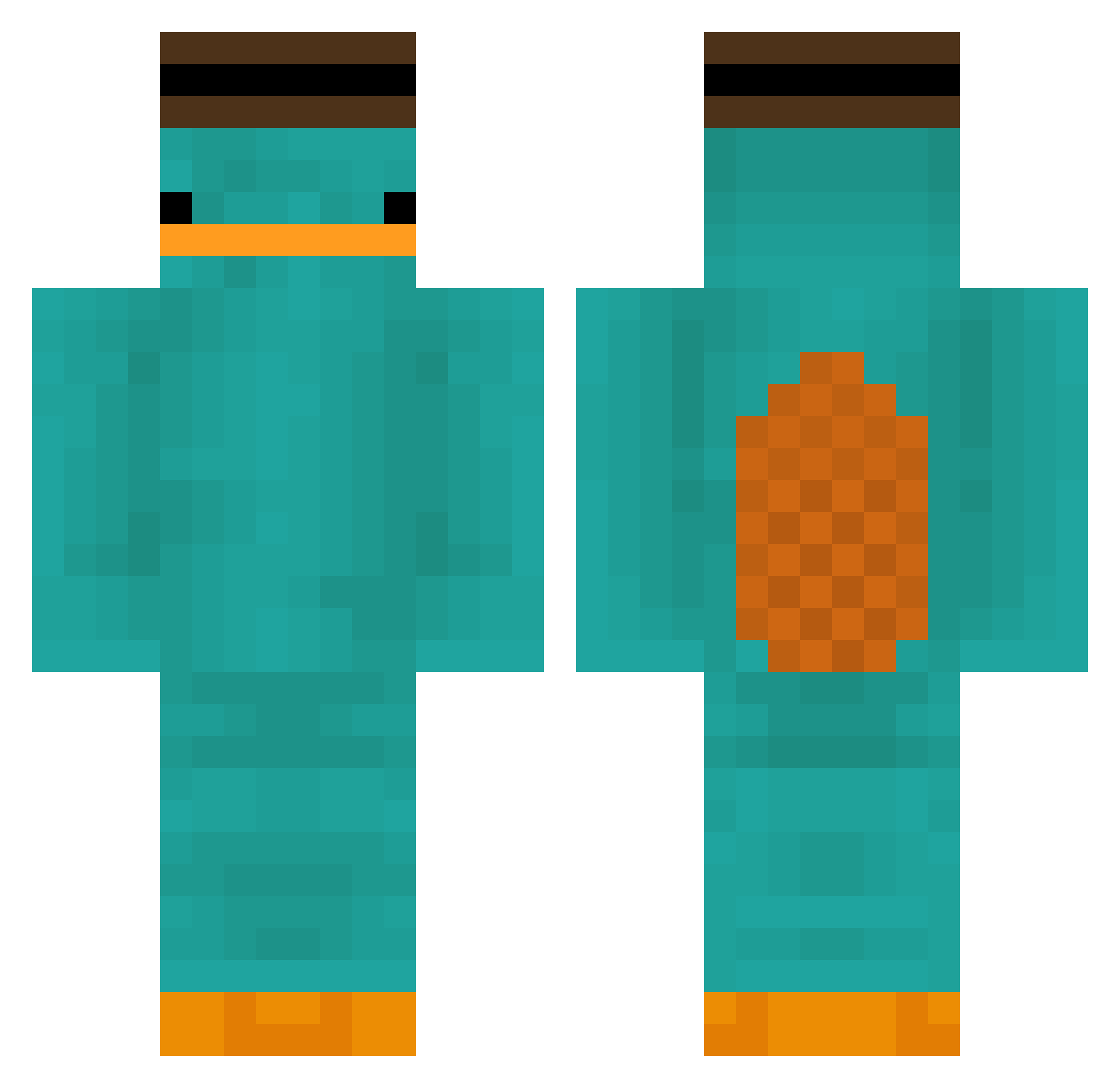
Current Minecraft skin of the player 4byteo, loaded from the official Mojang API. Rotate the 3D model with your mouse or finger, then download the skin as a PNG file and use it in Minecraft: Bedrock Edition or Java Edition for free. When 4byteo changes their skin, this page updates automatically and the old skin stays in the history below.
Other players with this skin (180)
4byteo was the 92nd player we have seen with this skin, first spotted on 27.09.2026. The same skin was seen on these players. Open a nickname to see their current skin and skin history.
 JpR___ Michi_148 Felicix Dal0xs ZADK_GG abchi ItzMokka Biuchao Nug_g Mattawu PxnKyy pikesike rlvnxy Jolle0 kid_ahoy Majsterr__ Evangelion1234 SUN_ivy kyuli0403 conquerantt pau_17 Mashmakill gmalta21 slapps_ HyuLJae Airwavesx CMGPhantom sleepysnek M3T30R Olithebescik2012 Heraphines duvas_ Miner_Thomas1 3BiTT _0zz_ Dumbf00k Startcior KIMOJI0222 Achouza burakgundogan Plumput Haifisch79 _kmuz Vanvossen22 r9828d947y90fd72 PashaRL BrayanPsj PobreDeVicente ninjaX2 Omung RxF Niki2808 BastBird64 TickleMonssz Uriharaa ____weight MoistyNail moffn nueahe SuperYassin2011
More Platypus Minecraft skins
How to install the 4byteo skin
- Press the Download button above to save the skin as a PNG file.
- Minecraft: Bedrock Edition (PE): open the Dressing Room from the main menu (or tap your character → Edit Character), go to Classic Skins → Owned, press the + (new skin) button, choose the downloaded PNG and pick the Classic (Steve) model. Works on PC and mobile; consoles cannot import custom skins.
- Minecraft: Java Edition: open the Minecraft Launcher, go to the Skins tab, click New Skin, load the PNG, pick the Classic (Steve) model and press Save & Use. You can also upload it at minecraft.net → Profile → Change Skin.
The skin does not show up after import - what should I do?
Restart Minecraft and open the Dressing Room again - imported skins sometimes appear only after a restart. Also make sure you selected the imported skin and picked the Classic (Steve) model.
Which model should I choose, Classic or Slim?
This skin is designed for the Classic (Steve) model. If you pick the wrong model, the arms of the skin will look stretched or squeezed.
Is the skin of 4byteo free to download?
Yes. Press Download, save the PNG file and use it in Minecraft: Bedrock Edition or Java Edition - no payment or registration needed. The skin also works on multiplayer servers and Realms.
More skins
Looking for more? Go back to all Minecraft skins and check the top skins of the week, month and all time, or find any player's skin by nickname.