
4HH_HH4 - Minecraft Skins & Skin History
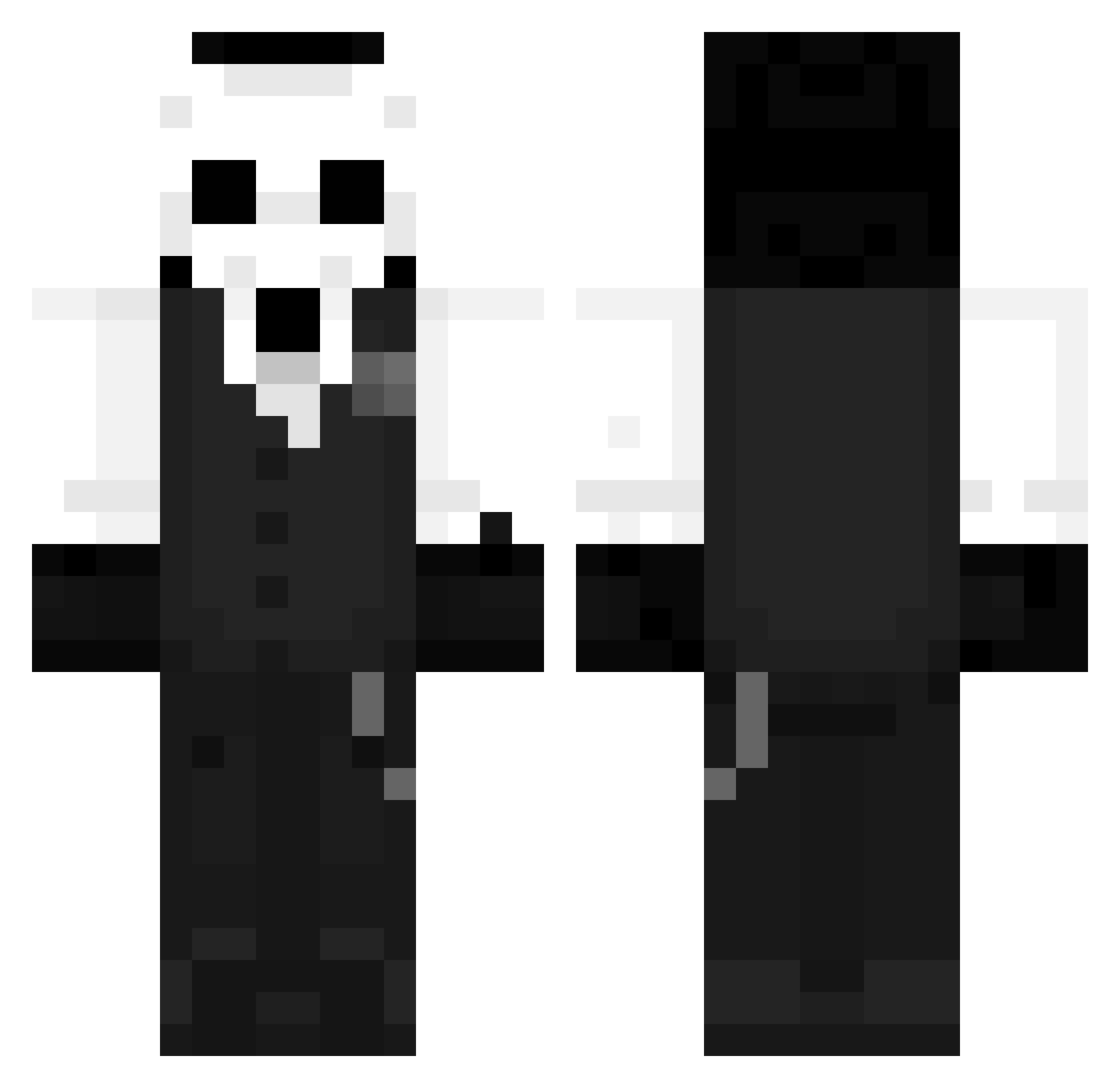
Current Minecraft skin of the player 4HH_HH4, loaded from the official Mojang API. Rotate the 3D model with your mouse or finger, then download the skin as a PNG file and use it in Minecraft: Bedrock Edition or Java Edition for free. When 4HH_HH4 changes their skin, this page updates automatically and the old skin stays in the history below.
Other players with this skin (1273)
4HH_HH4 was the 66th player we have seen with this skin, first spotted on 28.07.2026. The same skin was seen on these players. Open a nickname to see their current skin and skin history.
 MisterrAlyy SpaceMan_4282 DarkProtector1 Kilon26 VitorOF1 YYYY748 Churrosito lannZuan ild5589 Terterx Skullreaper_0805 CheeseBurger445 HonestStranger Donay_03 best1223 daniel_xd334 GFIGUEIREDO26 Keine__Liebe dfy71yy Oruichi2010 Elflakis Zerodous_ wwzzzw queonn iLOSTz7 shadowyourboi Cneater DovahkiinA7X NO_PD jessedadude Gustavo53996 Hit_eggs CynderPain AlKxA Bandit_Sin
 YiShengJun0725 Frisky_Time Detro_Here iKuumy bzJota Faraday_10tl lpConfig asa1to Bis08 Kobenji_ akagi_corgi Alfon__1 Lotkolben ThorGut aelsotaku shawncheung0708 cheese0305 Ragnaro27 SensaiAzur Dary0102 gigii4
 cre4mpuff Yvetzal_ rylanceu DyingSk
More Sans Minecraft skins
How to install the 4HH_HH4 skin
- Press the Download button above to save the skin as a PNG file.
- Minecraft: Bedrock Edition (PE): open the Dressing Room from the main menu (or tap your character → Edit Character), go to Classic Skins → Owned, press the + (new skin) button, choose the downloaded PNG and pick the Classic (Steve) model. Works on PC and mobile; consoles cannot import custom skins.
- Minecraft: Java Edition: open the Minecraft Launcher, go to the Skins tab, click New Skin, load the PNG, pick the Classic (Steve) model and press Save & Use. You can also upload it at minecraft.net → Profile → Change Skin.
The skin does not show up after import - what should I do?
Restart Minecraft and open the Dressing Room again - imported skins sometimes appear only after a restart. Also make sure you selected the imported skin and picked the Classic (Steve) model.
Which model should I choose, Classic or Slim?
This skin is designed for the Classic (Steve) model. If you pick the wrong model, the arms of the skin will look stretched or squeezed.
Is the skin of 4HH_HH4 free to download?
Yes. Press Download, save the PNG file and use it in Minecraft: Bedrock Edition or Java Edition - no payment or registration needed. The skin also works on multiplayer servers and Realms.
More skins
Looking for more? Go back to all Minecraft skins and check the top skins of the week, month and all time, or find any player's skin by nickname.