
2mins_ - Minecraft Skins & Skin History
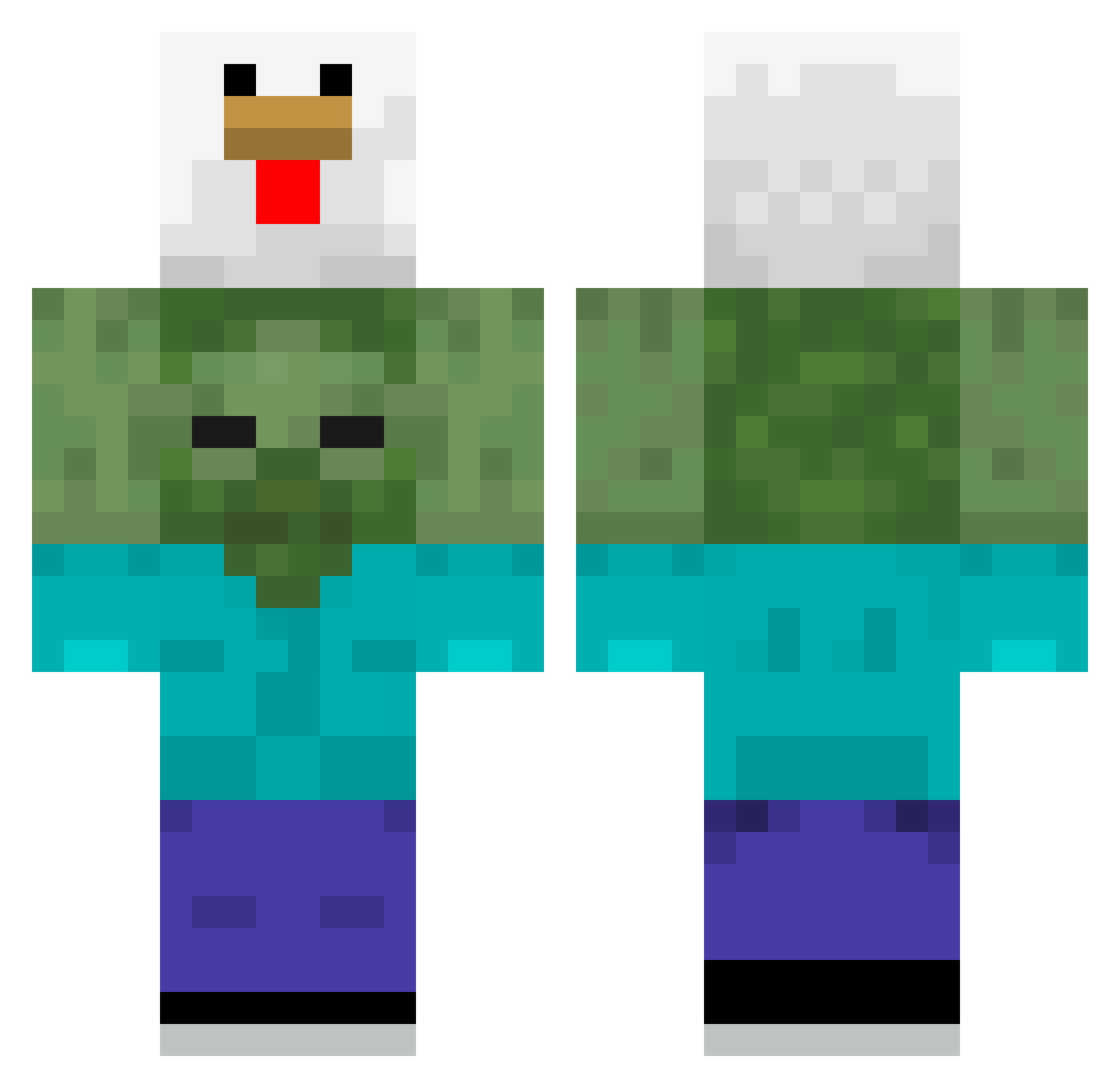
Current Minecraft skin of the player 2mins_, loaded from the official Mojang API. Rotate the 3D model with your mouse or finger, then download the skin as a PNG file and use it in Minecraft: Bedrock Edition or Java Edition for free. When 2mins_ changes their skin, this page updates automatically and the old skin stays in the history below.
Other players with this skin (58)
2mins_ was the 30th player we have seen with this skin, first spotted on 29.09.2026. The same skin was seen on these players. Open a nickname to see their current skin and skin history.
 Kekse_sind_geil Rom3513 tmdwo8093 Sasoryyy BarbsEris LovelyOye leckerer_louis skovdue23 Ming_Pin hbuba gentleman912 Cats_Neko Lumina38 Wrodi Ishikami0727 owntwocousin BoBoV01 Antonietinho Daviziinn1020 NumbFish233 tomassardinha Gameover31266 Kiba_101 SushiimaVT MAT1II_ sonhj19 potterpuppetpals sleeveles mikexw xzVikzx oTalDoMob ppzada Rodrigoooo30 frostzac bobava420 Yusufcan37 atom1199
 parkhh_m NomSteve _Nexis__
 kosma1
 Leandrumm fwbs Plter75 LukidKarma Lealcastro LimonluKek_31 sim_mxn29 krancheats ehdrhsdl Ekku_ Anthonini15
 Yuta707 PaniJeziora I_AM_ZYNITH AlumYaeyMoeYeh Bookds regappy
More Chicken Minecraft skins
How to install the 2mins_ skin
- Press the Download button above to save the skin as a PNG file.
- Minecraft: Bedrock Edition (PE): open the Dressing Room from the main menu (or tap your character → Edit Character), go to Classic Skins → Owned, press the + (new skin) button, choose the downloaded PNG and pick the Classic (Steve) model. Works on PC and mobile; consoles cannot import custom skins.
- Minecraft: Java Edition: open the Minecraft Launcher, go to the Skins tab, click New Skin, load the PNG, pick the Classic (Steve) model and press Save & Use. You can also upload it at minecraft.net → Profile → Change Skin.
The skin does not show up after import - what should I do?
Restart Minecraft and open the Dressing Room again - imported skins sometimes appear only after a restart. Also make sure you selected the imported skin and picked the Classic (Steve) model.
Which model should I choose, Classic or Slim?
This skin is designed for the Classic (Steve) model. If you pick the wrong model, the arms of the skin will look stretched or squeezed.
Is the skin of 2mins_ free to download?
Yes. Press Download, save the PNG file and use it in Minecraft: Bedrock Edition or Java Edition - no payment or registration needed. The skin also works on multiplayer servers and Realms.
More skins
Looking for more? Go back to all Minecraft skins and check the top skins of the week, month and all time, or find any player's skin by nickname.