
2arms2legs - Minecraft Skins & Skin History
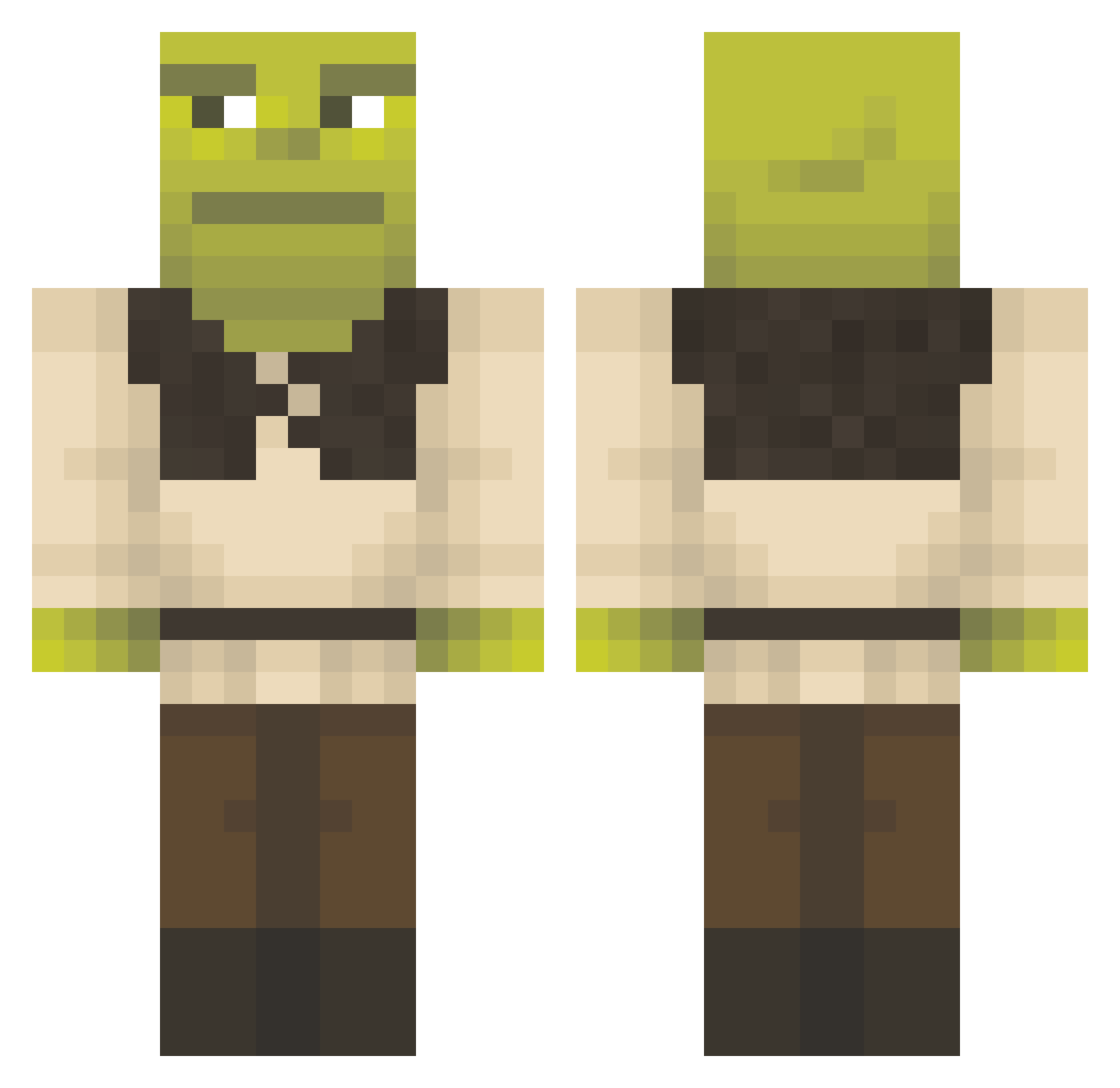
Current Minecraft skin of the player 2arms2legs, loaded from the official Mojang API. Rotate the 3D model with your mouse or finger, then download the skin as a PNG file and use it in Minecraft: Bedrock Edition or Java Edition for free. When 2arms2legs changes their skin, this page updates automatically and the old skin stays in the history below.
Other players with this skin (1297)
2arms2legs was the 804th player we have seen with this skin, first spotted on 28.09.2026. The same skin was seen on these players. Open a nickname to see their current skin and skin history.
 fuzzypeach1322 makavellii SpaghettiEaterr_ Itslifon Maulini LilAsianBoy_ chickenjockey112 wYungen TomasVole WackyTheWolf CaiqueGM wylloo gayoza GalacticCapybara Strafalex Abrenn Arcystary BritishBrandon Pulzsh felepe UrsulaBeatrice FrenchieT arregular Vntez stickyfingers699 jojoansu SuperApple21 sigma525821 bbot32 Lenin2114 idkwih XRo81n TuloTony Biguee dersimpsons Madsmaster07 mrbmxer Mango_Tangooo toethatslab17 kamikaze911 HeinaTati banannnnnnn Charoen56 Jimbo5 Main4pokera SharkJellyy sanciu_obama mamadookie cosmicpinkk15 sleewpiii GeniuszN BilboBaghead WMillerrr Lukas_XIV O_Smoggy KittenV6 MegaChunguss Kunzaiiii OmarFromQueens NyquilNick
More Shrek Minecraft skins
How to install the 2arms2legs skin
- Press the Download button above to save the skin as a PNG file.
- Minecraft: Bedrock Edition (PE): open the Dressing Room from the main menu (or tap your character → Edit Character), go to Classic Skins → Owned, press the + (new skin) button, choose the downloaded PNG and pick the Classic (Steve) model. Works on PC and mobile; consoles cannot import custom skins.
- Minecraft: Java Edition: open the Minecraft Launcher, go to the Skins tab, click New Skin, load the PNG, pick the Classic (Steve) model and press Save & Use. You can also upload it at minecraft.net → Profile → Change Skin.
The skin does not show up after import - what should I do?
Restart Minecraft and open the Dressing Room again - imported skins sometimes appear only after a restart. Also make sure you selected the imported skin and picked the Classic (Steve) model.
Which model should I choose, Classic or Slim?
This skin is designed for the Classic (Steve) model. If you pick the wrong model, the arms of the skin will look stretched or squeezed.
Is the skin of 2arms2legs free to download?
Yes. Press Download, save the PNG file and use it in Minecraft: Bedrock Edition or Java Edition - no payment or registration needed. The skin also works on multiplayer servers and Realms.
More skins
Looking for more? Go back to all Minecraft skins and check the top skins of the week, month and all time, or find any player's skin by nickname.