
2UC1 - Minecraft Skins & Skin History
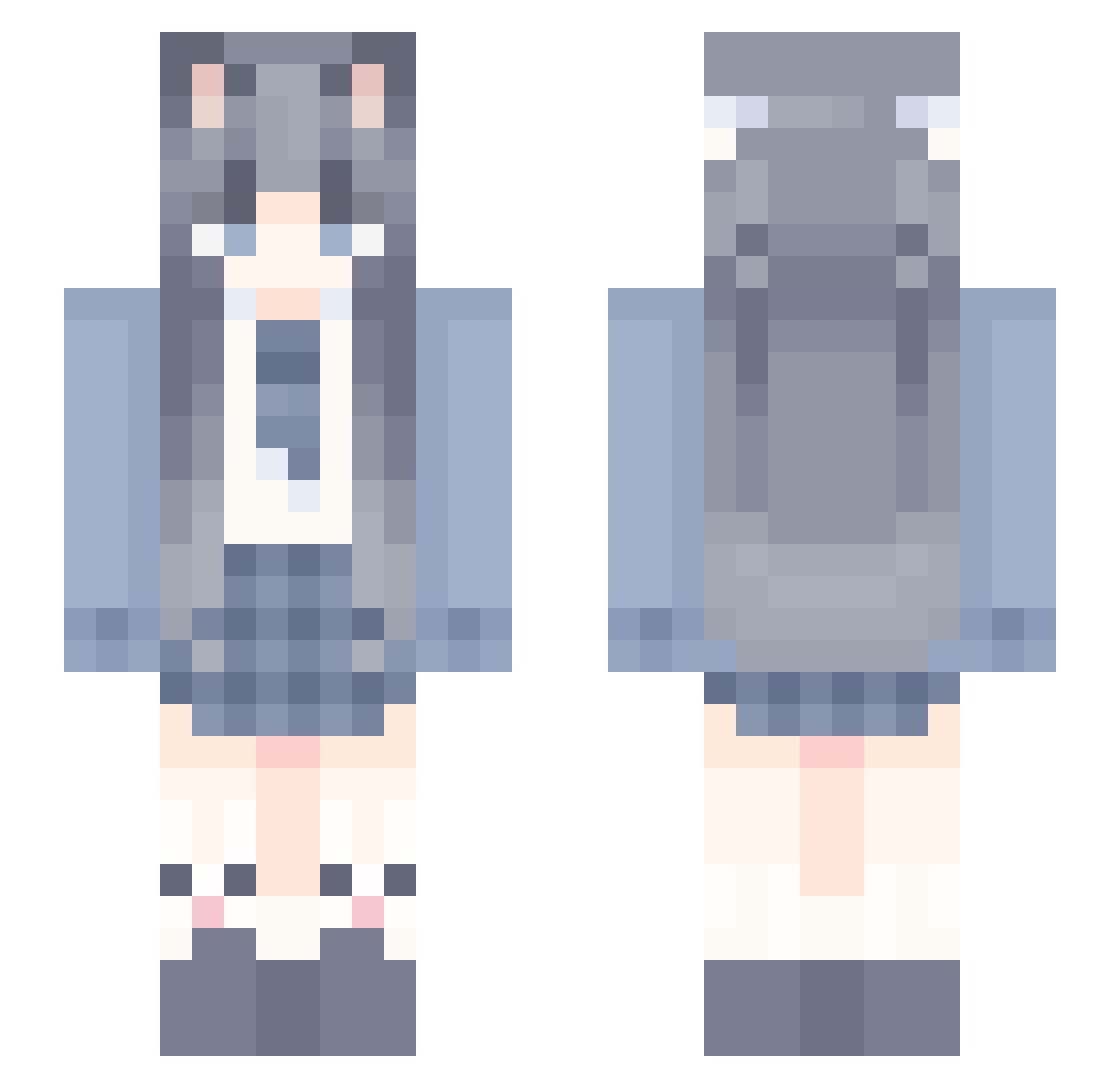
Current Minecraft skin of the player 2UC1, loaded from the official Mojang API. Rotate the 3D model with your mouse or finger, then download the skin as a PNG file and use it in Minecraft: Bedrock Edition or Java Edition for free. When 2UC1 changes their skin, this page updates automatically and the old skin stays in the history below.
Other players with this skin (1147)
2UC1 was the 511th player we have seen with this skin, first spotted on 12.09.2026. The same skin was seen on these players. Open a nickname to see their current skin and skin history.
 dangzui ling116 LaoXingZzz Flowers_in_heart WellHorse RayamaruQS xiadu tetofans ShirakamiAme LJC_2004 Aldtun empty_22 GruffPlane Chaluo RuiRui730 CubicScarf LuoSun Mecury3023 Dec0ss olqmb buxieyigu Flippwcy ViyoNan 181Q JG_NB lingshuang0721 RubyKT NanZ1 puttao wang_24 YaiXing SherMendy qjlxx zmy217 Nanhanhan dadadaguai yukinog Meowww33 guo2220 HUANGYU114 liuhe1 SPZK_JiaYi XiaoHOvO ardotsis MMDGD WittierLeaf8212 Yeying52 Tasiyali harmostar xiaojie3392 empty_123 XAX10 lakuadebaolong Gamer10086 Lunar_huh ngffg Farewell9527 HXHXH7 HuntersFury19 YeLiu
More School Uniform Minecraft skins
See all 6773 School Uniform skins
How to install the 2UC1 skin
- Press the Download button above to save the skin as a PNG file.
- Minecraft: Bedrock Edition (PE): open the Dressing Room from the main menu (or tap your character → Edit Character), go to Classic Skins → Owned, press the + (new skin) button, choose the downloaded PNG and pick the Slim (Alex) model. Works on PC and mobile; consoles cannot import custom skins.
- Minecraft: Java Edition: open the Minecraft Launcher, go to the Skins tab, click New Skin, load the PNG, pick the Slim (Alex) model and press Save & Use. You can also upload it at minecraft.net → Profile → Change Skin.
The skin does not show up after import - what should I do?
Restart Minecraft and open the Dressing Room again - imported skins sometimes appear only after a restart. Also make sure you selected the imported skin and picked the Slim (Alex) model.
Which model should I choose, Classic or Slim?
This skin is designed for the Slim (Alex) model. If you pick the wrong model, the arms of the skin will look stretched or squeezed.
Is the skin of 2UC1 free to download?
Yes. Press Download, save the PNG file and use it in Minecraft: Bedrock Edition or Java Edition - no payment or registration needed. The skin also works on multiplayer servers and Realms.
More skins
Looking for more? Go back to all Minecraft skins and check the top skins of the week, month and all time, or find any player's skin by nickname.