
1kagermazovv_ - Minecraft Skins & Skin History
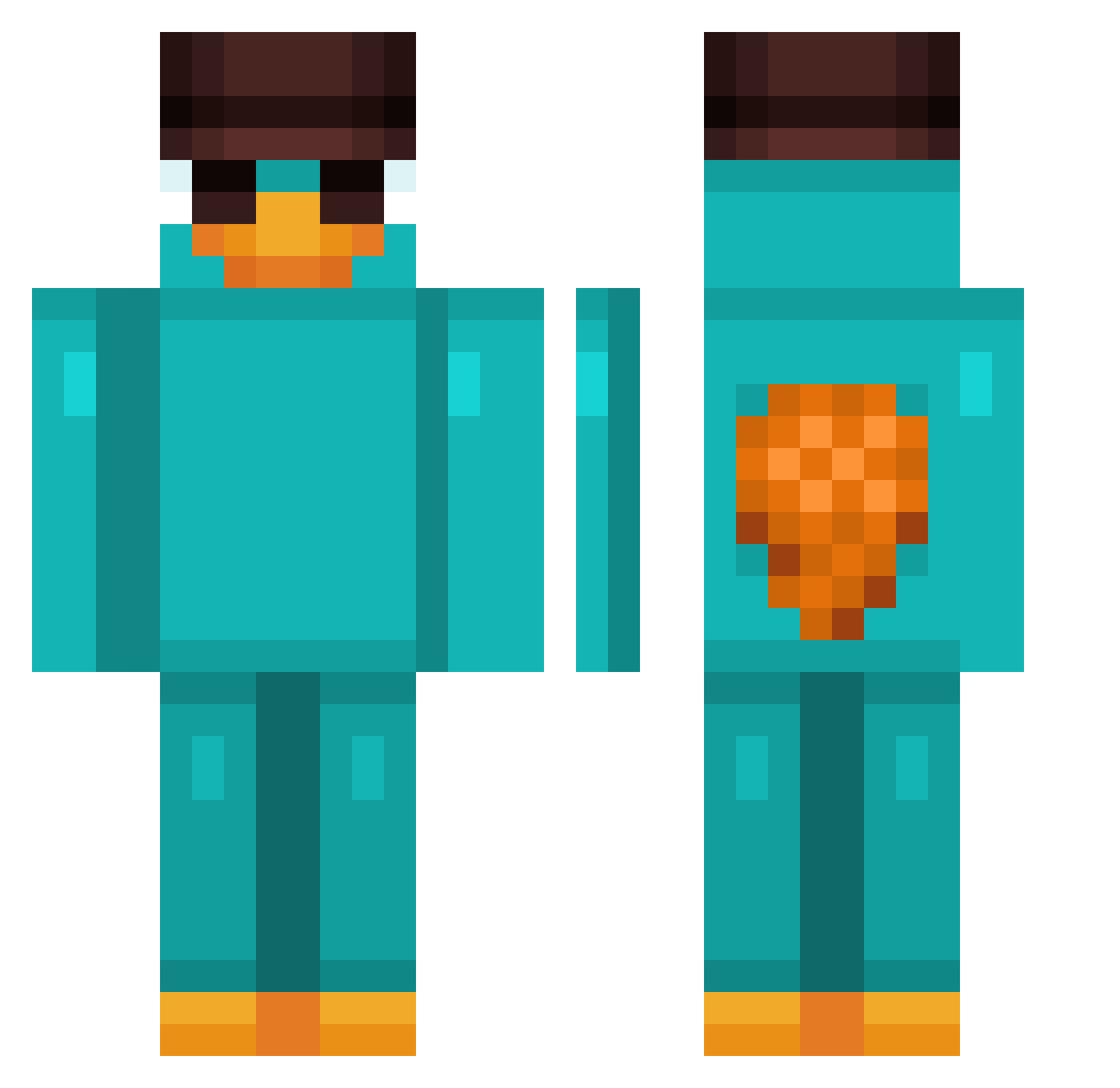
Current Minecraft skin of the player 1kagermazovv_, loaded from the official Mojang API. Rotate the 3D model with your mouse or finger, then download the skin as a PNG file and use it in Minecraft: Bedrock Edition or Java Edition for free. When 1kagermazovv_ changes their skin, this page updates automatically and the old skin stays in the history below.
Other players with this skin (960)
1kagermazovv_ was the 553rd player we have seen with this skin, first spotted on 29.09.2026. The same skin was seen on these players. Open a nickname to see their current skin and skin history.
 Shothx2 MelloNarY Jovanni1116 KawsMidas Olde1234 barrelcord83590 Julivert2000 LAHMACUN_31 dzue VWS951 Lucvil79 XplicitG23 ruffey1 dimaria11 kiki66600 Pintermint RobertoRm3 Jaygermeisterr 07Style meeeeeeeeeeeello Messiahzz ZizuBosanac AaronBena SouzaMansur MichaeL_JaxxoN BGTK_ pekenoramos xsimsx HarryFlotter123 GeoFuhr Handman280 Nimsbums WampWampp thirdwor FabyGamerFG Cocolico JodelnderJulian Penyita01 AKTEKE stinkermilkliv Adry7pr LuksZen MagicJohnson_520 oxyFord NotTheDuckLord Wiktooria rizvhi FSO15EF8y899pTpW DemonOcult Ramks2525 VoltZ33 kolinar007 Sniperlyfe013 chunku Darketebr jiri33 semni0311 Mantheo lavraiemikroonde stiveemily
More Platypus Minecraft skins
How to install the 1kagermazovv_ skin
- Press the Download button above to save the skin as a PNG file.
- Minecraft: Bedrock Edition (PE): open the Dressing Room from the main menu (or tap your character → Edit Character), go to Classic Skins → Owned, press the + (new skin) button, choose the downloaded PNG and pick the Classic (Steve) model. Works on PC and mobile; consoles cannot import custom skins.
- Minecraft: Java Edition: open the Minecraft Launcher, go to the Skins tab, click New Skin, load the PNG, pick the Classic (Steve) model and press Save & Use. You can also upload it at minecraft.net → Profile → Change Skin.
The skin does not show up after import - what should I do?
Restart Minecraft and open the Dressing Room again - imported skins sometimes appear only after a restart. Also make sure you selected the imported skin and picked the Classic (Steve) model.
Which model should I choose, Classic or Slim?
This skin is designed for the Classic (Steve) model. If you pick the wrong model, the arms of the skin will look stretched or squeezed.
Is the skin of 1kagermazovv_ free to download?
Yes. Press Download, save the PNG file and use it in Minecraft: Bedrock Edition or Java Edition - no payment or registration needed. The skin also works on multiplayer servers and Realms.
More skins
Looking for more? Go back to all Minecraft skins and check the top skins of the week, month and all time, or find any player's skin by nickname.