
1_BABATUNDE_1 - Minecraft Skins & Skin History
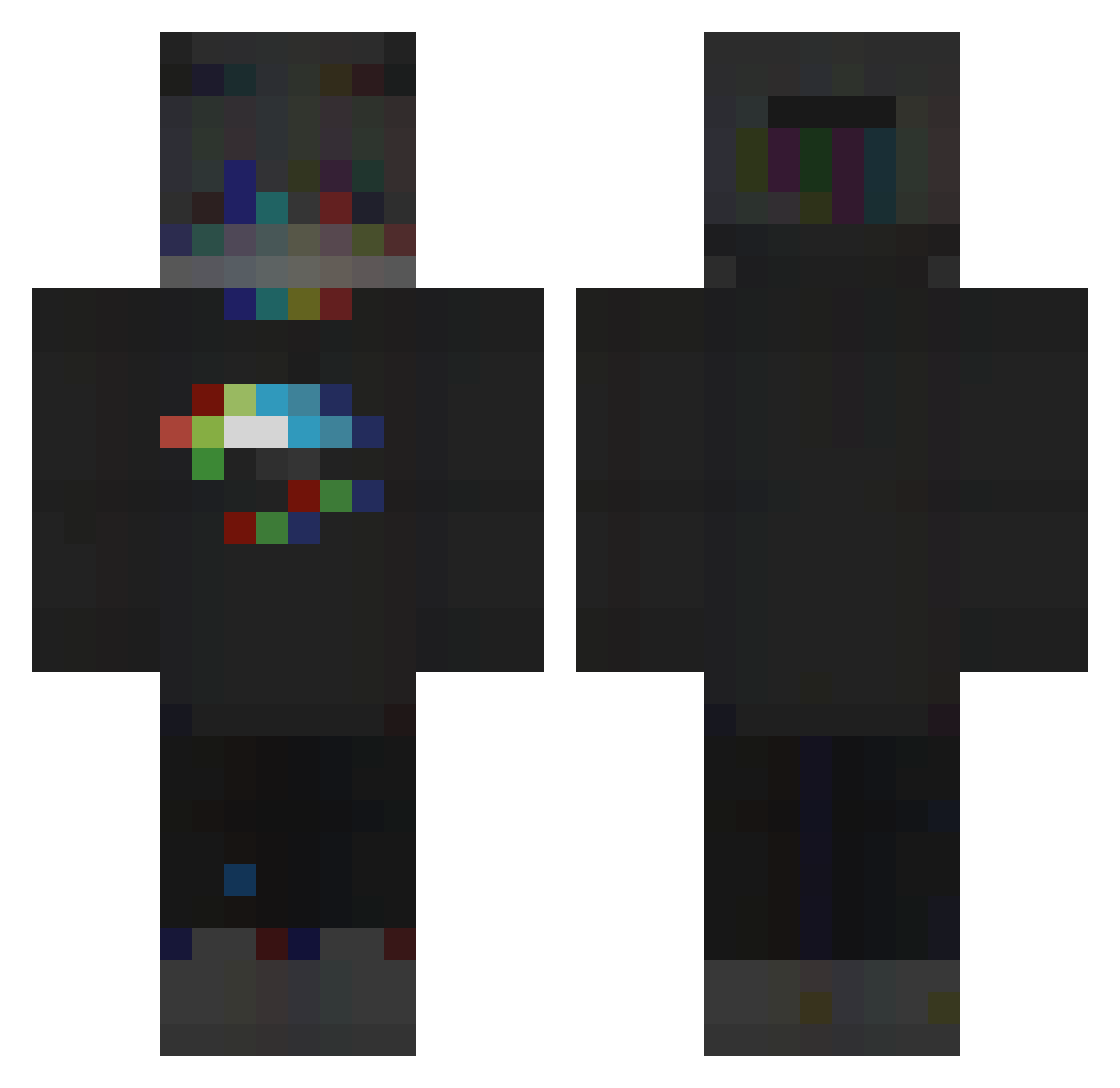
Current Minecraft skin of the player 1_BABATUNDE_1, loaded from the official Mojang API. Rotate the 3D model with your mouse or finger, then download the skin as a PNG file and use it in Minecraft: Bedrock Edition or Java Edition for free. When 1_BABATUNDE_1 changes their skin, this page updates automatically and the old skin stays in the history below.
Other players with this skin (206)
1_BABATUNDE_1 was the 104th player we have seen with this skin, first spotted on 24.09.2026. The same skin was seen on these players. Open a nickname to see their current skin and skin history.
 Ben_Bizzy Th3m8s cuane SeeTwo23 Blackstone06 Lully69 XxAchlysArdenxX zeeerox Nobu_Ren OMGITSBLANK limonaddaa OnMyLine YT_Okami_ rdk1ng Streakerzz zShinex Assassin85 Sertie__xyz MementoMori619 Jakeen GracjanBot Milos3911 Iniesta888 styahugo SLENSER0 JokuJust Twisti1999 BlackHistory2 RioMed girattle FTKA DopeWolf NadiaTM DreadLordKiller mirkue Poushkin gabelgamer1154 IKnocky _DoubleCup_ Carteraz Pro_Tiger ItzMatyX Roach_King2019 pintatortoise Takenwen45 Adxim ErroRekWa Ryndss Martijn6506 Timeskill we_we_ _Shad0wS0ul_ Tino915 MonsterGlitch _S1lence__ RainbowFire_ Julienco_1 PaulStitch5809 Addict101 Johm_PlayZ
More RGB Minecraft skins
How to install the 1_BABATUNDE_1 skin
- Press the Download button above to save the skin as a PNG file.
- Minecraft: Bedrock Edition (PE): open the Dressing Room from the main menu (or tap your character → Edit Character), go to Classic Skins → Owned, press the + (new skin) button, choose the downloaded PNG and pick the Classic (Steve) model. Works on PC and mobile; consoles cannot import custom skins.
- Minecraft: Java Edition: open the Minecraft Launcher, go to the Skins tab, click New Skin, load the PNG, pick the Classic (Steve) model and press Save & Use. You can also upload it at minecraft.net → Profile → Change Skin.
The skin does not show up after import - what should I do?
Restart Minecraft and open the Dressing Room again - imported skins sometimes appear only after a restart. Also make sure you selected the imported skin and picked the Classic (Steve) model.
Which model should I choose, Classic or Slim?
This skin is designed for the Classic (Steve) model. If you pick the wrong model, the arms of the skin will look stretched or squeezed.
Is the skin of 1_BABATUNDE_1 free to download?
Yes. Press Download, save the PNG file and use it in Minecraft: Bedrock Edition or Java Edition - no payment or registration needed. The skin also works on multiplayer servers and Realms.
More skins
Looking for more? Go back to all Minecraft skins and check the top skins of the week, month and all time, or find any player's skin by nickname.