
0RWD - Minecraft Skins & Skin History
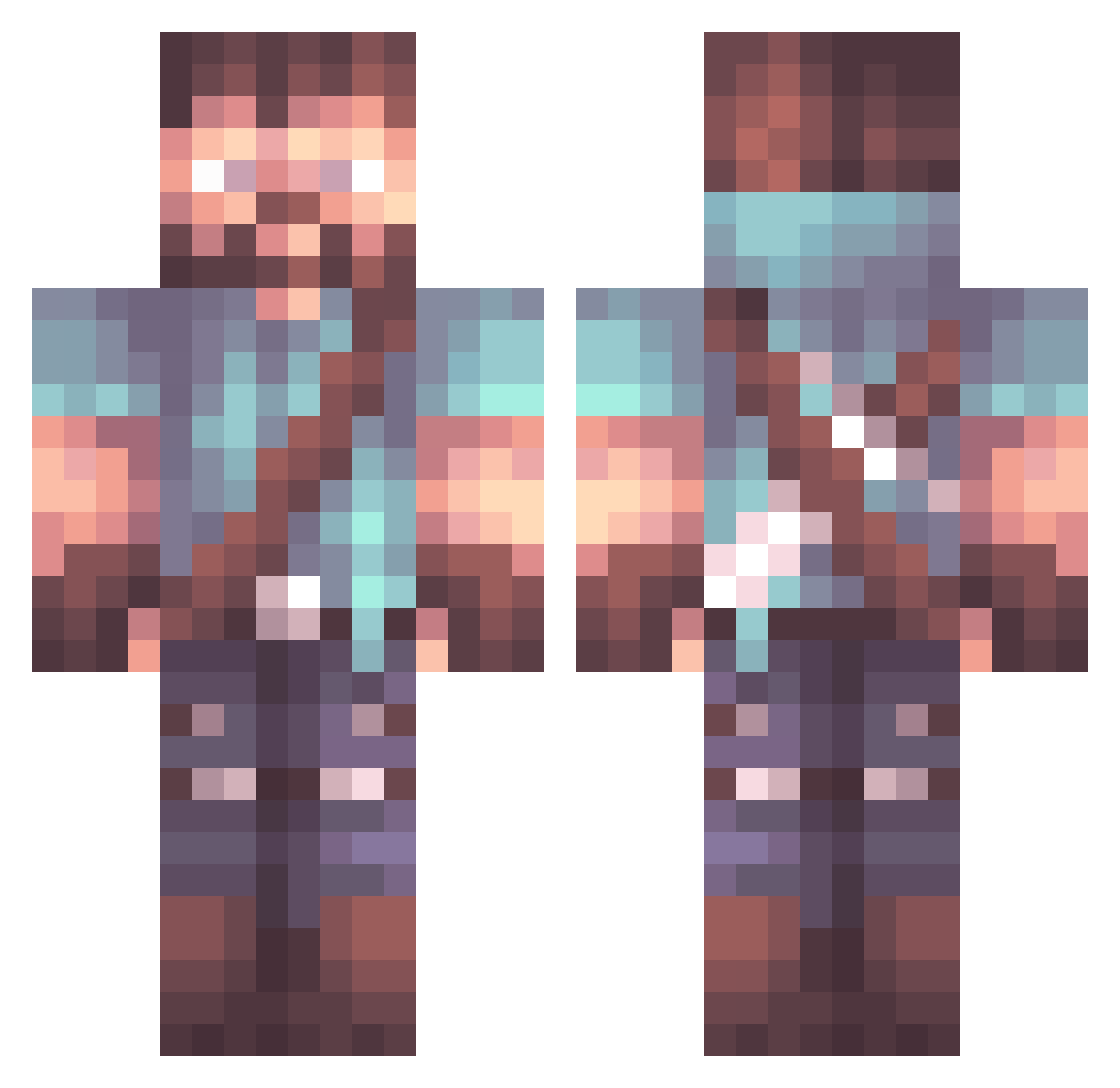
Current Minecraft skin of the player 0RWD, loaded from the official Mojang API. Rotate the 3D model with your mouse or finger, then download the skin as a PNG file and use it in Minecraft: Bedrock Edition or Java Edition for free. When 0RWD changes their skin, this page updates automatically and the old skin stays in the history below.
Other players with this skin (795)
0RWD was the 771st player we have seen with this skin, first spotted on 14.10.2026. The same skin was seen on these players. Open a nickname to see their current skin and skin history.
 Mdriftz Slomos_ ChillierRug305 TyrianM tuna1221 LokeToki R3Burst1ng 7al_msmc_auv PatrioticDuck OneWingedSith ArmpitHero Gabriel1321 ShadowLancer Epochi Mduffy101 PapaHair Zajebiozo sohiboi desfring Mining_Mike RageGamer62 PaulWalker33 JeanPolla KenjiRaito DannyWalker MattiVE Yurdist AUSSIEvex Pullwar JSpilly SamIAm15 TheGeneral28 Tratos1987 Faulesocke00 regionse_02 DaveTheMedic13 kohonjohn Tokkit BottleCapGamer Dakels DAAJR That1Kid toddejohnson GLOdynasty BuilMan400 Big_Ole_D19 mrtnvisuals Derpguns Chrispaps123 Red_Himself Nakosocko Officer_Baby BigAniki saxophoneboy12 Gromnlik SuchDirEinenJob VolenSiderov Bebof16 Swag_Toast Yamashlna
More Herobrine Minecraft skins
How to install the 0RWD skin
- Press the Download button above to save the skin as a PNG file.
- Minecraft: Bedrock Edition (PE): open the Dressing Room from the main menu (or tap your character → Edit Character), go to Classic Skins → Owned, press the + (new skin) button, choose the downloaded PNG and pick the Classic (Steve) model. Works on PC and mobile; consoles cannot import custom skins.
- Minecraft: Java Edition: open the Minecraft Launcher, go to the Skins tab, click New Skin, load the PNG, pick the Classic (Steve) model and press Save & Use. You can also upload it at minecraft.net → Profile → Change Skin.
The skin does not show up after import - what should I do?
Restart Minecraft and open the Dressing Room again - imported skins sometimes appear only after a restart. Also make sure you selected the imported skin and picked the Classic (Steve) model.
Which model should I choose, Classic or Slim?
This skin is designed for the Classic (Steve) model. If you pick the wrong model, the arms of the skin will look stretched or squeezed.
Is the skin of 0RWD free to download?
Yes. Press Download, save the PNG file and use it in Minecraft: Bedrock Edition or Java Edition - no payment or registration needed. The skin also works on multiplayer servers and Realms.
More skins
Looking for more? Go back to all Minecraft skins and check the top skins of the week, month and all time, or find any player's skin by nickname.