
 Riggers1 MarcoBase11 jio0609 Cefortiwnl _Weltenfresser_ MistyRaptor75 Kabardey _Michael_Hunt_ Phephito xNotInterested i676 LettuceBlaze Hugokiller12 PrimordialNyxgod Aqbc AoThank39 NeH2o LiBaisu Tmix11 CalicoBuckle FiddyRich pansycalel sepy13 Berserk_Gamer M1nnow4 JusticeIsServed lucabraun SmolderZZZ ShipStik Isabel703 RescuedImpala2 Hampterr RosseColeman Mezmo_119 xxsperT iFan_1218 fengyewenrou _Jubbz_ Krish00 Ayetomic supah_held Aswcheese Cheshir21 xuehudada Flaaax_ Arxxnav HurleysBurner junkfoodmuncher GamerOfIndia Iqfish Atlas______ FiveFactor SkeddyyNoodle lizishen TheClownKing SrPepe_PvP Snowy55 _Oskardo_ G4RB0_ SANTOS_LOKO
Minecraft skin of YummyDango. Rotate the 3D model with your mouse or finger to view the skin from every angle, then download it as a PNG file and use it in Minecraft: Bedrock Edition or Java Edition for free. Rate the skin with stars to help other players find the best skins in our collection.
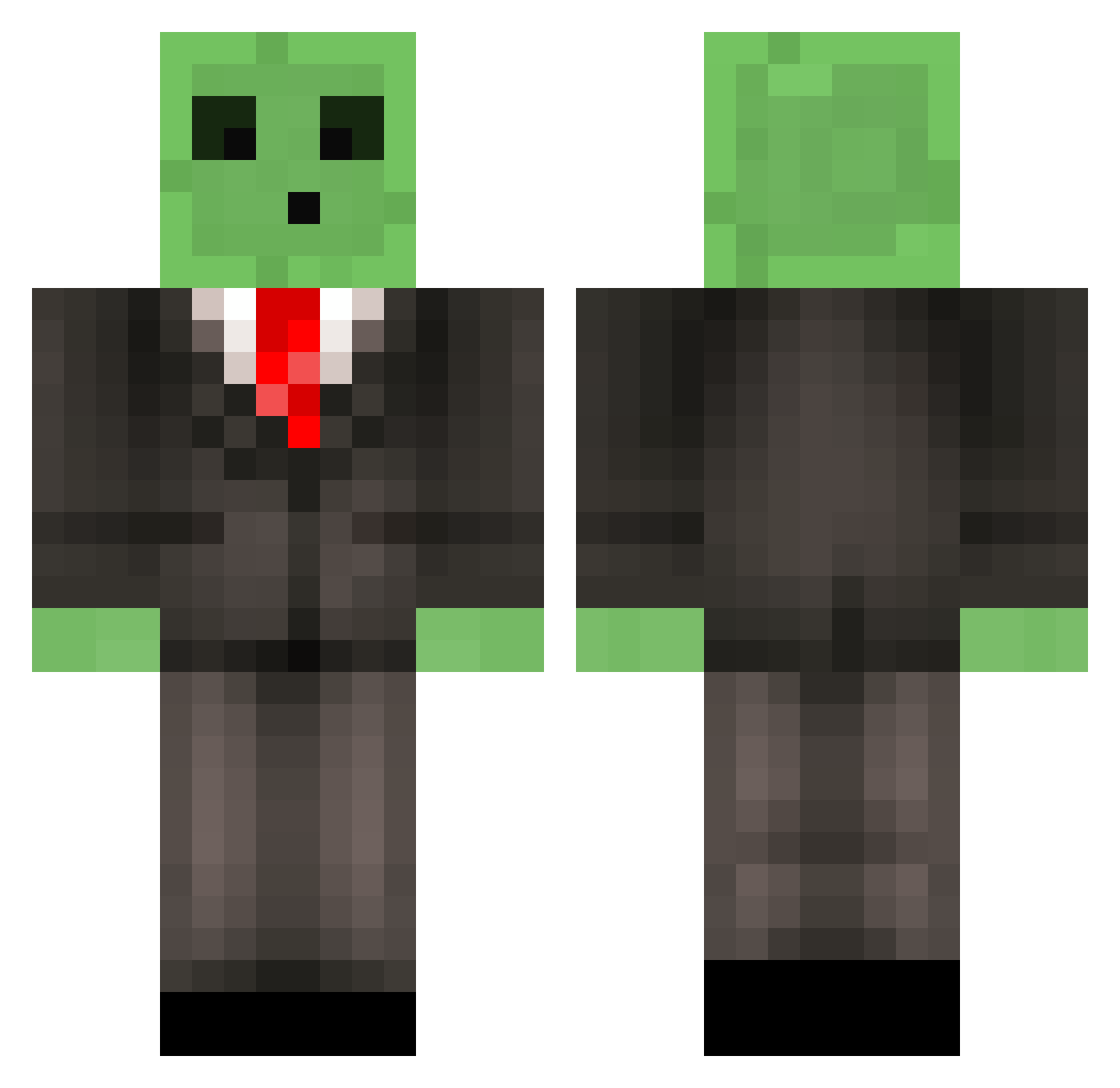
How to install the YummyDango skin
- Press the Download button above to save the skin as a PNG file.
- Minecraft: Bedrock Edition (PE): open the Dressing Room from the main menu (or tap your character → Edit Character), go to Classic Skins → Owned, press the + (new skin) button, choose the downloaded PNG and pick the Classic (Steve) model. Works on PC and mobile; consoles cannot import custom skins.
- Minecraft: Java Edition: open the Minecraft Launcher, go to the Skins tab, click New Skin, load the PNG, pick the Classic (Steve) model and press Save & Use. You can also upload it at minecraft.net → Profile → Change Skin.
The skin does not show up after import - what should I do?
Restart Minecraft and open the Dressing Room again - imported skins sometimes appear only after a restart. Also make sure you selected the imported skin and picked the Classic (Steve) model.
Which model should I choose, Classic or Slim?
This skin is designed for the Classic (Steve) model. If you pick the wrong model, the arms of the skin will look stretched or squeezed.
Is this skin free to use?
Yes. Press Download, save the PNG file and use it in Minecraft: Bedrock Edition or Java Edition - no payment or registration needed. The skin also works on multiplayer servers and Realms.
More Slime Minecraft skins
More skins
Looking for more? Go back to all Minecraft skins and check the top skins of the week, month and all time, or find any player's skin by nickname.