
TheClownKing - Minecraft Skins & Skin History
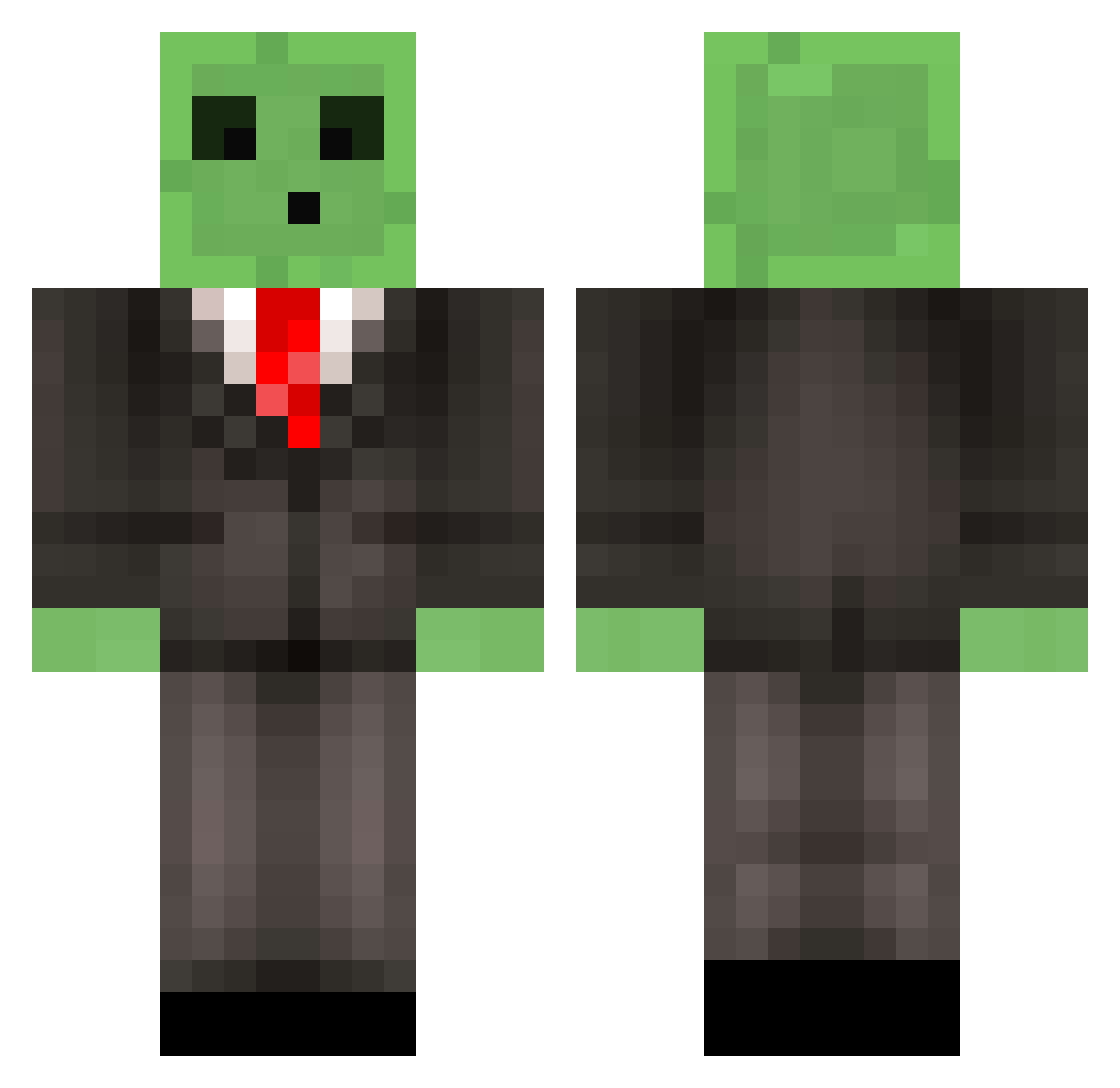
Current Minecraft skin of the player TheClownKing, loaded from the official Mojang API. Rotate the 3D model with your mouse or finger, then download the skin as a PNG file and use it in Minecraft: Bedrock Edition or Java Edition for free. When TheClownKing changes their skin, this page updates automatically and the old skin stays in the history below.
Other players with this skin (516)
TheClownKing was the 462nd player we have seen with this skin, first spotted on 28.10.2026. The same skin was seen on these players. Open a nickname to see their current skin and skin history.
 SrPepe_PvP lizishen Snowy55 _Oskardo_ SkeddyyNoodle G4RB0_ SANTOS_LOKO Flegmo55 FiveFactor scheetpeet Atlas______ DTJ307 Iqfish GamerOfIndia junkfoodmuncher HurleysBurner Arxxnav InnocentPlayer99 Flaaax_ xuehudada Cheshir21 Aswcheese JB4648 supah_held Ayetomic t0rlan Krish00 _Jubbz_ fengyewenrou iFan_1218 xxsperT looking0107 RandomPerson__10 Mezmo_119 caputVII RosseColeman igorr3 S4IIKO Ol1veno1re Hampterr cevicek RescuedImpala2 ReCliPzzz Isabel703 ShipStik ziran__ RYK0122 Woodchopper13 SmolderZZZ Mr_Salguer lucabraun JusticeIsServed M1nnow4 Oscar_io Farmer0909 _ozig_ ACGR4G3 Smixthie Shangrillama Berserk_Gamer
More Slime Minecraft skins
How to install the TheClownKing skin
- Press the Download button above to save the skin as a PNG file.
- Minecraft: Bedrock Edition (PE): open the Dressing Room from the main menu (or tap your character → Edit Character), go to Classic Skins → Owned, press the + (new skin) button, choose the downloaded PNG and pick the Classic (Steve) model. Works on PC and mobile; consoles cannot import custom skins.
- Minecraft: Java Edition: open the Minecraft Launcher, go to the Skins tab, click New Skin, load the PNG, pick the Classic (Steve) model and press Save & Use. You can also upload it at minecraft.net → Profile → Change Skin.
The skin does not show up after import - what should I do?
Restart Minecraft and open the Dressing Room again - imported skins sometimes appear only after a restart. Also make sure you selected the imported skin and picked the Classic (Steve) model.
Which model should I choose, Classic or Slim?
This skin is designed for the Classic (Steve) model. If you pick the wrong model, the arms of the skin will look stretched or squeezed.
Is the skin of TheClownKing free to download?
Yes. Press Download, save the PNG file and use it in Minecraft: Bedrock Edition or Java Edition - no payment or registration needed. The skin also works on multiplayer servers and Realms.
More skins
Looking for more? Go back to all Minecraft skins and check the top skins of the week, month and all time, or find any player's skin by nickname.