
 Komendant_J Lonawn_h TobiaxGaming_ robson1504 Kobi7002 Waffelgang Itz_Nalesnik Tobiasz_Gaming1 43xOxkws MrTrick1152 dogsinthehouse jestem_hghs D34don4rrival Michalek1939 oli_789 bula203 Inaily Polish_you alekposo KzN_D4niel_Lap michal_lol_123 3ata Wojtek20122012 Jackob_6542 XENOSIS2137 BoXed_By_S0deK Kummies321 ant2941 PIernikowybrat12 1rozek1 Ryugo_Hideki_L frankgamer10001 Damix_exe Necronomocoins OlafHueHue Piotr2611 NotToday_FaN Sidorka116 Szymon1306 Dawid6136 Haxer2 tobiaszgame TobiaszGaming3 WojanJunior piesodi13 SzymiX741 LALIN_Minecraft BlazejTV Sz3f0o PATRYK2307 Pellerini young_Maksio spocony_ogurek3 Kolanko__ woodendoorsjoe Kalitas1000 Milequ2137 Dawidj_kielce Tymek1899 wojtuseek
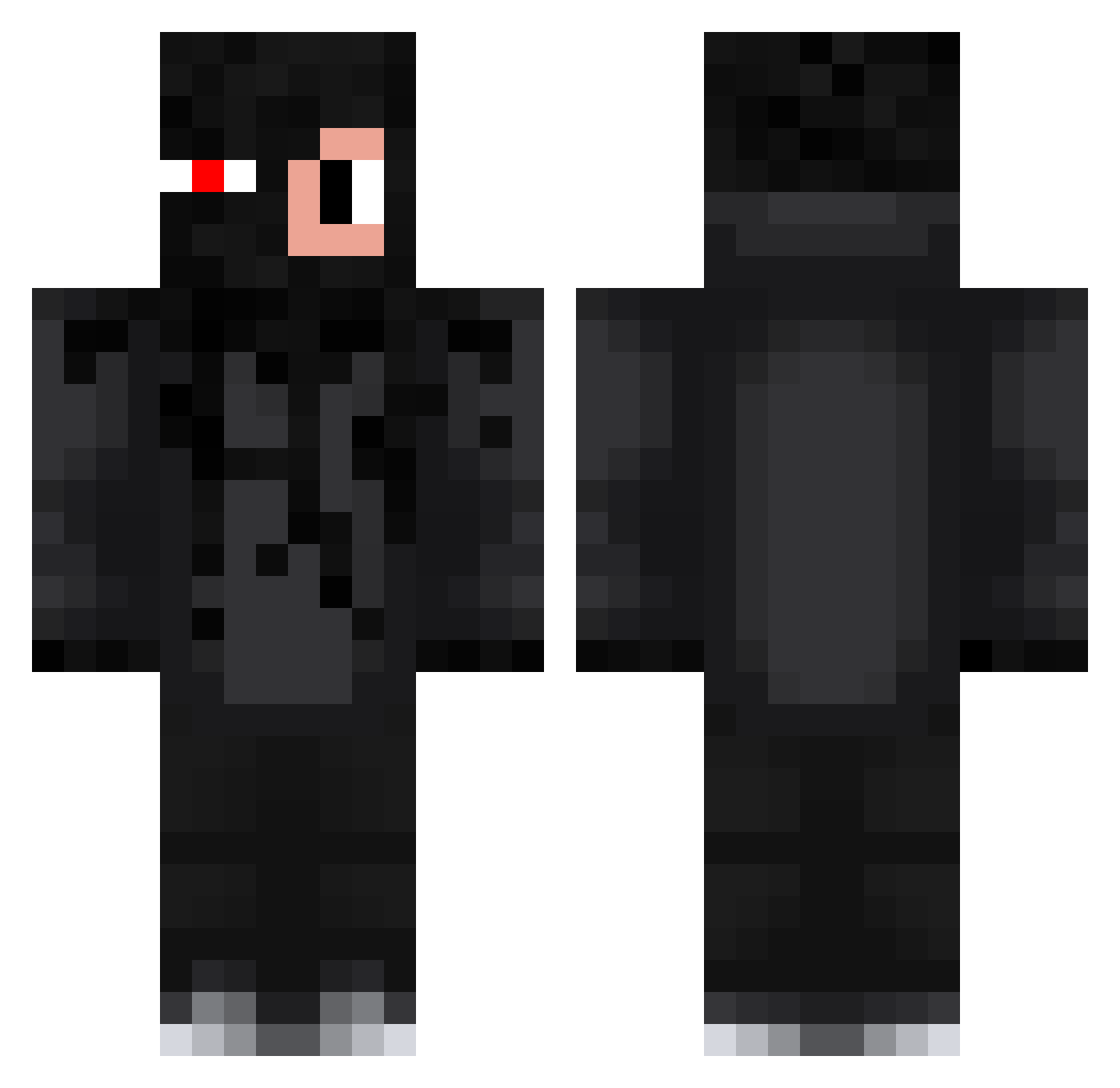
Minecraft skin of Polish_you. Rotate the 3D model with your mouse or finger to view the skin from every angle, then download it as a PNG file and use it in Minecraft: Bedrock Edition or Java Edition for free. Rate the skin with stars to help other players find the best skins in our collection.
How to install the Polish_you skin
- Press the Download button above to save the skin as a PNG file.
- Minecraft: Bedrock Edition (PE): open the Dressing Room from the main menu (or tap your character → Edit Character), go to Classic Skins → Owned, press the + (new skin) button, choose the downloaded PNG and pick the Classic (Steve) model. Works on PC and mobile; consoles cannot import custom skins.
- Minecraft: Java Edition: open the Minecraft Launcher, go to the Skins tab, click New Skin, load the PNG, pick the Classic (Steve) model and press Save & Use. You can also upload it at minecraft.net → Profile → Change Skin.
The skin does not show up after import - what should I do?
Restart Minecraft and open the Dressing Room again - imported skins sometimes appear only after a restart. Also make sure you selected the imported skin and picked the Classic (Steve) model.
Which model should I choose, Classic or Slim?
This skin is designed for the Classic (Steve) model. If you pick the wrong model, the arms of the skin will look stretched or squeezed.
Is this skin free to use?
Yes. Press Download, save the PNG file and use it in Minecraft: Bedrock Edition or Java Edition - no payment or registration needed. The skin also works on multiplayer servers and Realms.
More Glowing Eyes Minecraft skins
See all 2873 Glowing Eyes skins
More skins
Looking for more? Go back to all Minecraft skins and check the top skins of the week, month and all time, or find any player's skin by nickname.