
 szeregowypigula amanthewarrior cwl1022 Santi2Go giuseppebcc SgtNimura DoRiTTosss ByyDanix Innanee Lucksort1 marchllol StonksTV meliciano Transporter_YT trigger_tak ARDATTEA Paaskaa mrwhite313131 KasifDora6 Gamer_2022 Rxn3y Jackal2h Marihuanenx Rafasupergirl GoogleFrance Lendex89 znzldpahd Acunita colla30 janjabajan iMpuls30 4k_z_y8 lindz_yt silexxmine ijuleni sajxker Sandsunset kamiyo13 Bowen_0809 Gold126277x mijn06 Briejaan Agredas JacksonDrawz MiningJason Xiruo925 Wpi3rdolByExonic Jojo123986 darkcfantasy rayz0412 GcuGcu sorry12 Number_1018 TEDISDOOM DELICIOXV lukasisskibidi Lauchkuchen Mickrou Karolnup marlon4451
Minecraft skin of SuspiciousPanda9. Rotate the 3D model with your mouse or finger to view the skin from every angle, then download it as a PNG file and use it in Minecraft: Bedrock Edition or Java Edition for free. Rate the skin with stars to help other players find the best skins in our collection.
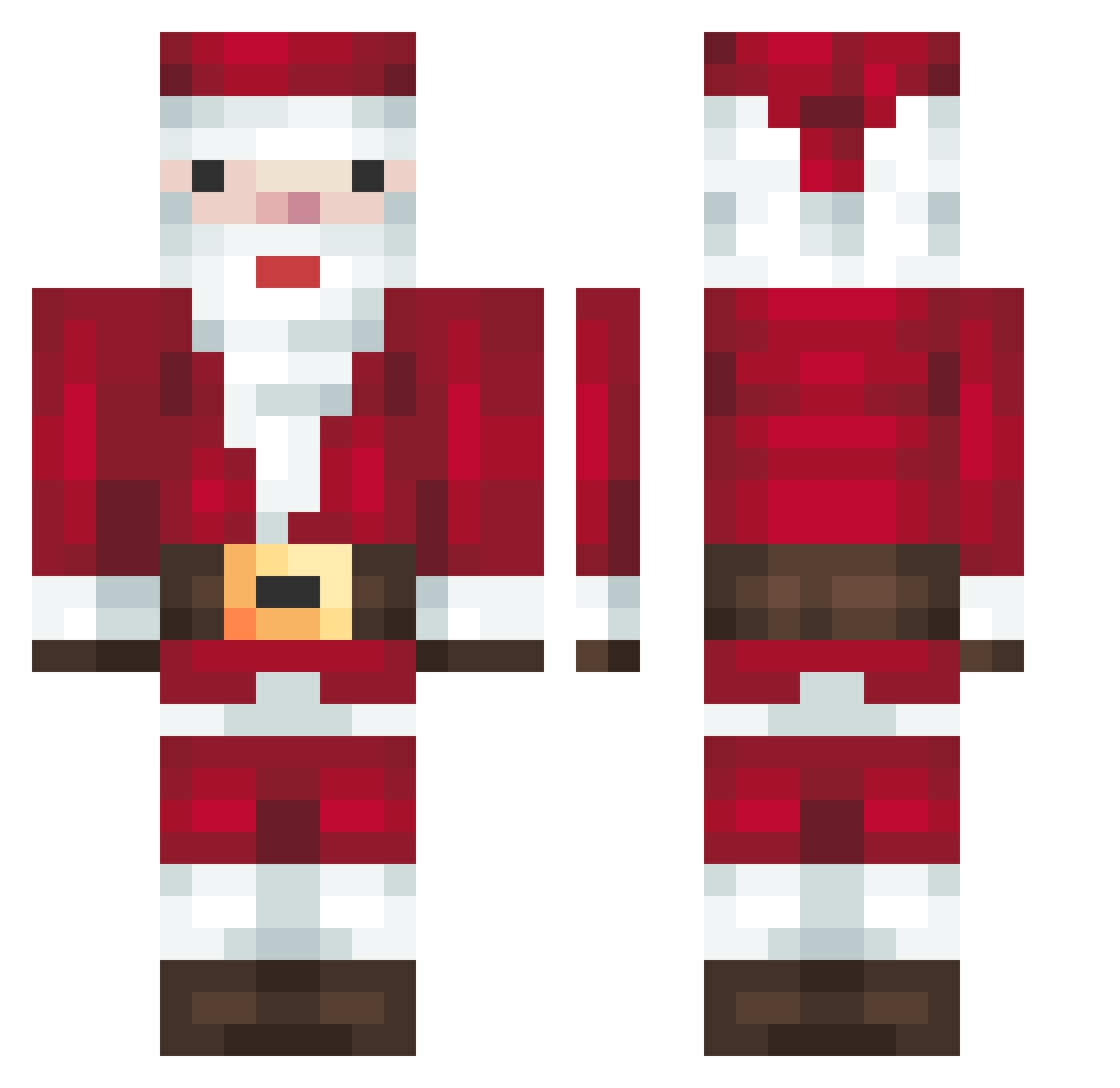
How to install the SuspiciousPanda9 skin
- Press the Download button above to save the skin as a PNG file.
- Minecraft: Bedrock Edition (PE): open the Dressing Room from the main menu (or tap your character → Edit Character), go to Classic Skins → Owned, press the + (new skin) button, choose the downloaded PNG and pick the Classic (Steve) model. Works on PC and mobile; consoles cannot import custom skins.
- Minecraft: Java Edition: open the Minecraft Launcher, go to the Skins tab, click New Skin, load the PNG, pick the Classic (Steve) model and press Save & Use. You can also upload it at minecraft.net → Profile → Change Skin.
The skin does not show up after import - what should I do?
Restart Minecraft and open the Dressing Room again - imported skins sometimes appear only after a restart. Also make sure you selected the imported skin and picked the Classic (Steve) model.
Which model should I choose, Classic or Slim?
This skin is designed for the Classic (Steve) model. If you pick the wrong model, the arms of the skin will look stretched or squeezed.
Is this skin free to use?
Yes. Press Download, save the PNG file and use it in Minecraft: Bedrock Edition or Java Edition - no payment or registration needed. The skin also works on multiplayer servers and Realms.
More Santa Claus Minecraft skins
More skins
Looking for more? Go back to all Minecraft skins and check the top skins of the week, month and all time, or find any player's skin by nickname.