
 GENERAL_MIC1 Rsteinauer gloam_ing lRasil jjcookie De2niz Wokyii agusitoop Forever_aaa SoniBo184 Sebasx_am PHantom_PICK bgm004 L90R JChristx ShadowLuar mk4mike Frutsii701 185iq TsxCurls ImSnUw1 JuliusKanda HyperLENDA_ TypeOs jyj_1025 strezh pomangam123 Asameshimae_aya Hattsu_ ashragamer DILAN10 DrowzyVigilante FeedForSpeed ImHemmo ElijaRe Mnichu__ DaixDaix777 Salvinoino ceff7942 le_sing tea805 Bedrockhex toksy999_ Ryan0821 Hamsvr ZeroThronePeep AtomicMistake Asteri_x_ BulgyDragoon GeneralRetard3
 loveicy
 Gigli_forever
 nullsecra x12hr
 dudecat_ xRewiZ
 not_baohoang
 valgal0911
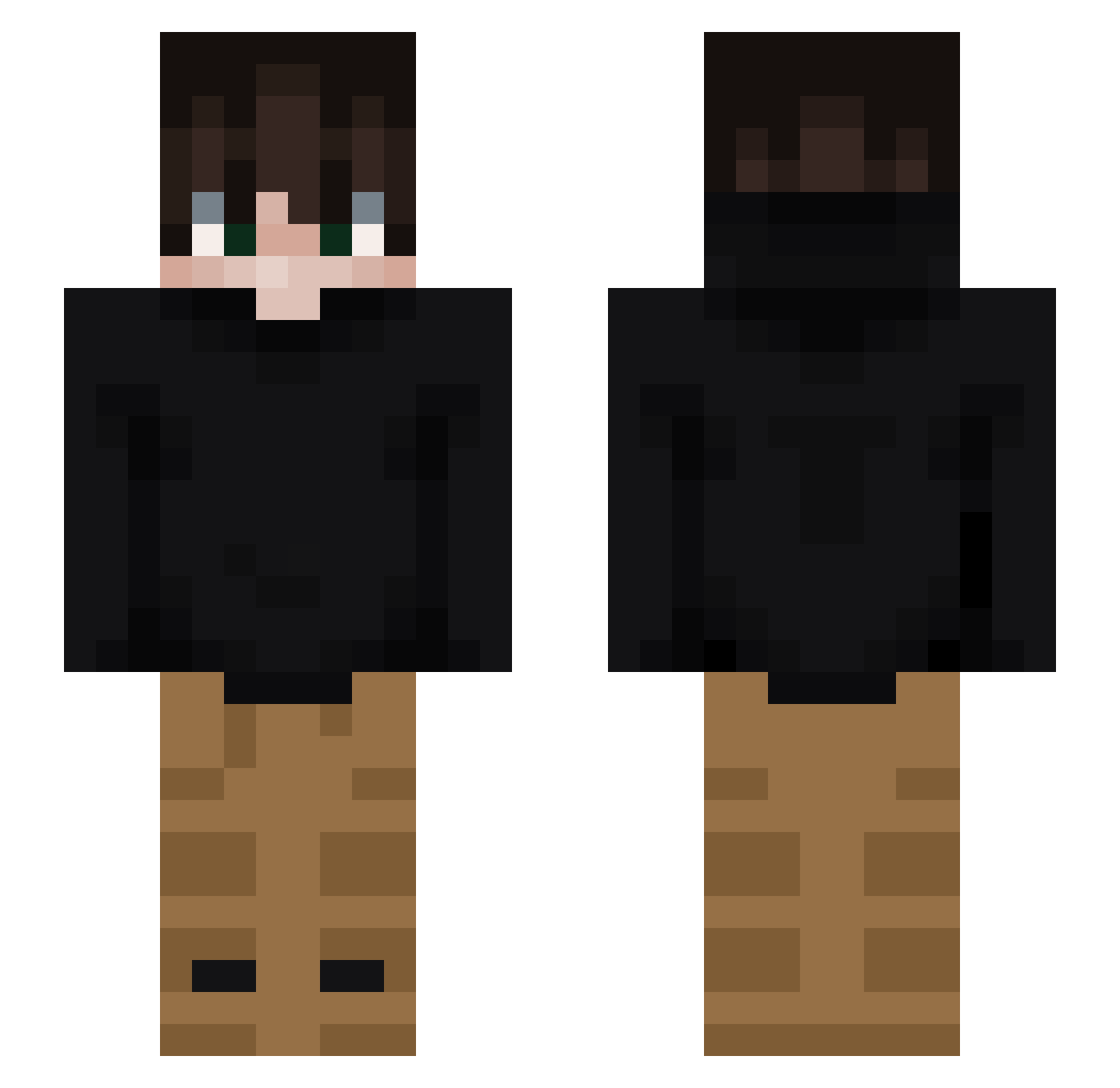
Minecraft skin of xRewiZ. Rotate the 3D model with your mouse or finger to view the skin from every angle, then download it as a PNG file and use it in Minecraft: Bedrock Edition or Java Edition for free. Rate the skin with stars to help other players find the best skins in our collection.
How to install the xRewiZ skin
- Press the Download button above to save the skin as a PNG file.
- Minecraft: Bedrock Edition (PE): open the Dressing Room from the main menu (or tap your character → Edit Character), go to Classic Skins → Owned, press the + (new skin) button, choose the downloaded PNG and pick the Slim (Alex) model. Works on PC and mobile; consoles cannot import custom skins.
- Minecraft: Java Edition: open the Minecraft Launcher, go to the Skins tab, click New Skin, load the PNG, pick the Slim (Alex) model and press Save & Use. You can also upload it at minecraft.net → Profile → Change Skin.
The skin does not show up after import - what should I do?
Restart Minecraft and open the Dressing Room again - imported skins sometimes appear only after a restart. Also make sure you selected the imported skin and picked the Slim (Alex) model.
Which model should I choose, Classic or Slim?
This skin is designed for the Slim (Alex) model. If you pick the wrong model, the arms of the skin will look stretched or squeezed.
Is this skin free to use?
Yes. Press Download, save the PNG file and use it in Minecraft: Bedrock Edition or Java Edition - no payment or registration needed. The skin also works on multiplayer servers and Realms.
More skins
Looking for more? Go back to all Minecraft skins and check the top skins of the week, month and all time, or find any player's skin by nickname.